


.png)
.png)



Design Manager is the development workspace inside HubSpot Content Hub where themes, templates, modules, and website assets are created and managed.
While most content editors work in the drag-and-drop page editor, developers and technical users typically use Design Manager to build the structure that powers the website.
Understanding what Design Manager does helps explain how HubSpot Content Hub websites are organized behind the scenes.
Where to Find Design Manager
Design Manager is part of HubSpot’s CMS tools and can be accessed from the main HubSpot navigation.
Inside Design Manager, you can view and manage files related to your website, including templates, modules, and styles.
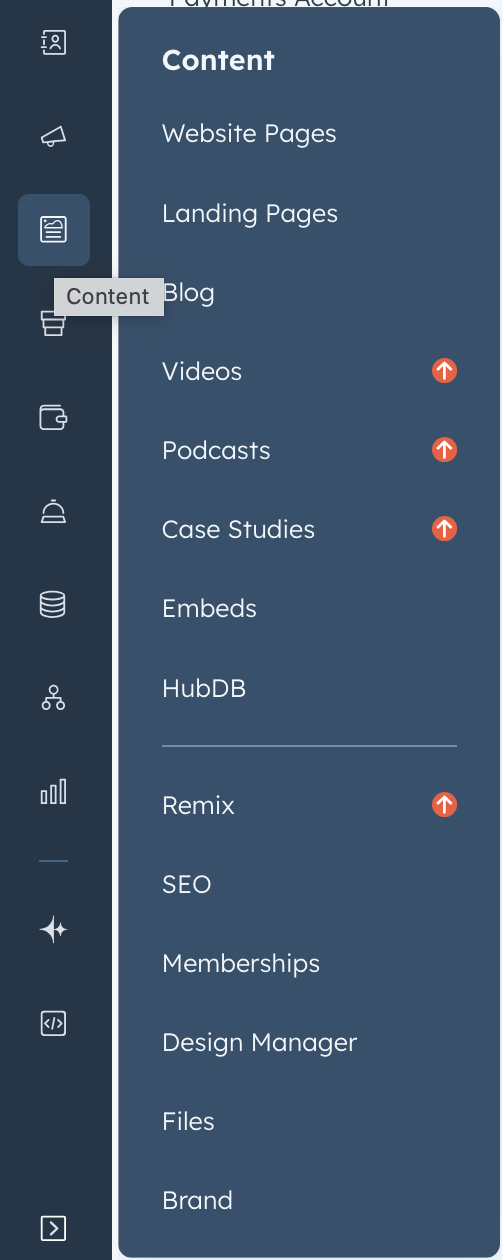
Once inside, you’ll see a file structure that organizes all the design assets used on your site.
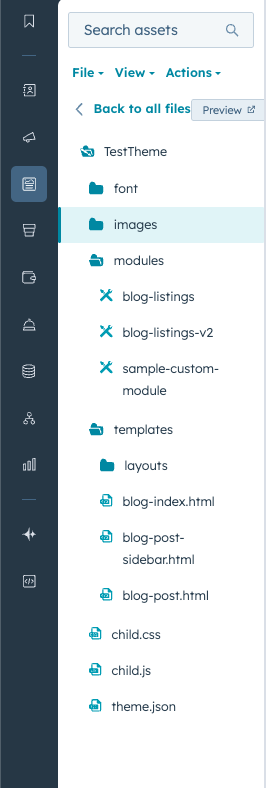
What Can You Create in Design Manager?
Design Manager allows developers to create and manage several key components of a HubSpot Content Hub website.
Templates
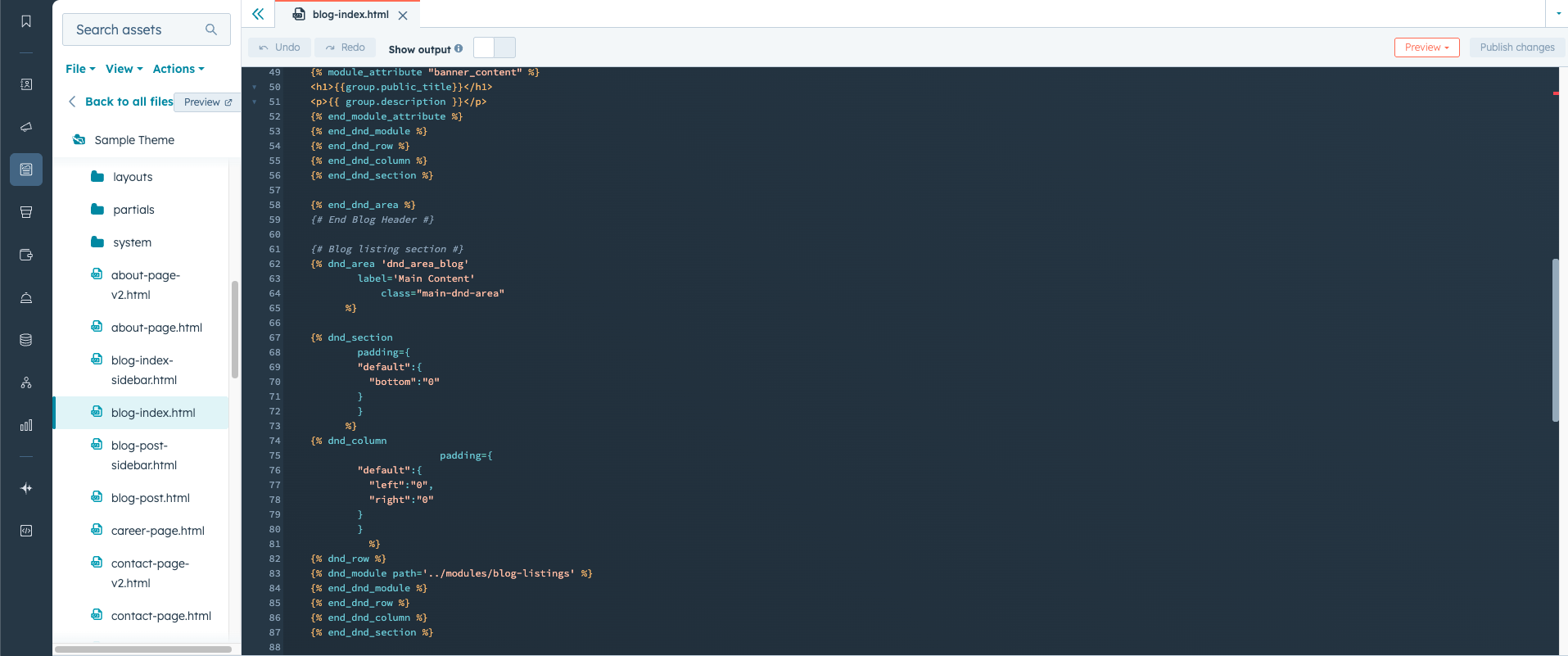
Templates define the structure of pages. They determine where elements like headers, footers, and content areas appear.
Templates can be either coded or drag-and-drop compatible.
Custom Modules
Modules are the building blocks of page content.
Developers can create custom modules in Design Manager to provide reusable content components such as:
- Pricing tables
- Feature sections
- Testimonials
- Interactive components
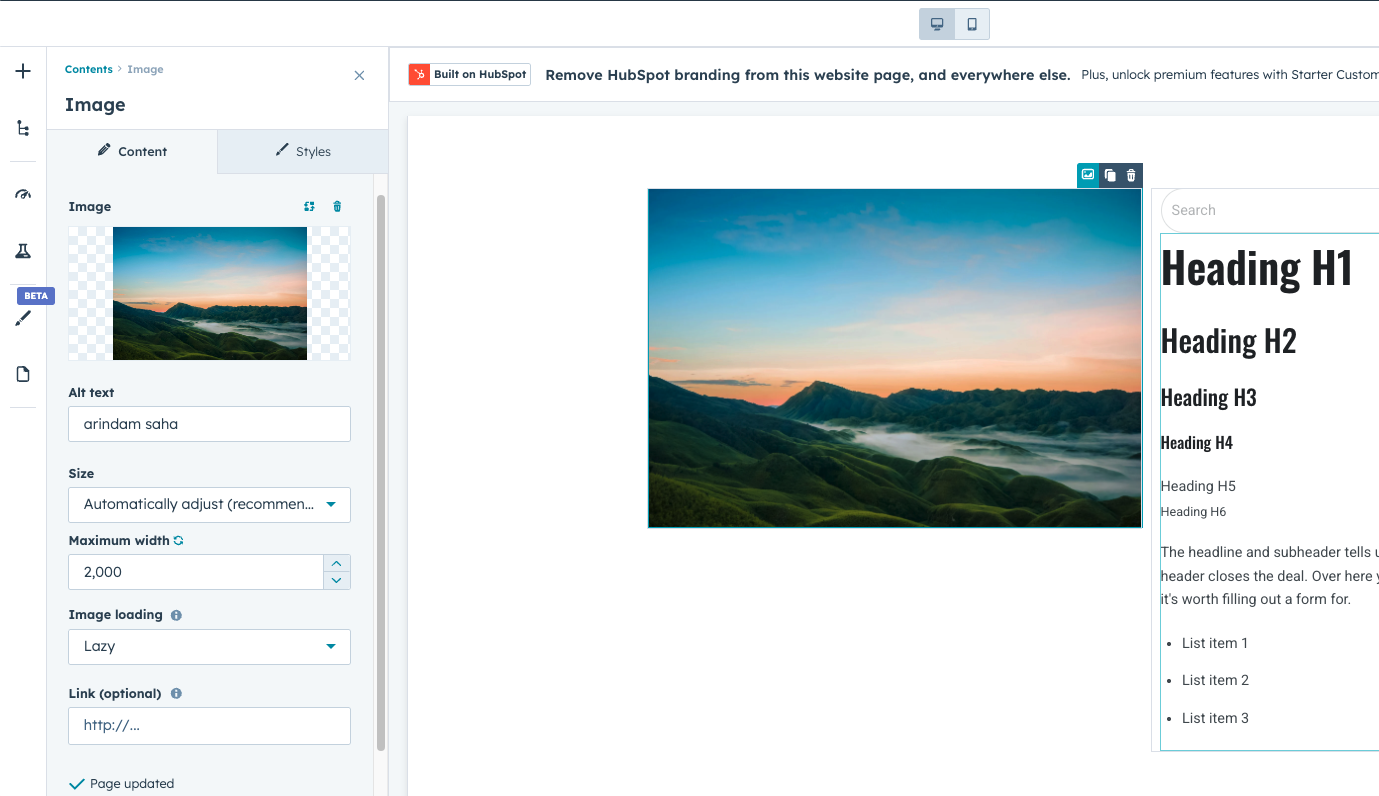
Once created, these modules become available in the page editor for content teams.
Themes
Themes control the design system of the website.
Inside Design Manager, developers can build or modify themes that define:
- Global colors
- Typography
- Page layouts
- Header and footer structures
Themes ensure the website maintains a consistent appearance across pages.
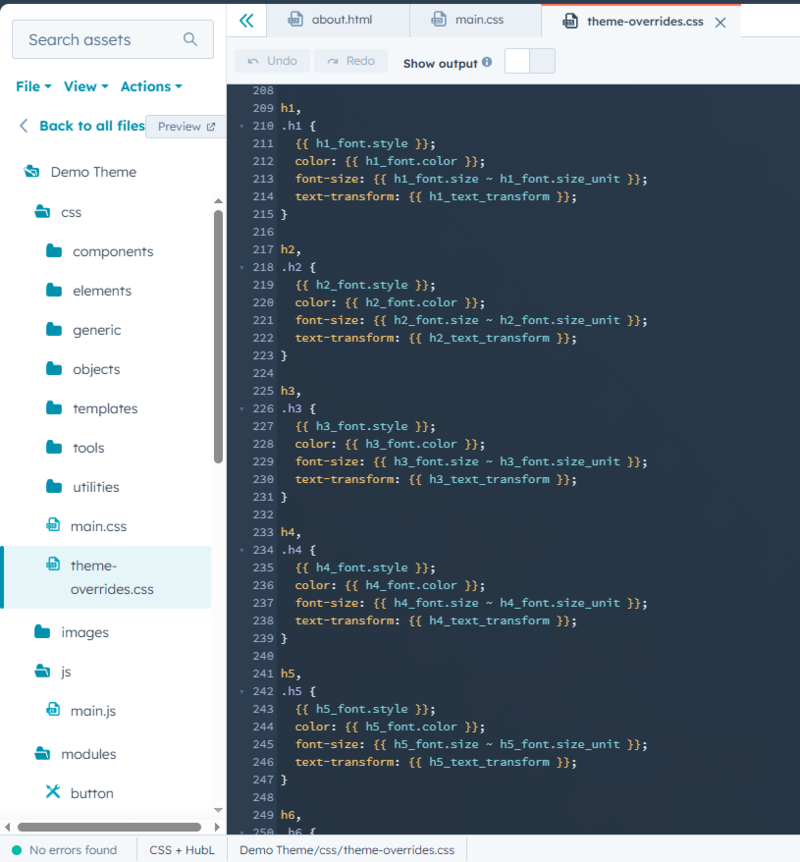
![Theme folder structure in Design Manager]](https://www.thewebplant.com/hubfs/WebPlant%20Theme%20V2/Everything%20About%20Hubspot%20CMS/images/HubSpot%20Design%20Manager%20with%20modules%20and%20templates.png)
CSS and JavaScript Files
Design Manager also allows developers to manage website styling and scripts.
This includes files such as:
- CSS stylesheets
- JavaScript files
- Global layout components
These files help control how the website looks and behaves.
Who Typically Uses Design Manager?
Design Manager is primarily used by:
- Developers building custom websites
- Agencies creating reusable components
- Technical teams maintaining site architecture
Marketing teams usually do not need to work in Design Manager directly. Instead, they interact with the modules and templates created there through the page editor.
Why Design Manager Is Important
Design Manager plays a key role in keeping HubSpot Content Hub websites organized and scalable.
It allows developers to:
- Create reusable design components
- Maintain consistent layouts
- Control how editors interact with page content
This structure helps separate technical development from content editing, which makes collaboration between teams easier.
Final Thoughts
Design Manager is where the technical foundation of a HubSpot Content Hub website is built.
While editors focus on creating and updating content through the page editor, developers use Design Manager to build the themes, templates, and modules that power the website.
Related Post
How Do HubSpot Content Hub Modules Work?
Modules are one of the most important building blocks in HubSpot Content Hub. They allow you to add and manage content elements such as text, images, forms, and buttons within your website pages.

How Do HubSpot Content Hub Navigation Menus Work?
Navigation menus play an important role in helping visitors explore a website. In HubSpot Content Hub, navigation menus allow you to organize links to important pages such as services, resources, blog posts, or contact pages.
Pages, Templates, and Modules in HubSpot Content Hub Explained
When working with HubSpot Content Hub, three concepts appear again and again: pages, templates, and modules. Understanding how these pieces work together is essential for building and managing websites on the platform.
Have a Project in Mind?
Let’s talk about what you need and how we can make it happen.

Leave a reply