


.png)
.png)


Navigation menus play an important role in helping visitors explore a website. In HubSpot Content Hub, navigation menus allow you to organize links to important pages such as services, resources, blog posts, or contact pages.
A well-structured navigation menu improves user experience and helps visitors quickly find the information they need.
Understanding how HubSpot Content Hub navigation menus work helps teams design websites that are easier to navigate and manage.
What Is a Navigation Menu?
A navigation menu is a set of links that appear on a website to guide visitors through different sections of the site.
Navigation menus are usually located in areas such as:
- The website header
- The website footer
- Sidebar sections on certain pages
These menus typically link to the most important pages of the website.
Where Navigation Menus Are Managed in HubSpot
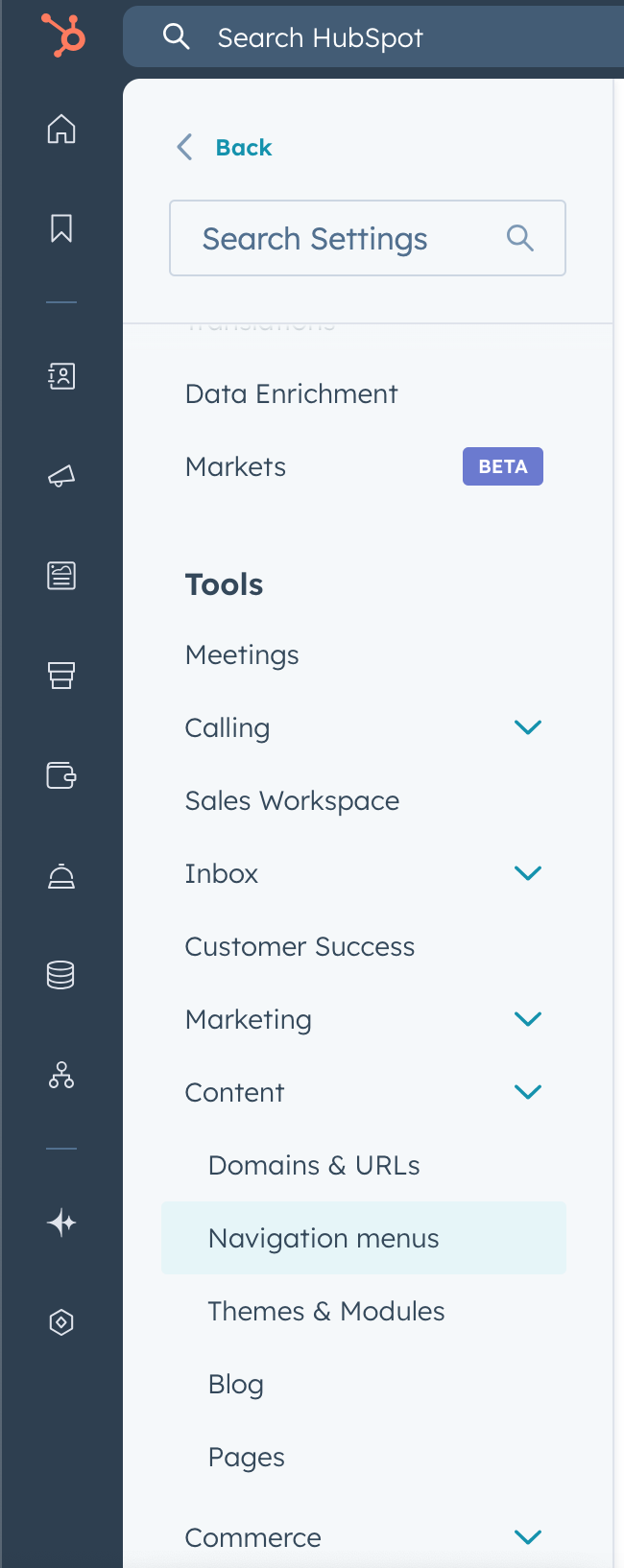
Navigation menus in HubSpot Content Hub are managed through the Menus settings.
To access the menu manager, go to:
Settings → Website → Navigation
Here you can view and manage all navigation menus used across your website.
Creating a Navigation Menu
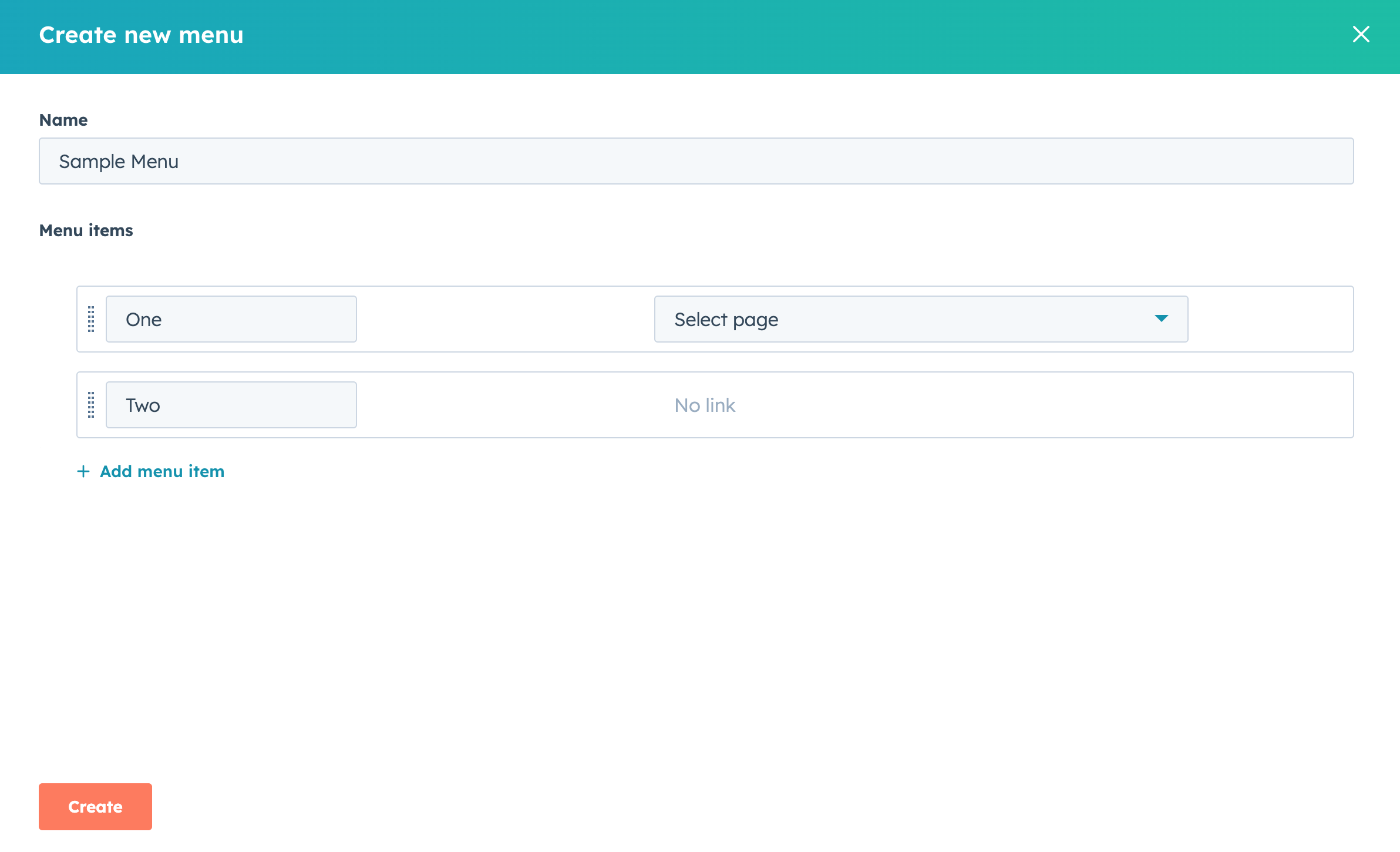
To create a new menu in HubSpot Content Hub, follow these steps:
- Open the navigation menu manager
- Click Create Menu
- Give the menu a name
- Add links to the menu items
Each menu item can link to:
- Website pages
- Landing pages
- Blog pages
- External URLs
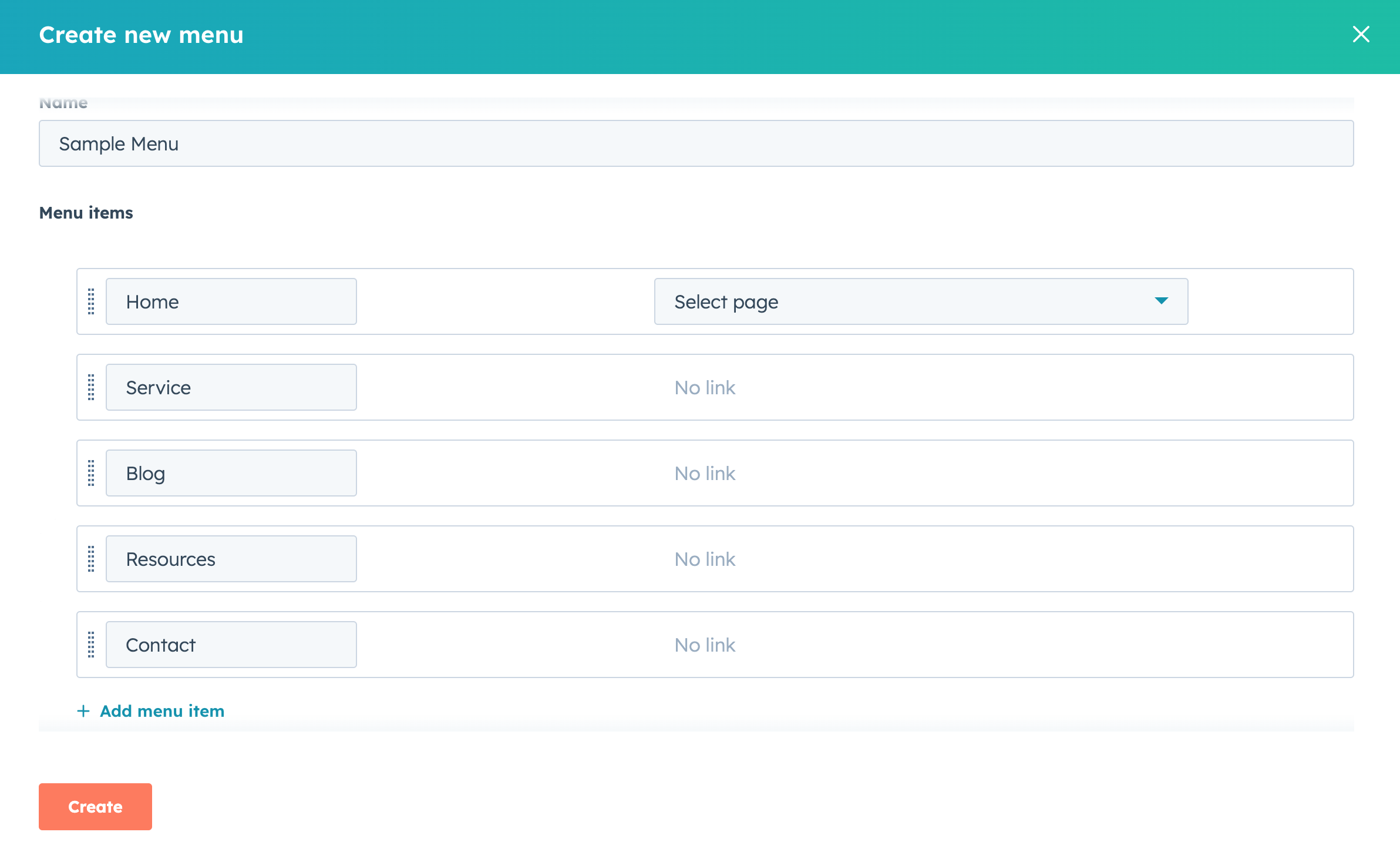
Adding Menu Items
Menu items represent the individual links inside the navigation menu.
You can add items such as
- Home
- Services
- Blog
- Resources
- Contact
HubSpot allows you to easily rearrange menu items by dragging them into the desired order.
Creating Dropdown Menus
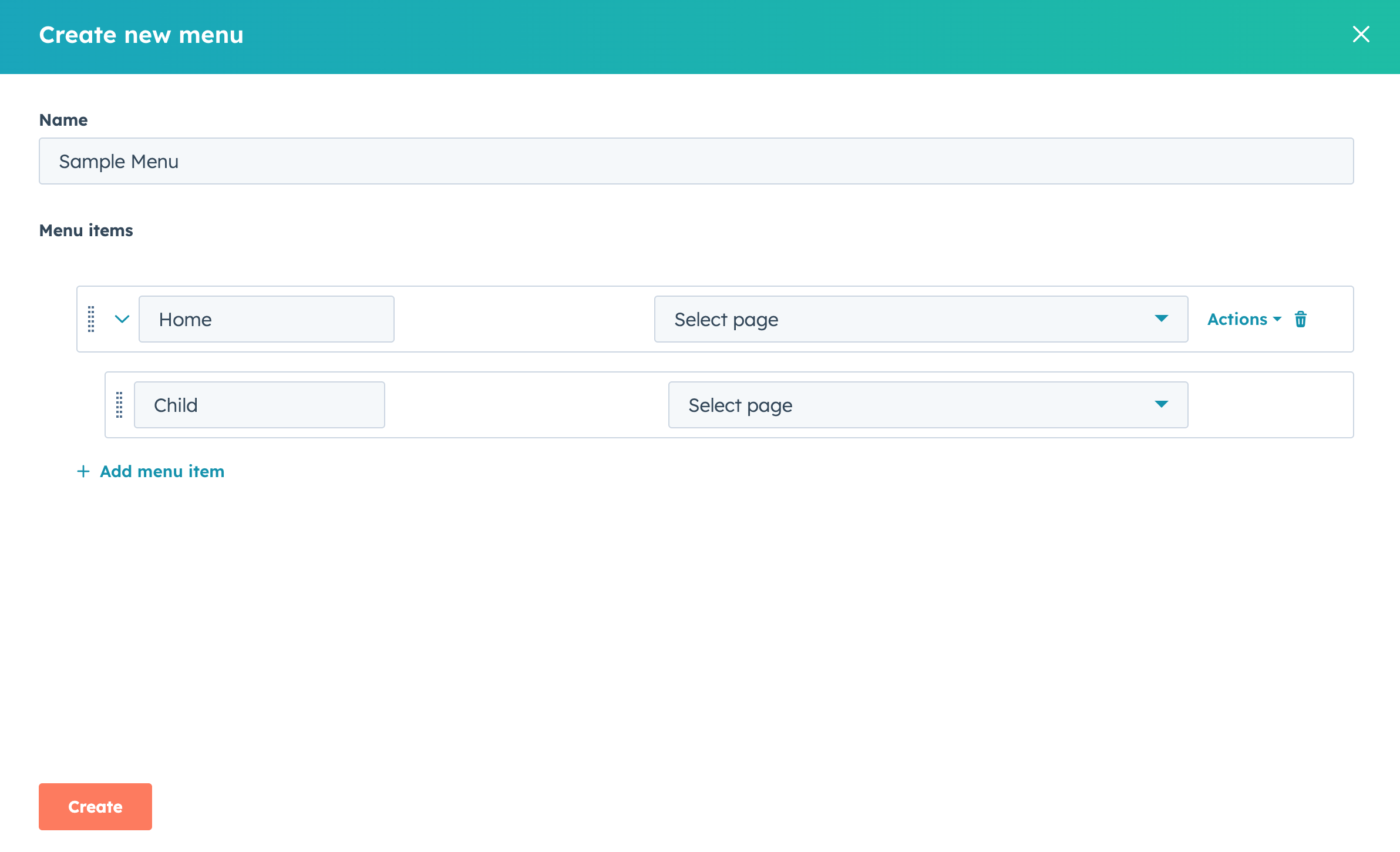
HubSpot Content Hub also allows you to create dropdown menus, which display additional links under a main navigation item.
For example:
Services
- Web Development
- HubSpot Development
- AI Agents Development
Dropdown menus help organize large websites by grouping related pages together.
Using Menus in Website Templates
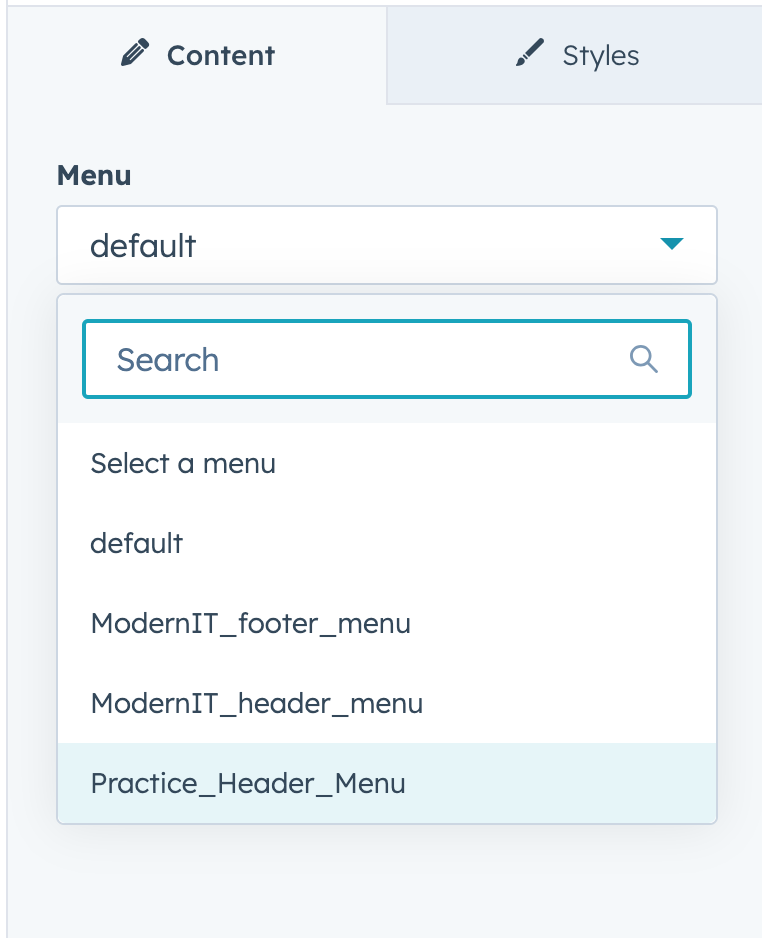
Once a menu is created, it is usually connected to a navigation module inside the website header template.
Developers configure templates so that the correct menu appears in the navigation area of the website.
This means that updating the menu in HubSpot automatically updates navigation across the website.
Updating Navigation Menus
One advantage of HubSpot Content Hub navigation menus is that they can be updated centrally.
If you add or remove menu items in the navigation settings, those changes automatically apply to every page that uses that menu.
This makes it easier to maintain website navigation as your content grows.
Key Takeaway
HubSpot Content Hub navigation menus allow teams to organize website links and guide visitors through different sections of the site. By managing menus centrally, businesses can update navigation across the entire website without editing individual pages.
Related Post
How Do HubSpot Content Hub Website Navigation Menus Work?
Website navigation plays an important role in helping visitors find information quickly. HubSpot Content Hub provides navigation menu tools that allow teams to create and manage the structure of their website menus.
How Do HubSpot Content Hub Modules Work?
Modules are one of the most important building blocks in HubSpot Content Hub. They allow you to add and manage content elements such as text, images, forms, and buttons within your website pages.
Pages, Templates, and Modules in HubSpot Content Hub Explained
When working with HubSpot Content Hub, three concepts appear again and again: pages, templates, and modules. Understanding how these pieces work together is essential for building and managing websites on the platform.
Have a Project in Mind?
Let’s talk about what you need and how we can make it happen.

Leave a reply