


.png)
.png)



Modules are one of the most important building blocks in HubSpot Content Hub. They allow you to add and manage content elements such as text, images, forms, and buttons within your website pages.
In simple terms, modules are reusable content components that make it easier to build and update pages without needing to edit the overall layout or structure.
Understanding how HubSpot ContentHub modules work will help you manage website content more efficiently and maintain consistent designs across pages.
What Is a HubSpot Content Hub Module?
A HubSpot Content Hub module is a content block that can be placed inside a page template or section.
Modules allow editors to insert specific types of content while maintaining the overall design defined by developers.
Common examples of modules include:
- Text sections
- Images
- Buttons
- Forms
- Videos
- Call-to-action elements
Modules make it possible to update individual parts of a page without affecting the rest of the layout.
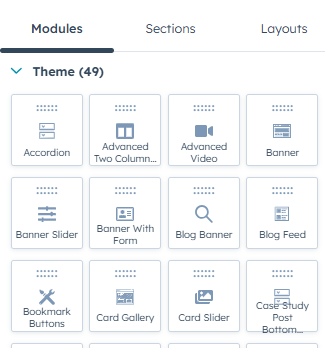
Where Modules Appear in HubSpot Content Hub
Modules are used inside the drag-and-drop page editor.
When editing a page, you can add modules to sections and arrange them according to your content needs.
For example, a page might include modules such as:
- A hero section module
- A feature list module
- A testimonial module
- A contact form module
Each module can be edited independently.
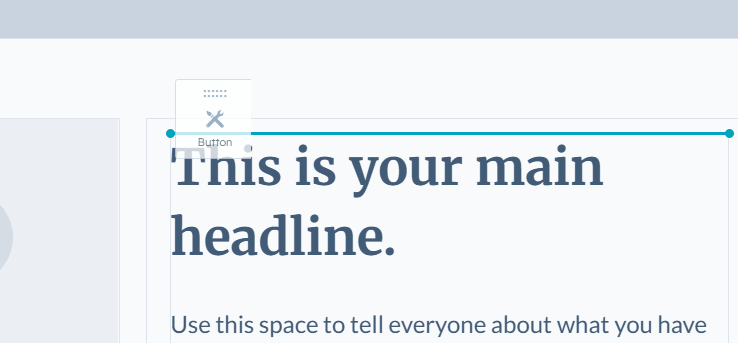
Default Modules in HubSpot Content Hub
HubSpot Content Hub includes several built-in modules that cover common content needs.
Some commonly used default modules include:
- Rich text modules
- Image modules
- Button modules
- Form modules
- Video modules
These modules allow editors to quickly add content without needing custom development.
Custom Modules in HubSpot Content Hub
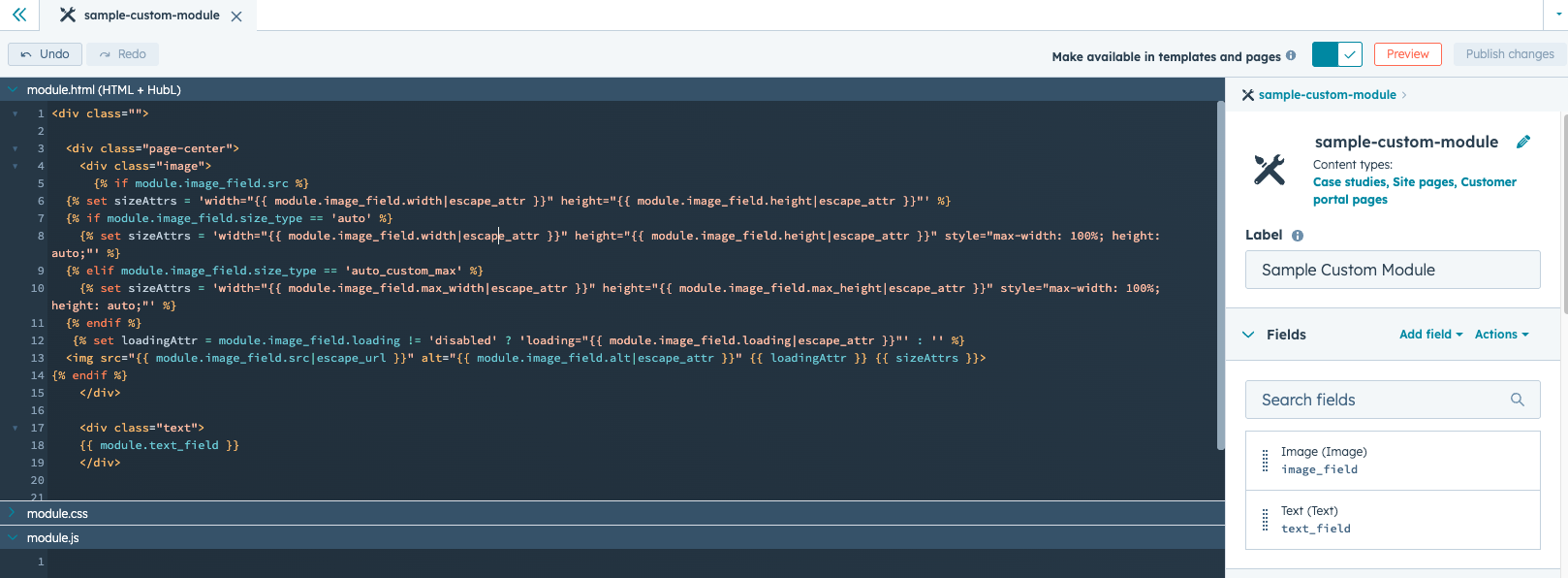
Developers can also create custom modules inside the Design Manager.
Custom modules allow teams to build reusable components that match their website design and functionality.
Examples of custom modules include:
- Pricing tables
- Feature comparison sections
- Testimonials sliders
- Interactive content blocks
Once created, these modules become available to editors inside the page editor.
Why Modules Are Important
Modules provide several advantages when building websites with HubSpot Content Hub.
They help:
- Keep page designs consistent
- Allow editors to update content easily
- Reuse components across multiple pages
- Reduce the need for repeated design work
For large websites, modules are essential for maintaining scalable and organized content structures.
Modules and Page Structure
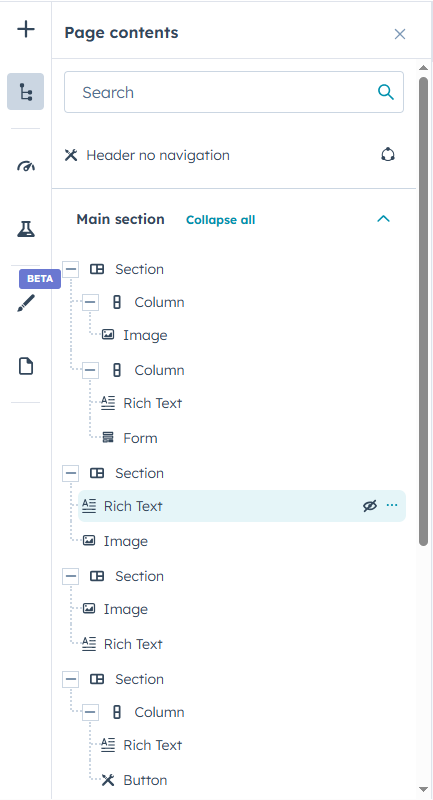
Modules work together with templates and sections.
The typical hierarchy looks like this:
Template → Section → Module → Content
This structure allows developers to control page layout while giving editors flexibility to manage the content inside each module.
Final Thoughts
Modules are the content building blocks of HubSpot Content Hub websites. They make it easy to add structured content while maintaining consistent design across pages.
By using modules effectively, teams can create flexible pages while still preserving the design framework created by developers.
Related Post

How Do HubSpot Content Hub A/B Testing and Page Experiments Work?
When optimizing website performance, it is often helpful to test different versions of a page to see which one performs better. HubSpot Content Hub includes A/B testing tools hat allow teams to compare variations of pages and measure their...

How Do HubSpot Content Hub Navigation Menus Work?
Navigation menus play an important role in helping visitors explore a website. In HubSpot Content Hub, navigation menus allow you to organize links to important pages such as services, resources, blog posts, or contact pages.

How Does HubSpot Content Hub Blog Management Work?
Blogging is an important part of many content marketing strategies. HubSpot Content Hub includes a built-in blogging system that allows businesses to create, publish, and manage blog content directly within the platform.
Have a Project in Mind?
Let’s talk about what you need and how we can make it happen.

Leave a reply