


.png)
.png)



When optimizing website performance, it is often helpful to test different versions of a page to see which one performs better. HubSpot Content Hub includes A/B testing tools hat allow teams to compare variations of pages and measure their performance.
A/B testing helps businesses make data-driven decisions by showing which design, content, or call-to-action generates better results.
Understanding how HubSpot Content Hub A/B testing and page experiments work helps teams improve conversion rates and user engagement.
What Is A/B Testing?
A/B testing (also called split testing) compares two versions of a page to determine which one performs better.
For example, you might test:
- Two different headlines
- Two CTA button designs
- Different page layouts
- Different hero images
Visitors are randomly shown one of the variations, and HubSpot tracks which version generates better results.
Where A/B Testing Is Used
In HubSpot Content Hub, /B testing is commonly used for:
- Landing pages
- Campaign pages
- Lead generation pages
- Conversion-focused content
These types of pages often benefit the most from testing different design or messaging approaches.
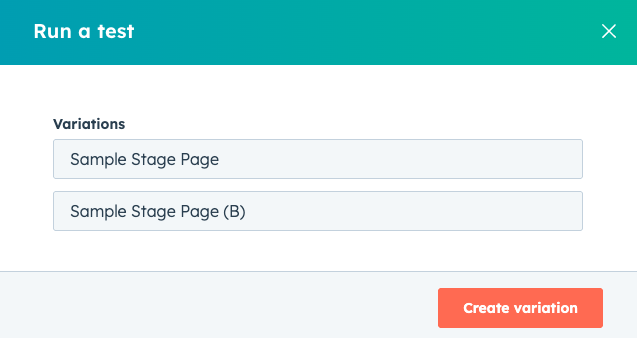
Creating an A/B Test in HubSpot
To create an A/B test in HubSpot Content Hub:
- Open the page you want to test
- Click Run a Test
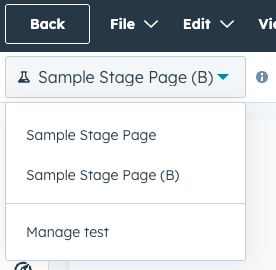
- Create a variation of the page
- Modify the content you want to test
- Publish the test
HubSpot will automatically split traffic between the original page and the variation.
What Can Be Tested?
A/B testing allows you to experiment with different elements of a page.
Common elements tested include:
- Headlines
- Page layouts
- CTA button text
- CTA placement
- Images or visuals
- Form placement
Even small changes can sometimes have a significant impact on conversion rates.
Measuring Test Results
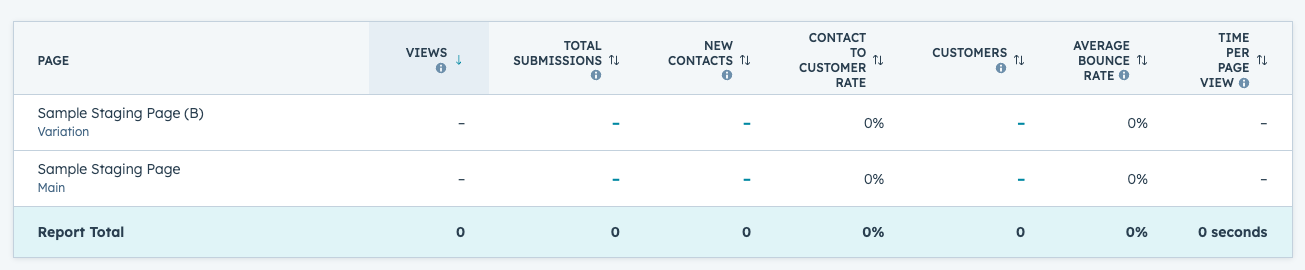
HubSpot tracks how each variation performs and provides analytics that help determine the winning version.
Key metrics used in A/B testing include:
- Page views
- Click-through rates
- Form submissions
- Conversion rates
Once enough data has been collected, teams can choose the version that performs best.
Key Takeaway
HubSpot Content Hub A/B testing tools allow teams to experiment with different page variations and measure which version performs better. By using data-driven insights from page experiments, businesses can continuously improve their website performance and conversion rates.
Related Post
Pages, Templates, and Modules in HubSpot Content Hub Explained
When working with HubSpot Content Hub, three concepts appear again and again: pages, templates, and modules. Understanding how these pieces work together is essential for building and managing websites on the platform.
How Do HubSpot Content Hub Modules Work?
Modules are one of the most important building blocks in HubSpot Content Hub. They allow you to add and manage content elements such as text, images, forms, and buttons within your website pages.
How Do HubSpot Content Hub Analytics Dashboards and Reporting Work?
Understanding how visitors interact with your website is essential for improving marketing performance. HubSpot Content Hub includes built-in analytics dashboards and reporting tools that allow teams to monitor traffic, engagement, and conversions...
Have a Project in Mind?
Let’s talk about what you need and how we can make it happen.

Leave a reply