


.png)
.png)


Templates are a key part of how websites are built inside HubSpot Content Hub. A template defines the structure and layout of a page, determining where elements such as headers, content areas, and footers appear.
Instead of designing every page from scratch, templates allow websites to follow a consistent layout structure, making it easier for teams to create and manage pages.
Understanding how HubSpot Content Hub templates work will help you build pages faster while keeping your website organized.
What Is a HubSpot Content Hub Template?
A HubSpot Content Hub template is a predefined layout used when creating a page.
Templates determine the placement of key elements such as:
- Header navigation
- Main content area
- Sidebar sections
- Footer
- Content modules
When a user creates a new page in HubSpot Content Hub, they typically choose a template first. The template provides the framework where content will be added.
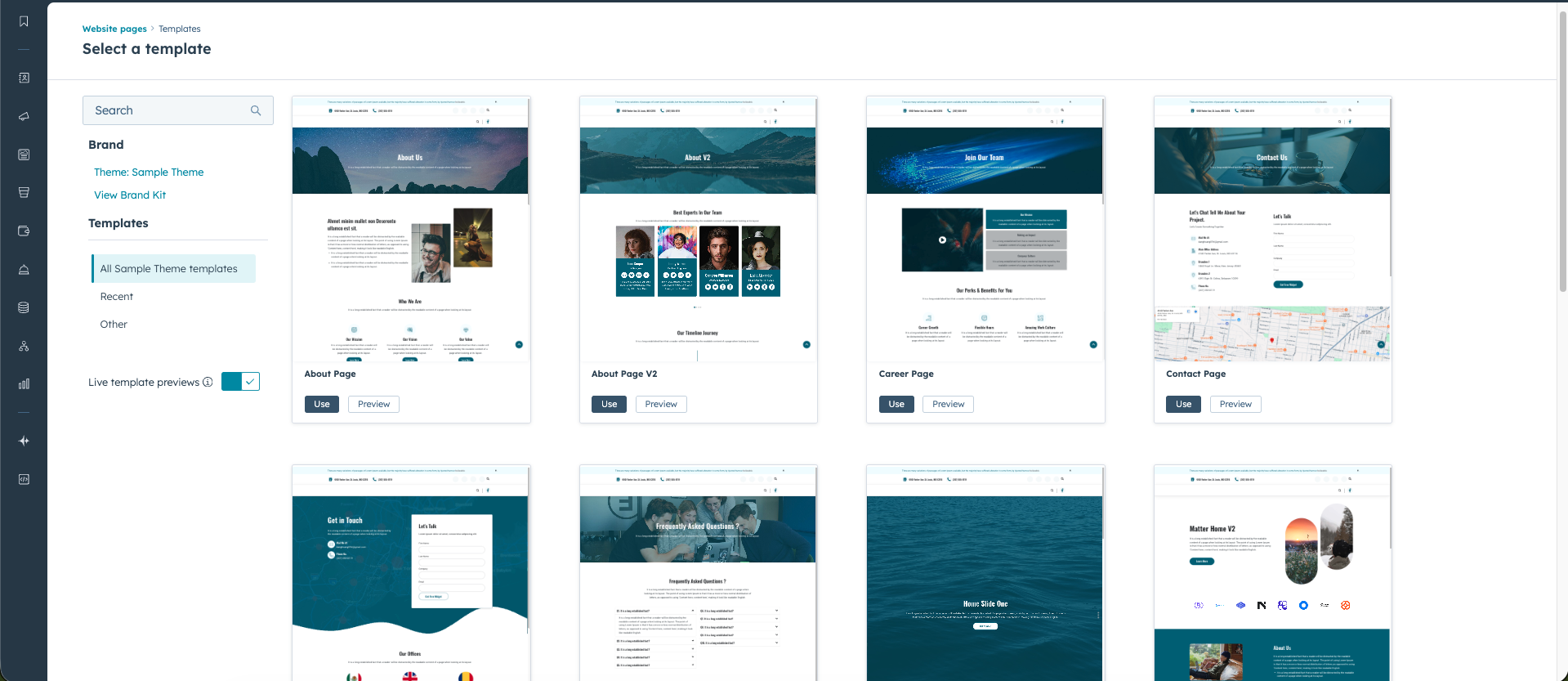
Why Templates Are Important in HubSpot Content Hub
Templates help maintain consistency across your website.
Without templates, each page could be designed differently, which might lead to inconsistent layouts and branding.
Templates help ensure:
- Pages follow a consistent structure
- Editors can create pages quickly
- Design standards are maintained
- Content remains organized
For businesses managing many pages, templates are essential for keeping the website scalable.
Types of Templates in HubSpot Content Hub
HubSpot Content Hub supports different types of templates depending on the kind of content you are creating.
Common template types include:
Website Page Templates
These are used for regular pages such as:
- Homepages
- About pages
- Services pages
- Product pages
These templates typically include multiple sections and modules.
Landing Page Templates
Landing page templates are usually designed for marketing campaigns.
They often include elements such as:
- Hero sections
- Lead capture forms
- Calls-to-action
- Conversion-focused layouts
These templates are optimized to encourage visitors to take action.
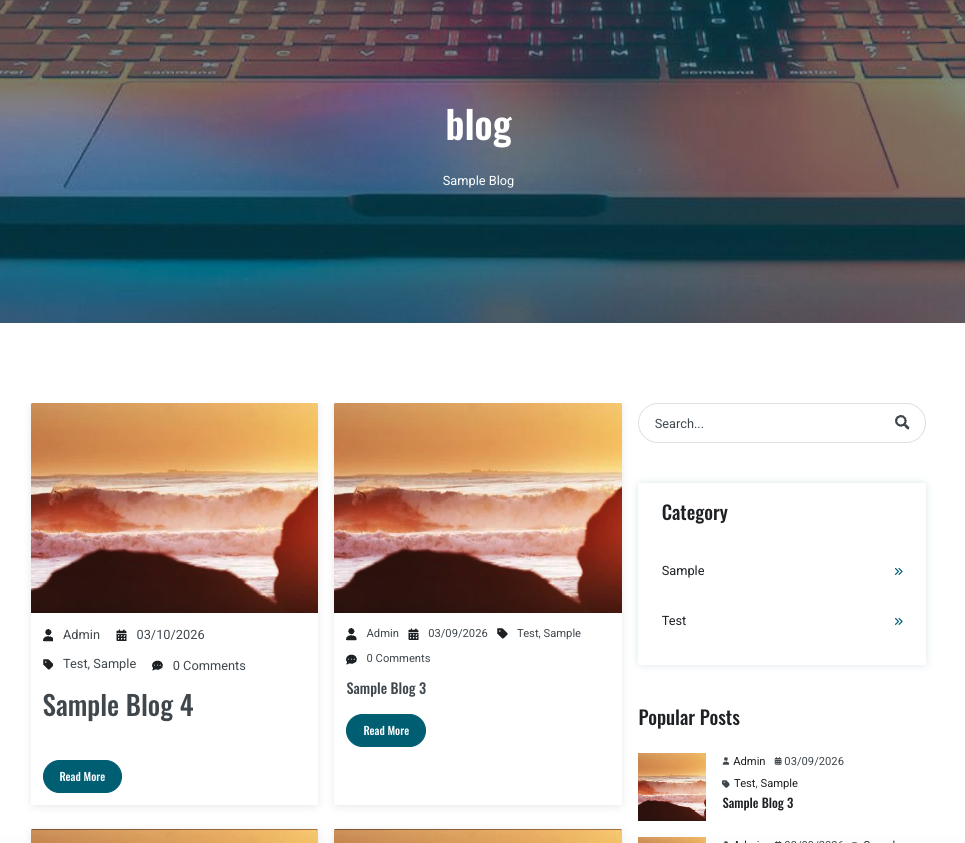
Blog Templates
HubSpot Content Hub also includes templates specifically designed for blog content.
Examples include:
- Blog listing pages
- Individual blog post templates
These templates ensure that blog posts follow a consistent design across the website.
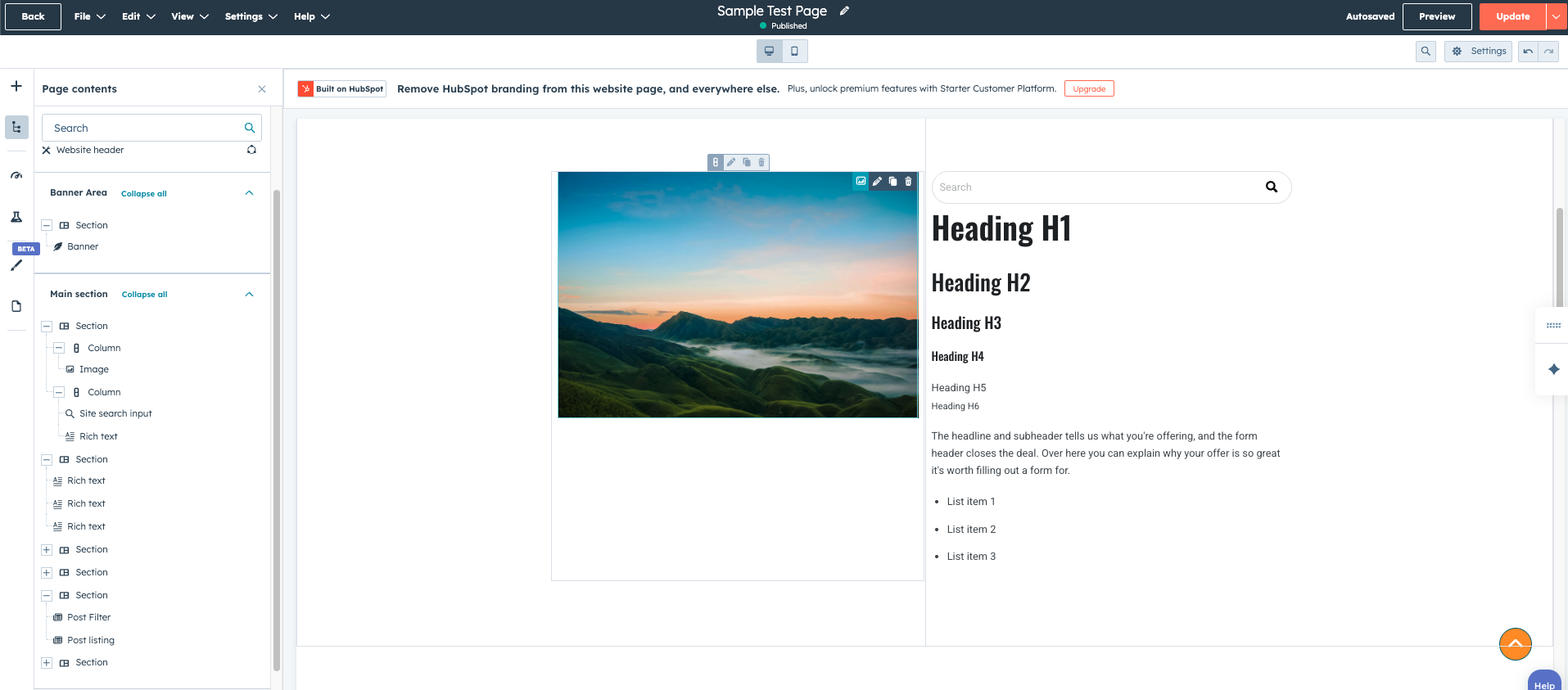
How Templates Work with Modules
Templates typically include modules, which are the individual content components that appear on a page.
Examples of modules include:
- Text sections
- Images
- Forms
- Buttons
- Videos
Developers often create custom modules that editors can use inside templates to build pages more easily.
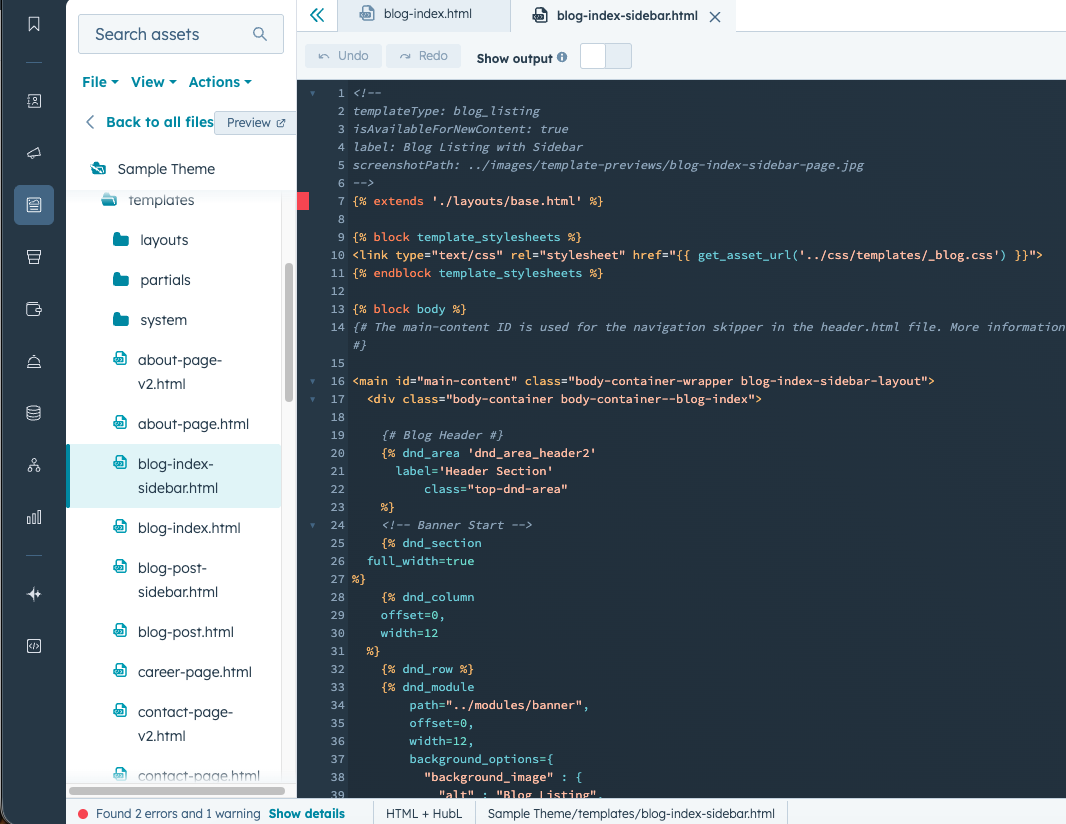
Creating Custom Templates
Developers can create custom templates using HubSpot Design Manager.
These templates allow teams to define unique layouts tailored to their website design.
Custom templates may include:
- Fixed layouts
- Drag-and-drop areas
- Custom module placements
Once a template is created, it becomes available to editors when creating new pages.
Final Thoughts
Templates play an important role in organizing websites built with HubSpot Content Hub.
They provide the structural framework for pages, helping teams maintain consistent layouts while allowing editors to focus on content.
Once a good set of templates is created, building new pages becomes much faster and easier.
Related Post
How Do HubSpot Content Hub Templates Work?
Templates are one of the core building blocks of websites created in HubSpot Content Hub. A template defines the layout and structure of a page, ensuring that pages follow a consistent design while still allowing editors to update content easily.
How Do You Create a Page in HubSpot Content Hub?
Creating a page in HubSpot Content Hub is a straightforward process. The platform provides a visual page editor that allows marketers and content teams to build pages without writing code.
How Does HubSpot Content Hub Handle SEO for Websites?
Search engine optimization (SEO) is an important part of building a successful website. HubSpot Content Hub includes several built-in SEO tools that help website owners optimize their pages without needing additional plugins or external software.
Have a Project in Mind?
Let’s talk about what you need and how we can make it happen.

Leave a reply