


.png)
.png)


When building pages in HubSpot Content Hub, the structure of a page is usually defined by a template. Within that template, the page is divided into layout sections that organize how content appears on the page.
Templates define the overall layout, while sections and modules allow editors to add and arrange content within that layout.
Understanding how HubSpot Content Hub page templates and layout sections work helps teams build structured pages that are easy to manage and update.
What Is a Page Template?
A page template defines the structure of a webpage in HubSpot Content Hub.
Templates determine where major page elements appear, such as:
- Header
- Hero section
- Main content area
- Sidebar sections
- Footer
Developers create templates so that editors can build pages without needing to design layouts from scratch.
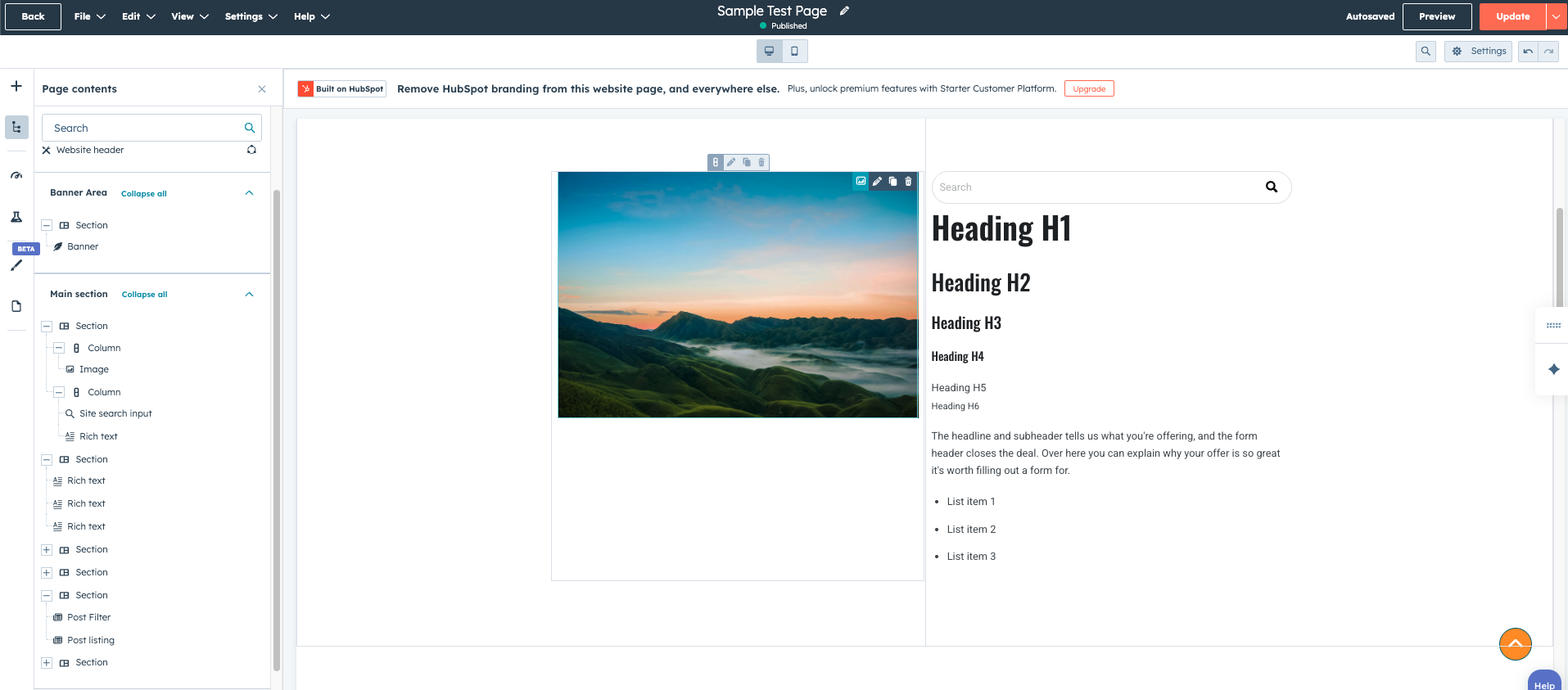
What Are Layout Sections?
Within a template, content is typically divided into layout sections..
Sections act as containers that hold modules and other content elements.
Examples of common layout sections include:
- Hero section at the top of the page
- Feature sections highlighting services or products
- Testimonials sections
- Call-to-action sections
- Content blocks for text and images
Sections help organize content visually and make pages easier to structure.
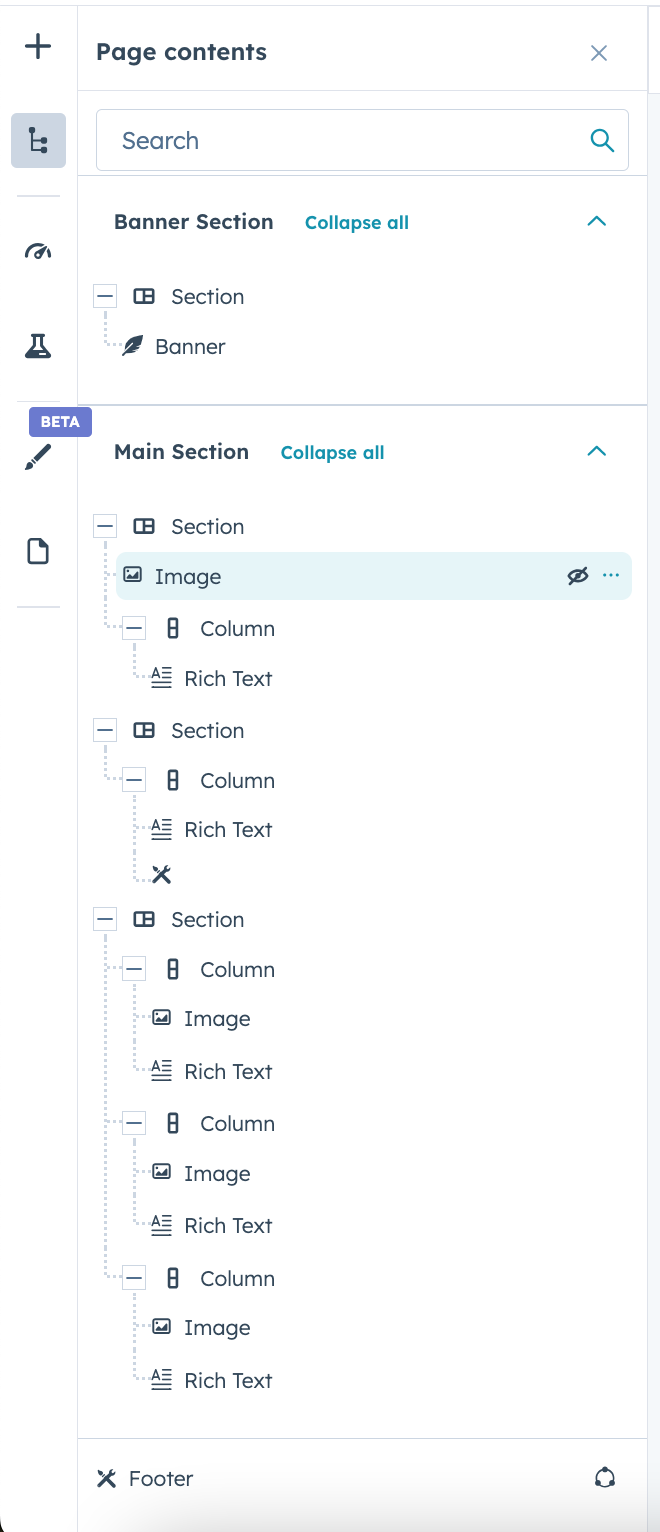
Sections and Columns
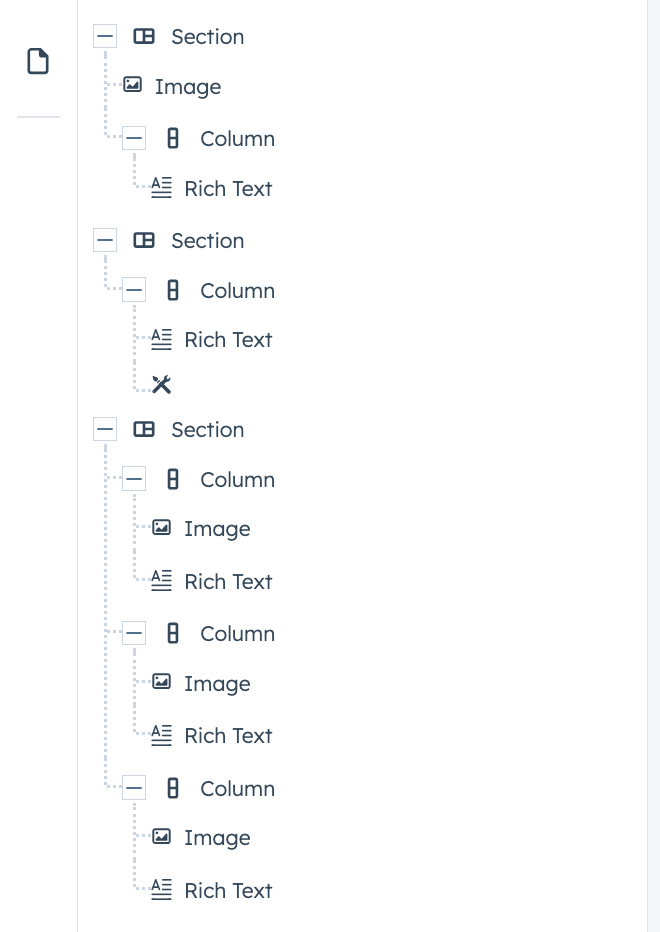
Layout sections in HubSpot Content Hub often include columns.
Columns allow multiple pieces of content to appear side by side.
For example:
- Two-column layouts for text and image combinations
- Three-column layouts for feature highlights
- Four-column layouts for service listings
Columns help create balanced and visually appealing page designs.
Adding Sections to a Page
Many templates support drag-and-drop sections, which means editors can add new sections to a page without developer assistance.
In the page editor, users can:
- Insert new sections
- Rearrange sections on the page
- Duplicate existing sections
- Remove sections that are no longer needed
This flexibility allows teams to customize pages while still following the template’s design structure.
Reusable Section Patterns
Some themes include pre-designed section patterns that editors can reuse.
These patterns may include layouts such as:
- Hero banners
- Pricing sections
- Testimonial blocks
- Feature grids
Using pre-designed sections helps maintain design consistency and speeds up page creation.
When Developers Control Sections
In some templates, sections are fixed and cannot be rearranged.
This happens when developers want to maintain strict design control or ensure the layout remains consistent across pages.
In these cases, editors can still update content inside modules but cannot change the overall page structure.
Key Takeaway
HubSpot Content Hub page templates define the structure of a webpage, while layout sections organize how content appears within that structure. By combining templates, sections, and modules, teams can create structured pages that are easy to build, edit, and maintain.
Related Post

How Do You Delete a Page in HubSpot Content Hub?
At times, you may need to remove pages from your website. This can happen when content becomes outdated, a campaign ends, or the website structure is being reorganized.HubSpot Content Hub provides a simple way to delete pages directly from the page...
How Do HubSpot Content Hub Staging and Testing Environments Work?
When making major changes to a website, it is often risky to test those changes directly on the live site. To help avoid this problem, HubSpot Content Hub provides a staging environment where developers and teams can test updates before publishing...
How Do HubSpot Content Hub Templates Work?
Templates are a key part of how websites are built inside HubSpot Content Hub. A template defines the structure and layout of a page, determining where elements such as headers, content areas, and footers appear.
Have a Project in Mind?
Let’s talk about what you need and how we can make it happen.

Leave a reply