


.png)
.png)


Landing pages are an important part of digital marketing. They are designed to capture leads, promote offers, or drive specific actions from visitors. HubSpot Content Hub includes built-in tools that make it easy to create and manage landing pages without needing additional plugins or external platforms.
Landing pages in HubSpot Content Hub can be used for campaigns such as ebook downloads, webinar registrations, product promotions, and event sign-ups.
Understanding how to create landing pages in HubSpot Content Hub can help marketing teams launch campaigns quickly and efficiently.
What Is a Landing Page in HubSpot Content Hub?
A landing page is a standalone page designed to encourage visitors to complete a specific action.
Typical goals of landing pages include:
- Collecting form submissions
- Promoting downloadable resources
- Registering users for webinars or events
- Encouraging visitors to sign up for newsletters
Unlike regular website pages, landing pages are often designed to minimize distractions and focus on conversions.
Step 1: Navigate to Landing Pages
To create a landing page in HubSpot Content Hub, first go to the landing page section.
You can find it by navigating to:
Content → Landing Pages
This section lists all existing landing pages and allows you to create new ones.
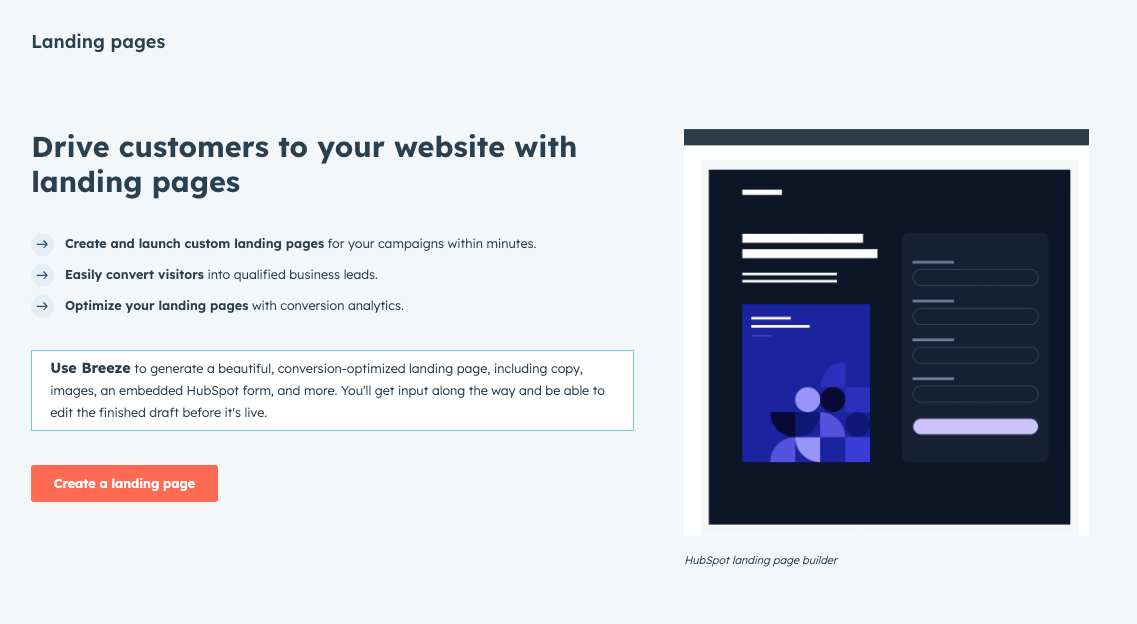
Step 2: Click “Create Landing Page”
Inside the landing pages section, click the Create Landing Page button.
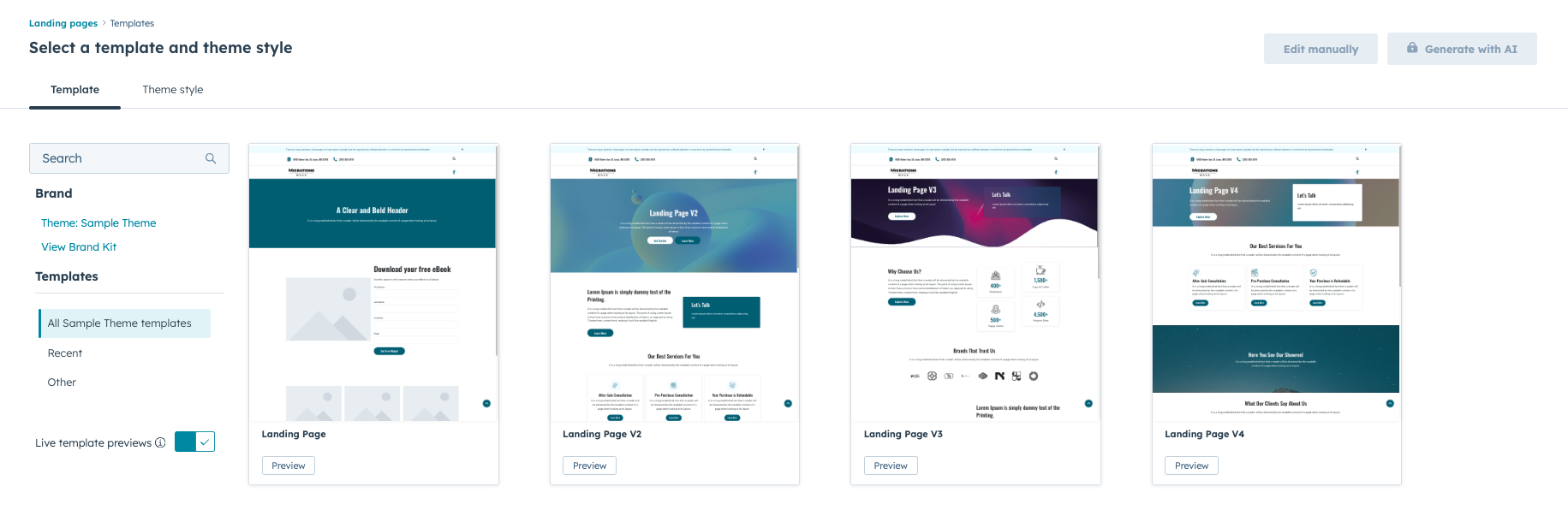
HubSpot will then ask you to select a template for the landing page.
Templates define the layout of the page, including sections such as:
- Hero sections
- Content areas
- Form placements
- Call-to-action buttons
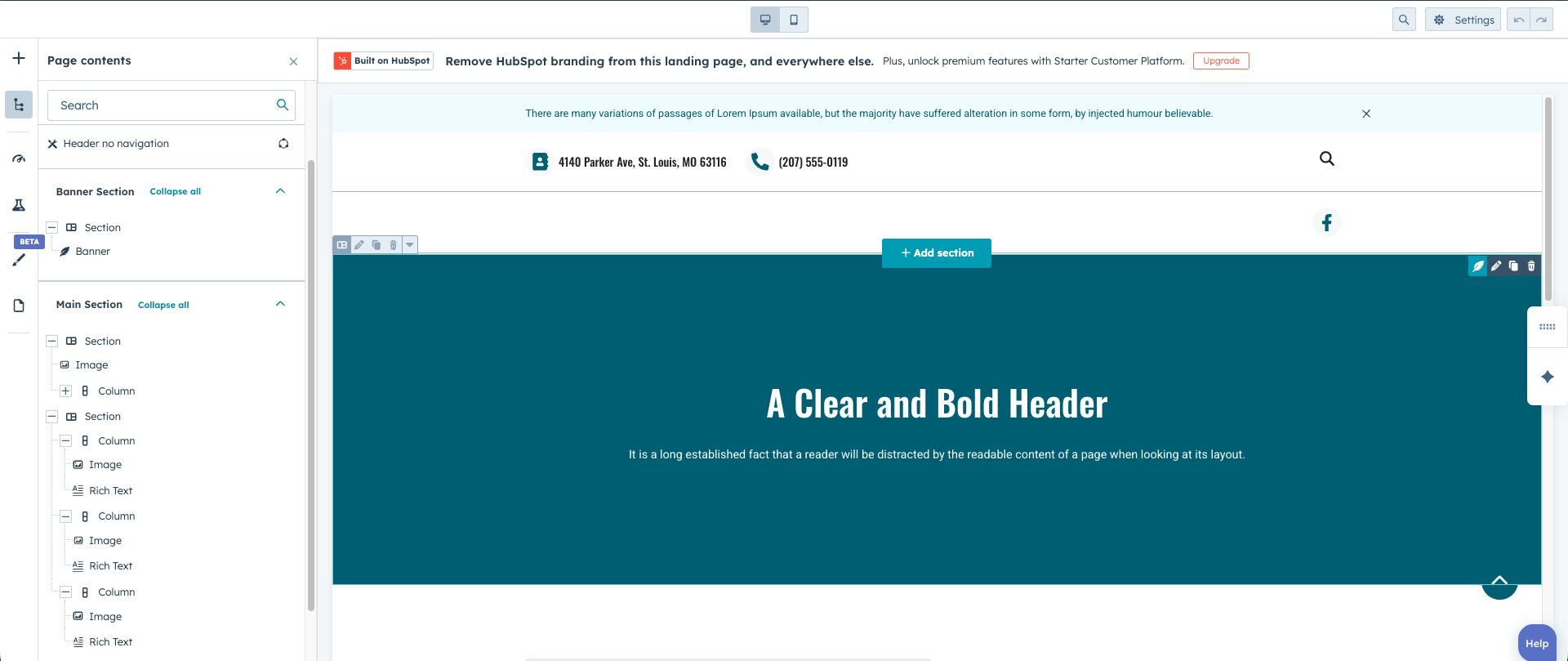
Step 3: Add Content Using the Drag-and-Drop Editor
Once the template is selected, the page opens in the HubSpot Content Hub drag-and-drop editor.
From here, you can add and customize content modules such as:
- Headlines and text sections
- Images or graphics
- Forms
- Buttons
- Videos
- Testimonials
These modules can be dragged into the page layout and edited directly.
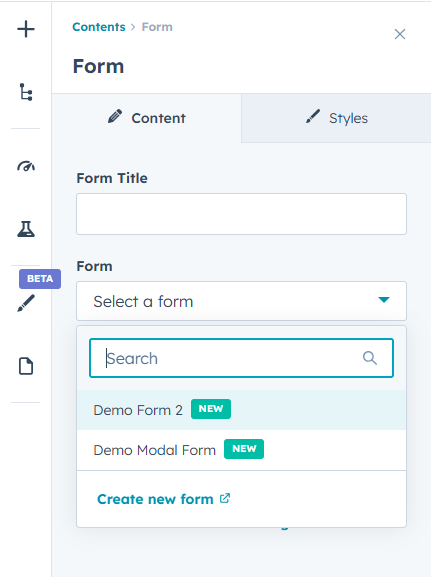
Step 4: Add a Form for Lead Capture
Most landing pages include a form to collect visitor information.
HubSpot forms can capture details such as:
- Name
- Email address
- Company name
- Phone number
Once submitted, the contact information is automatically stored inside the HubSpot CRM.
Step 5: Configure Page Settings and SEO
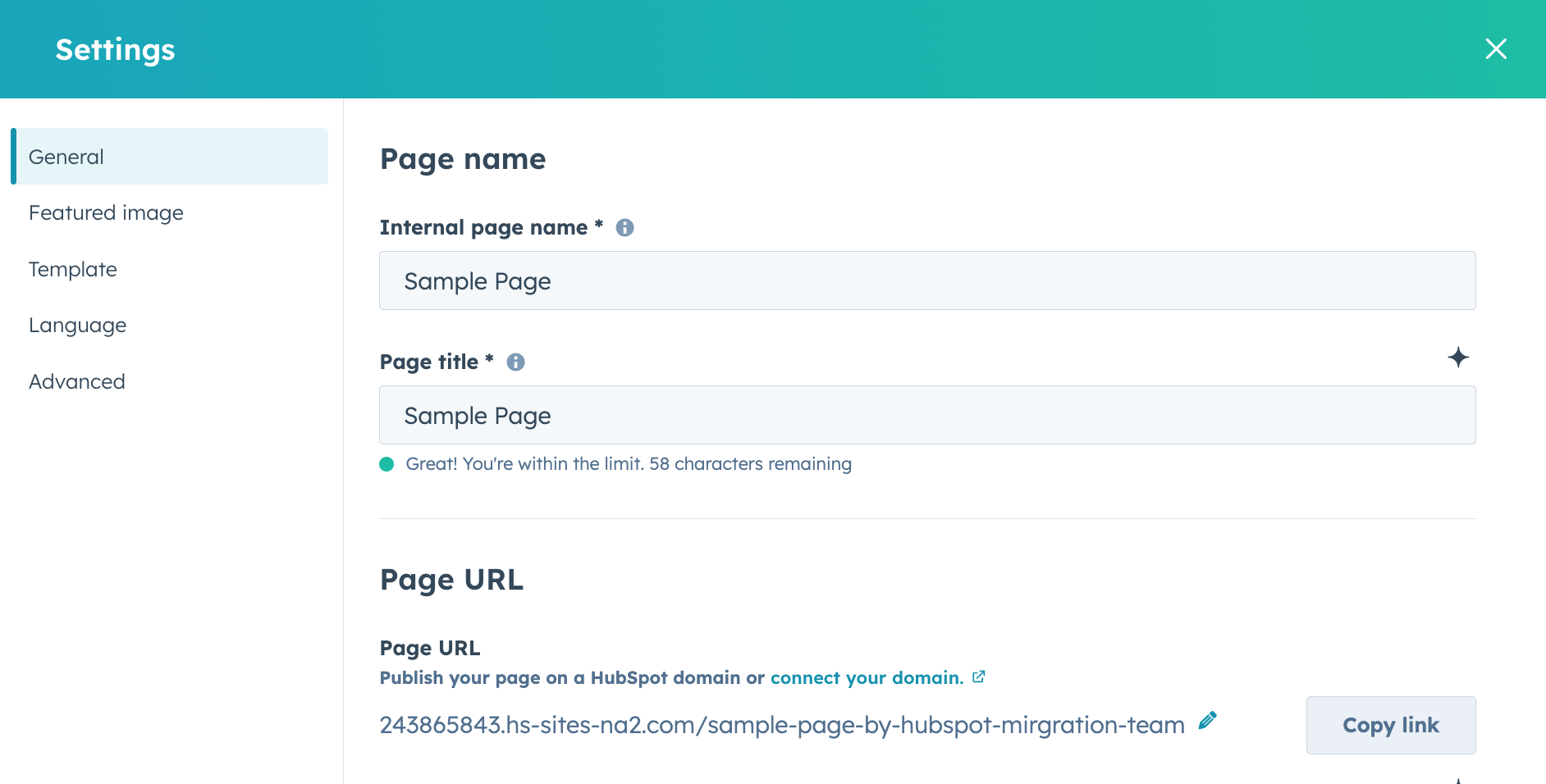
Before publishing the landing page, update important page settings such as:
- Page title
- URL slug
- Meta description
- Social sharing image
These settings help ensure the page appears correctly in search engines and when shared on social media.
Step 6: Publish the Landing Page
Once everything is ready, click Publish to make the landing page live.
HubSpot automatically hosts the page and tracks performance metrics such as:
- Page views
- Form submissions
- Conversion rates
This data helps marketers measure the effectiveness of their campaigns.
Final Thoughts
Creating landing pages in HubSpot Content Hub is designed to be simple and efficient. With built-in templates, drag-and-drop editing, and CRM integration, marketing teams can quickly launch campaign pages and start capturing leads.
These tools make HubSpot Content Hub a powerful platform for businesses focused on lead generation and marketing automation.
Related Post
How Do HubSpot Content Hub Header and Footer Management Work?
The header and footer are two of the most important sections of any website. The header typically contains the navigation menu, logo, and key links, while the footer usually includes contact information, secondary navigation, and legal links.
How Do HubSpot Content Hub Domains and Subdomains Work?
When publishing a website using HubSpot Content Hub, your pages need to be connected to a domain so visitors can access them. HubSpot allows you to connect both domains and subdomains, to host different parts of your website.
How Do HubSpot Content Hub Global Modules Work?
When managing a large website, some sections appear repeatedly across multiple pages. Examples include headers, footers, navigation bars, and promotional banners. HubSpot Content Hub global modules allow you to manage these shared elements from one...
Have a Project in Mind?
Let’s talk about what you need and how we can make it happen.

Leave a reply