


.png)
.png)


The header and footer are two of the most important sections of any website. The header typically contains the navigation menu, logo, and key links, while the footer usually includes contact information, secondary navigation, and legal links.
In HubSpot Content Hub, headers and footers are usually managed using global modules or global sections, allowing teams to update these areas once and apply the changes across the entire website.
Understanding how HubSpot Content Hub header and footer management works helps ensure consistent navigation and branding across all pages.
What Is a Website Header?
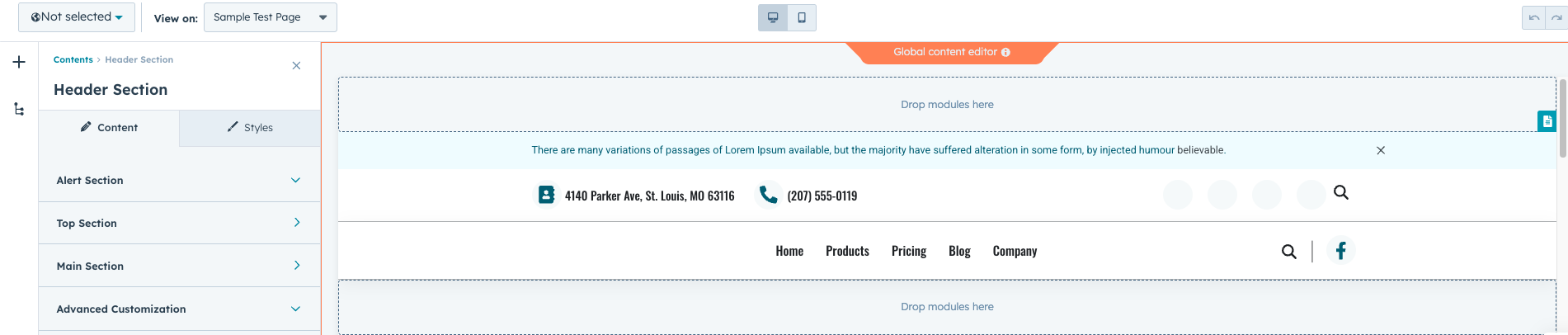
The header appears at the top of most pages on a website.
It commonly contains:
- Website logo
- Main navigation menu
- Call-to-action buttons
- Search functionality
The header helps visitors quickly understand the structure of the website and find key pages.
What Is a Website Footer?
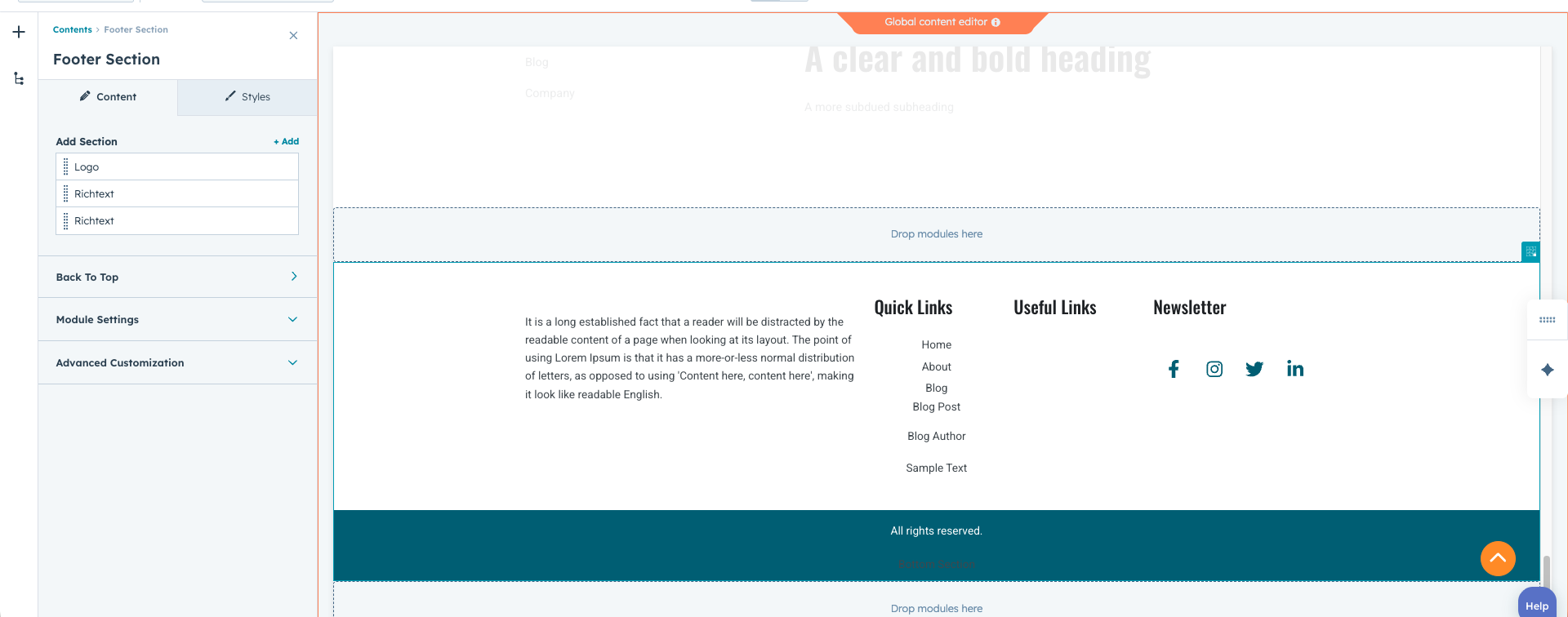
The footer appears at the bottom of the page and often contains supporting information.
Typical footer elements include:
- Contact details
- Secondary navigation links
- Social media icons
- Legal links such as privacy policy and terms of service
- Newsletter signup forms
Footers provide additional navigation options and important company information.
Using Global Modules for Headers and Footers
Most HubSpot Content Hub themes use global modules for headers and footers.
This means the header and footer are created once and reused across all pages.
If the header or footer needs to be updated, the change can be made in the global module and automatically applied to every page
Editing the Header or Footer
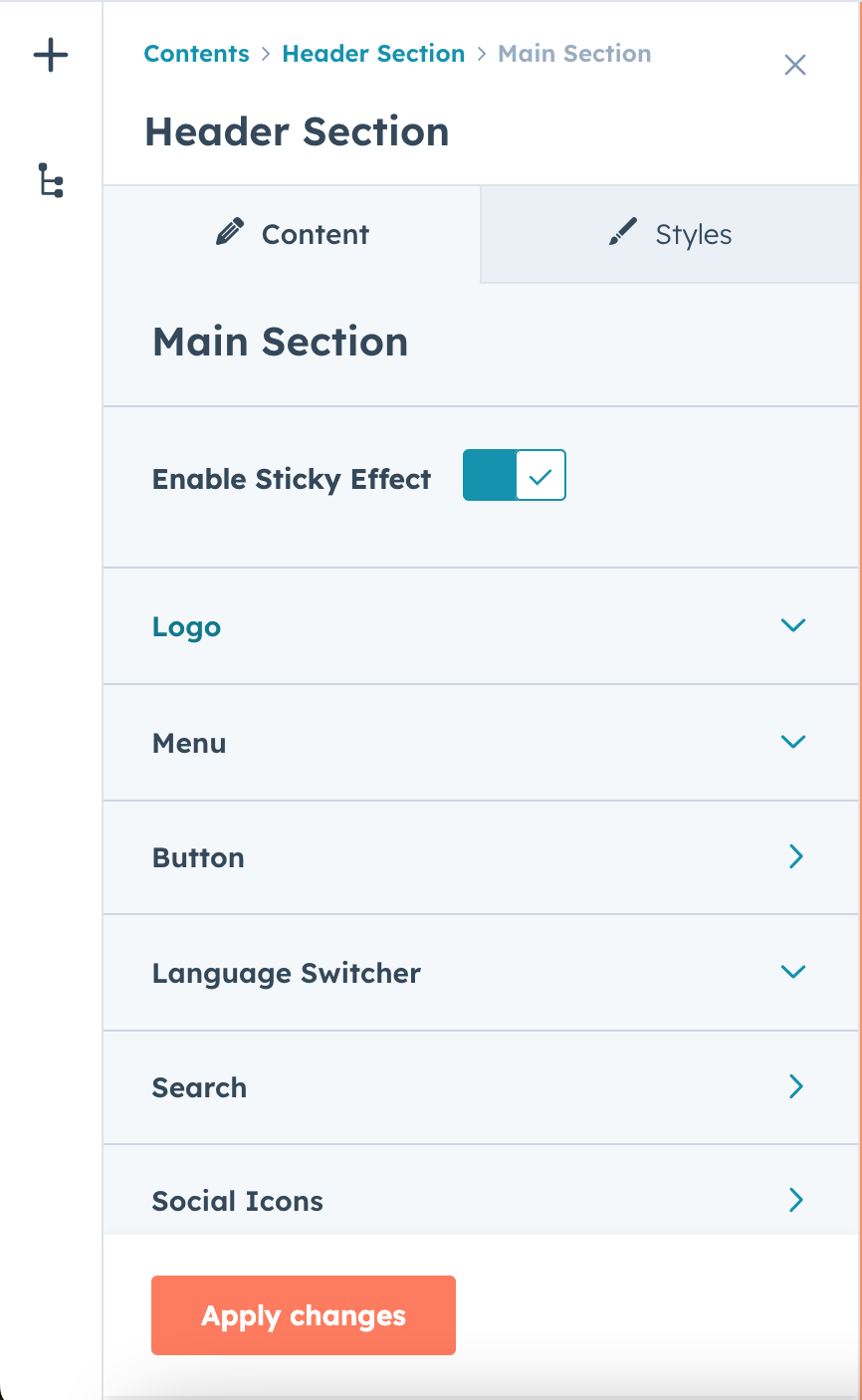
To update the header or footer in HubSpot Content Hub, you typically:
- Open a page that contains the header or footer
- Click on the global module
- Choose Edit global content
Once edited and published, the update will apply across all pages that use that module.
Key Takeaway
HubSpot Content Hub manages headers and footers using global modules, allowing teams to update these important sections from a single location. This ensures consistent navigation and branding across the entire website while simplifying website management.
Related Post
How Do HubSpot Content Hub Website Domains and URL Settings Work?
Before publishing a website, businesses need to connect their domain so visitors can access the site using a custom web address. HubSpot Content Hub allows users to connect domains and manage URL settings for their website pages, blogs, and landing...
How Do HubSpot Content Hub Global Modules Work?
When managing a large website, some sections appear repeatedly across multiple pages. Examples include headers, footers, navigation bars, and promotional banners. HubSpot Content Hub global modules allow you to manage these shared elements from one...
How Do You Create Landing Pages in HubSpot Content Hub?
Landing pages are an important part of digital marketing. They are designed to capture leads, promote offers, or drive specific actions from visitors. HubSpot Content Hub includes built-in tools that make it easy to create and manage landing pages...
Have a Project in Mind?
Let’s talk about what you need and how we can make it happen.

Leave a reply