


.png)
.png)



When publishing a website using HubSpot Content Hub, your pages need to be connected to a domain so visitors can access them. HubSpot allows you to connect both domains and subdomains, to host different parts of your website.
This setup allows businesses to organize their website structure while keeping all content managed inside HubSpot.
Understanding how HubSpot Content Hub domains and subdomains work helps ensure your website is configured correctly and accessible to visitors.
What Is a Domain?
A domain is the main address of your website.
For example:
yourcompany.com
This is the primary domain visitors use to access your website.
Domains are typically purchased through domain registrars such as GoDaddy, Namecheap, or Google Domains.
What Is a Subdomain?
A subdomain is an extension of the main domain used to organize different sections of a website.
Examples include:
- www.yourcompany.com
- blog.yourcompany.com
- info.yourcompany.com
- resources.yourcompany.com
Many businesses use subdomains to separate different types of content.
For example, a blog may run on a subdomain while the main website remains on the primary domain.
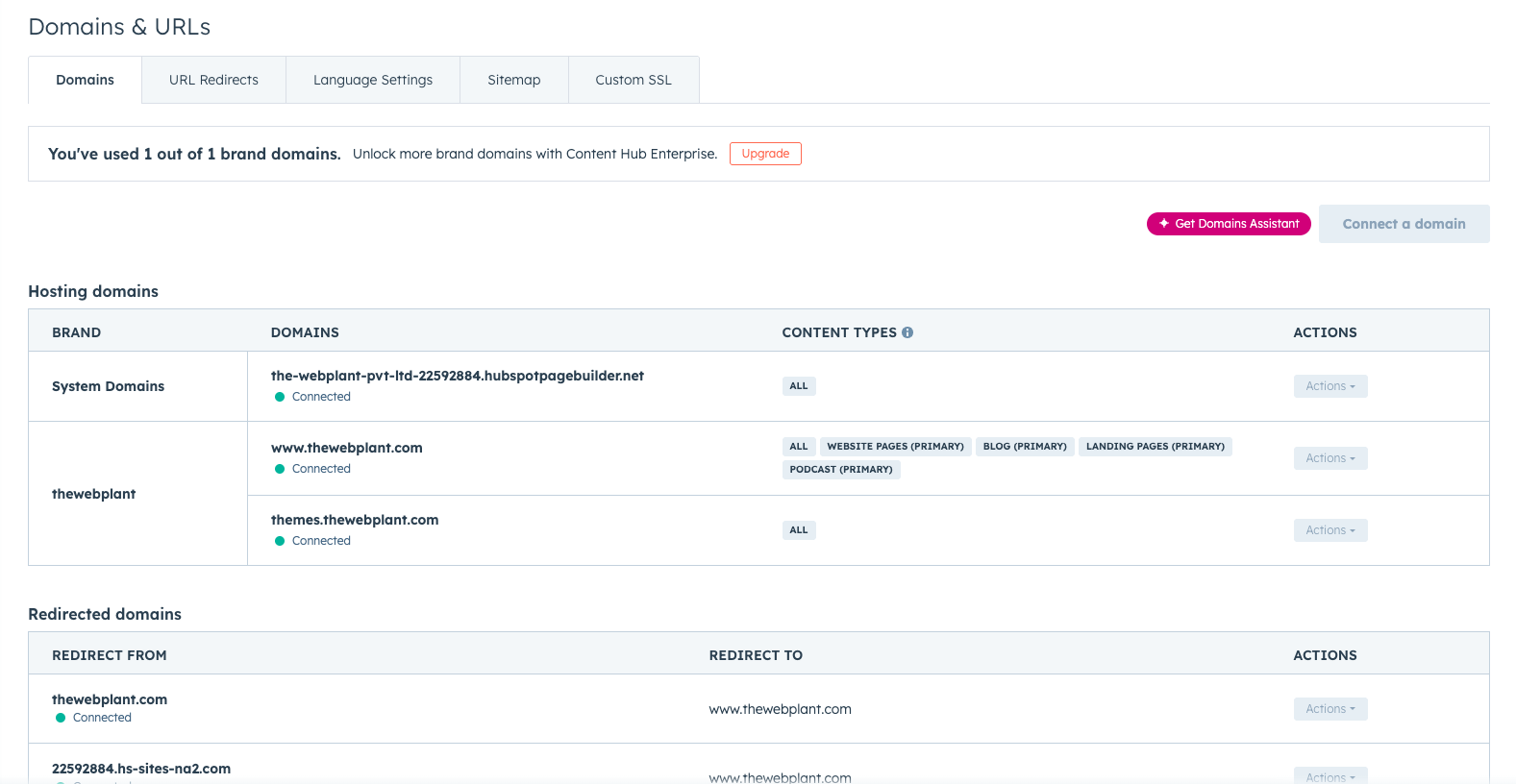
Connecting Domains to HubSpot Content Hub
Before publishing pages, you must connect your domain to HubSpot Content Hub.
To do this:
- Go to Settings → Website → Domains & URLs
- Click Connect a Domain
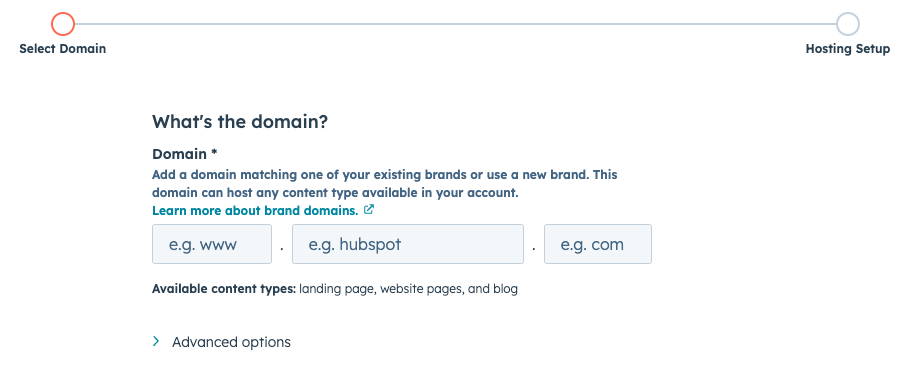
- Enter the domain or subdomain you want to connect
- Update DNS settings with your domain provider
Once the DNS changes are complete, HubSpot can host your website content on that domain.
Types of Domains Used in HubSpot
HubSpot allows you to connect different domain types depending on how you want to organize your website.
Common domain types include:
- Primary domain - the main domain used for your website
- Secondary domain - additional domains connected to HubSpot
- Redirect domains - domains that automatically redirect to another domain
This flexibility allows businesses to manage multiple domains if needed.
Assigning Domains to Content
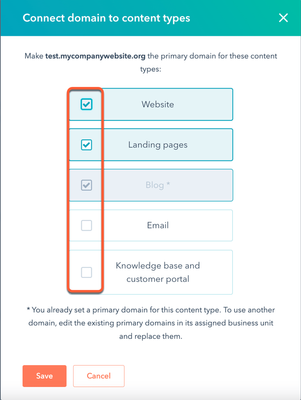
Once a domain is connected, it can be assigned to different types of content inside HubSpot Content Hub.
For example:
- Website pages may use www.yourcompany.com
- Blog posts may use blog.yourcompany.com
- Landing pages may use info.yourcompany.com
This allows teams to organize content strategically.
Secure Hosting with HTTPS
HubSpot automatically provides SSL security for connected domains.
This ensures your website uses HTTPS, which encrypts data between the visitor and the server.
Secure websites are important for both user trust and search engine rankings.
Managing Multiple Domains
Some businesses operate multiple websites or brands.
HubSpot allows you to manage multiple connected domains and assign them to different types of content.
This can be useful when managing:
- Multiple brand websites
- Regional websites
- Campaign landing page domains
Key Takeaway
HubSpot Content Hub allows businesses to connect domains and subdomains so website content can be published and accessed online. By properly configuring domains and DNS settings, teams can ensure their website is securely hosted and organized for visitors.
Related Post
How Does HubSpot Content Hub Website Performance and Page Speed Optimization Work?
Website speed plays an important role in both user experience and search engine rankings. Visitors expect pages to load quickly, and slow websites can lead to higher bounce rates and lower engagement.

How Do You Create Landing Pages in HubSpot Content Hub?
Landing pages are an important part of digital marketing. They are designed to capture leads, promote offers, or drive specific actions from visitors. HubSpot Content Hub includes built-in tools that make it easy to create and manage landing pages...
How Do HubSpot Content Hub Global Modules Work?
When managing a large website, some sections appear repeatedly across multiple pages. Examples include headers, footers, navigation bars, and promotional banners. HubSpot Content Hub global modules allow you to manage these shared elements from one...
Have a Project in Mind?
Let’s talk about what you need and how we can make it happen.

Leave a reply