


.png)
.png)



Search engine optimization (SEO) is an important part of making sure website content can be discovered by potential visitors. HubSpot Content Hub includes built-in SEO tools hat help users optimize pages and blog posts for search engines.
These tools provide recommendations while you create content, helping improve visibility in search results without needing external SEO software.
Understanding how HubSpot Content Hub SEO recommendations and optimization tools work helps teams create content that performs better in search engines.
What Are SEO Recommendations in HubSpot?
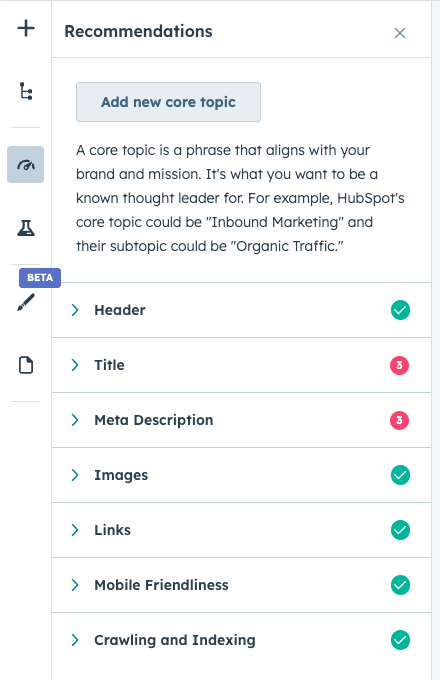
HubSpot provides SEO recommendations directly within the content editor.
These recommendations analyze page content and suggest improvements based on common SEO best practices.
Typical recommendations may include suggestions related to:
- Page titles
- Meta descriptions
- Heading structure
- Internal links
- Image alt text
These suggestions help ensure pages follow basic search engine optimization guidelines.
Where to Find SEO Recommendations
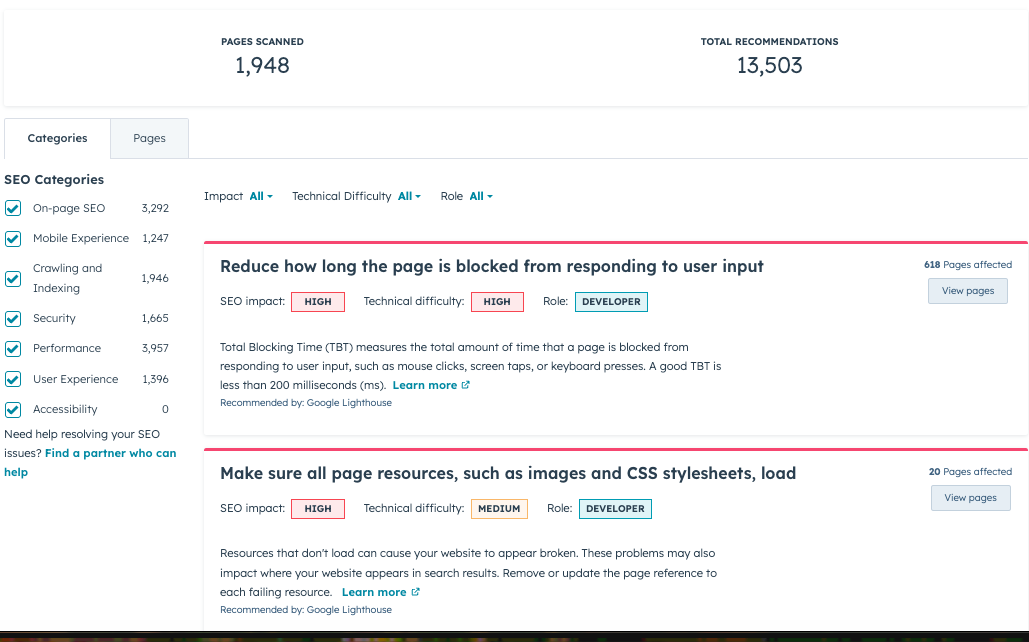
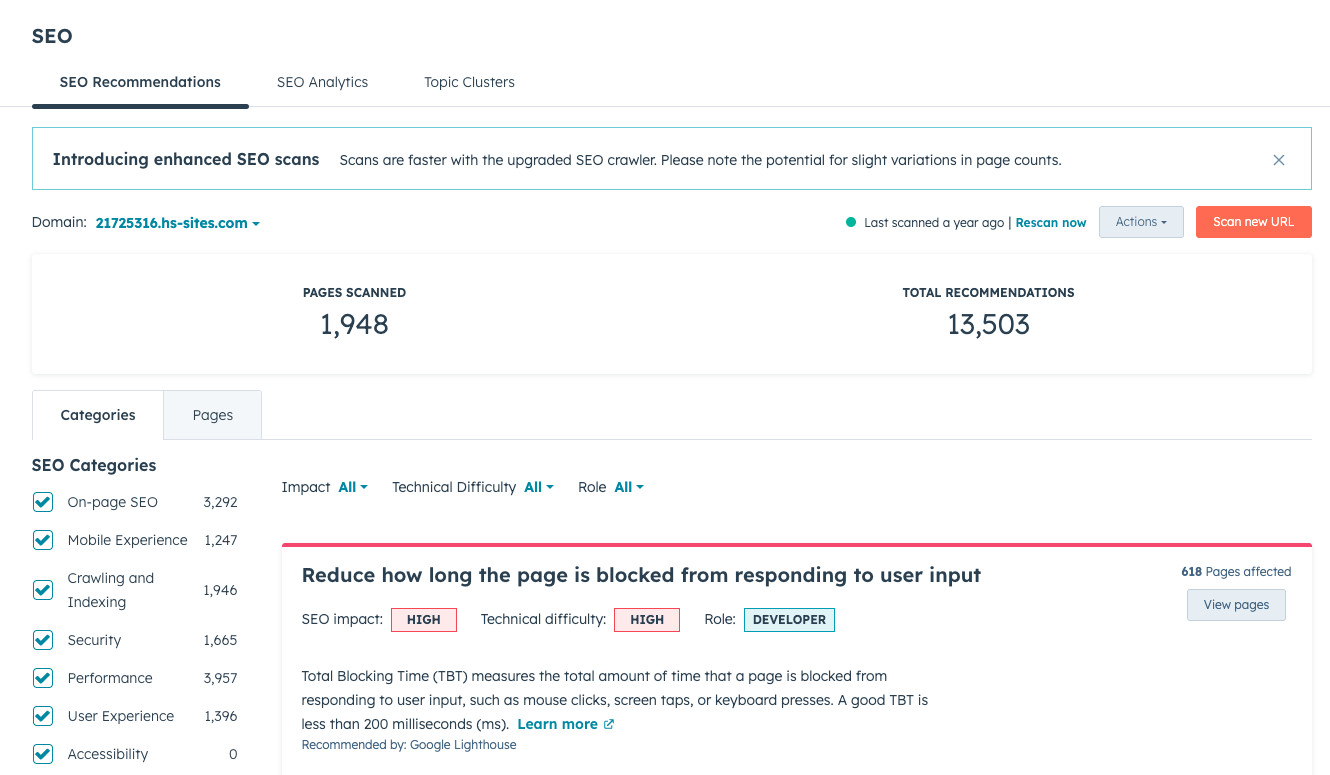
SEO suggestions appear in several places within HubSpot Content Hub.
The most common locations include:
- Inside the page editor
- Inside the blog editor
- In the SEO recommendations dashboard
When editing a page or blog post, HubSpot displays suggestions in the sidebar.
Page-Level SEO Settings
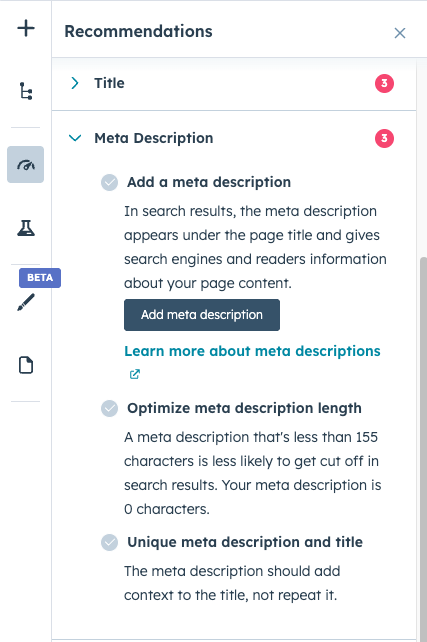
HubSpot also allows users to configure several SEO settings directly within the page settings panel.
These include:
- Page title
- Meta description
- URL slug
- Canonical URL
These elements help search engines understand the purpose and structure of the page.
Content Optimization Tips
HubSpot may also suggest improvements to the actual content of the page.
For example, it may recommend:
- Adding relevant keywords to headings
- Improving heading structure with H1, H2, and H3 tags
- Adding internal links to related pages
- Optimizing image alt text
These recommendations help improve both SEO performance and content readability.
SEO Topic and Keyword Tracking
HubSpot also provides tools for tracking SEO topics and keywords.
Teams can monitor how content performs for specific search terms and adjust their content strategy accordingly.
This helps businesses understand which topics generate the most search traffic.
Monitoring SEO Performance
SEO performance can be tracked through HubSpot’s analytics tools.
Reports may include information such as:
- Organic search traffic
- Top-performing pages
- Keyword rankings
- Engagement metrics
These insights help teams evaluate the effectiveness of their SEO strategy.
Improving SEO Over Time
SEO is an ongoing process. HubSpot’s built-in recommendations help teams continuously improve their website content.
Teams often improve SEO by:
- Updating older content
- Adding internal links between articles
- Improving page titles and descriptions
- Expanding content on high-performing topics
Over time, these improvements can increase search visibility.
Key Takeaway
HubSpot Content Hub SEO tools provide built-in recommendations that help optimize pages and blog posts for search engines. By following these suggestions and monitoring performance through analytics, teams can gradually improve their website’s visibility and attract more organic traffic.
Related Post
How Do HubSpot Content Hub Custom Modules Work?
Custom modules are one of the most powerful features available in HubSpot Content Hub. They allow developers to create reusable content components that editors can easily add to pages using the drag-and-drop editor.
HubSpot Content Hub Starter vs Pro vs Enterprise
HubSpot Content Hub is available in different tiers, each designed for different levels of website complexity and business needs. The three main options are CMS Hub Starter, CMS Hub Professional (Pro), and CMS Hub Enterprise.
How Do You Create Landing Pages in HubSpot Content Hub?
Landing pages are an important part of digital marketing. They are designed to capture leads, promote offers, or drive specific actions from visitors. HubSpot Content Hub includes built-in tools that make it easy to create and manage landing pages...
Have a Project in Mind?
Let’s talk about what you need and how we can make it happen.

Leave a reply