


.png)
.png)


Personalization is an important feature in modern marketing. Instead of showing the same content to every visitor, businesses can tailor messages based on user information. HubSpot Content Hub supports personalization tokens which allow dynamic content to display specific information about a visitor or contact.
Personalization tokens pull data directly from the HubSpot CRM and insert it into website content automatically.
Understanding how HubSpot Content Hub personalization tokens work helps businesses create more relevant and engaging experiences for their visitors.
What Is a Personalization Token?
A personalization token is a placeholder that automatically displays information about a contact.
For example, instead of writing:
“Hello visitor”
You could display:
Hello {{First Name}}
When the page loads for a known contact, HubSpot replaces the token with the actual value stored in the CRM.
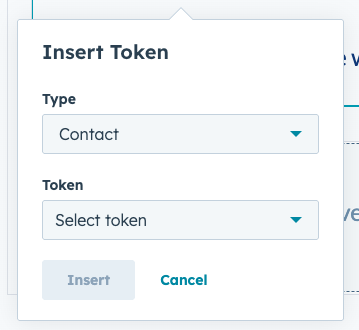
Where Personalization Tokens Can Be Used
Personalization tokens can be used in several places within HubSpot Content Hub, including:
- Website pages
- Landing pages
- Blog content
- Forms
- Calls-to-action
- Marketing emails
This allows businesses to personalize content across different marketing channels.
Types of Personalization Data
Personalization tokens can pull different types of information stored in HubSpot.
Common token data includes:
- Contact first name
- Company name
- Job title
- Lifecycle stage
- Custom CRM properties
This information helps tailor messages for individual visitors.
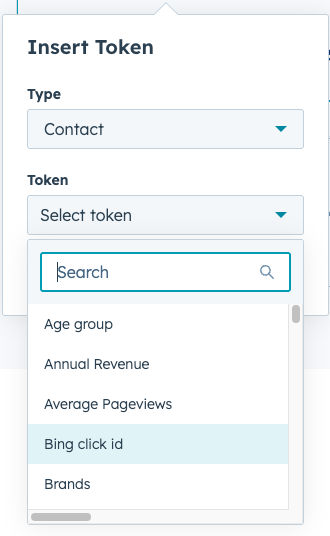
Using Personalization Tokens in Pages
To add a personalization token in HubSpot Content Hub:
- Open a page in the editor
- Select a text module
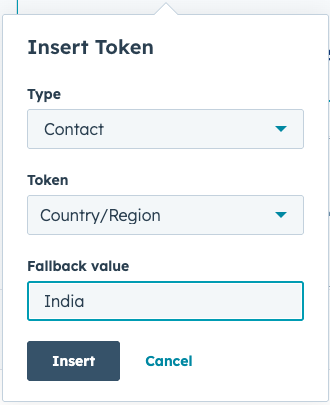
- Click the Personalize option
- Choose the contact property you want to display
HubSpot will insert the token into the content automatically.
Key Takeaway
HubSpot Content Hub personalization tokens allow websites to dynamically display CRM data within content. By using tokens to personalize messages and combining them with smart content rules, businesses can create more engaging and relevant experiences for their visitors.
Related Post
How Do HubSpot Content Hub Smart Content and Personalization Rules Work?
Not every visitor to your website is the same. Some may be new visitors, while others may already be customers or returning leads. HubSpot Content Hub includes Smart Content features that allow businesses to display different content to different...

How Do HubSpot Content Hub CTAs and Conversion Tracking Work?
Calls-to-action (CTAs) are designed to guide visitors toward taking a specific action on your website. In HubSpot Content Hub, CTAs play a key role in turning website traffic into leads, subscribers, or customers.

How Do HubSpot Content Hub Custom Modules and Reusable Components Work?
One of the most powerful features of HubSpot Content Hub s the ability to create custom modules. Custom modules allow developers to build reusable content blocks that editors can easily add to pages without writing code.
Have a Project in Mind?
Let’s talk about what you need and how we can make it happen.

Leave a reply