


.png)
.png)


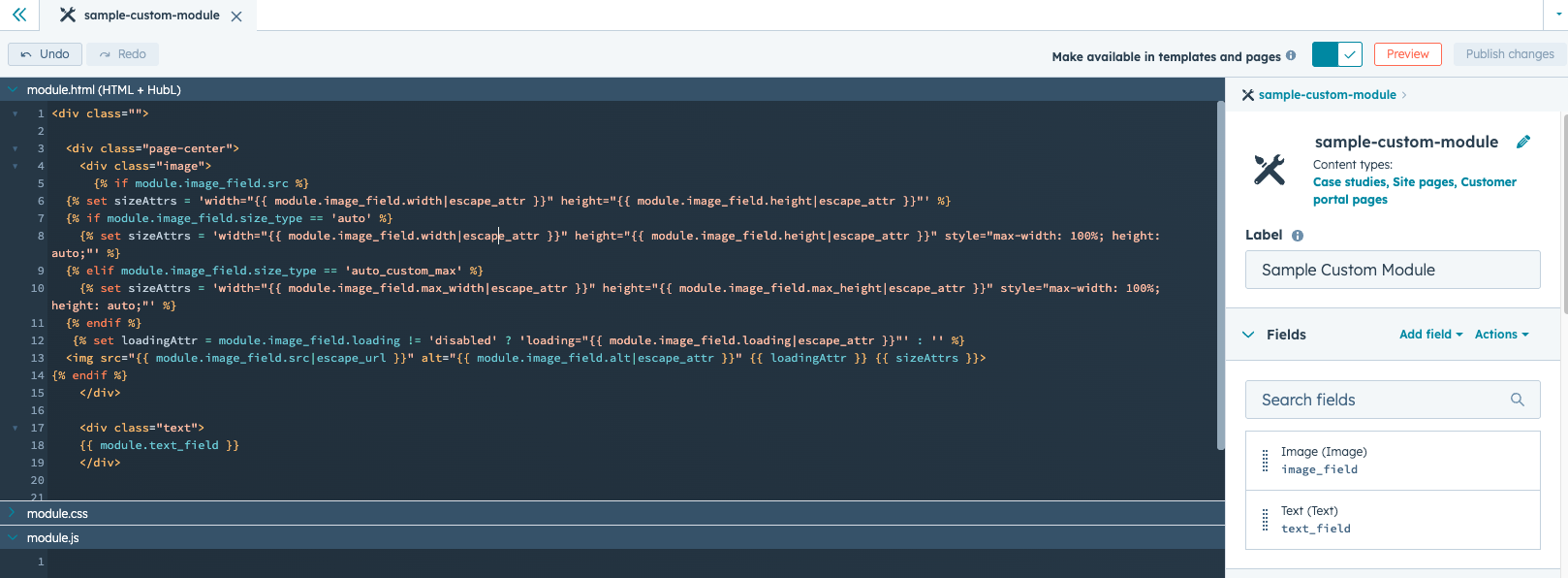
One of the most powerful features of HubSpot Content Hub s the ability to create custom modules. Custom modules allow developers to build reusable content blocks that editors can easily add to pages without writing code.
These modules help standardize design elements and make page building faster and more consistent.
Understanding how HubSpot Content Hub custom modules and reusable components work helps teams build scalable websites that are easy for marketers and content editors to manage.
What Is a Custom Module in HubSpot Content Hub?
A custom module is a reusable content component that can be added to pages using the HubSpot page editor.
Modules can include combinations of:
- Text
- Images
- Buttons
- Icons
- Layout structures
- Interactive elements
Once created, modules can be reused across multiple pages.
Why Custom Modules Are Important
Custom modules help simplify website editing for non-technical users.
Instead of building layouts manually, editors can simply drag modules into the page and update the content fields.
Benefits of custom modules include:
- Consistent design across pages
- Faster page creation
- Reduced need for developer involvement
- Easier content management
This approach helps marketing teams maintain the website more independently.
Creating a Custom Module
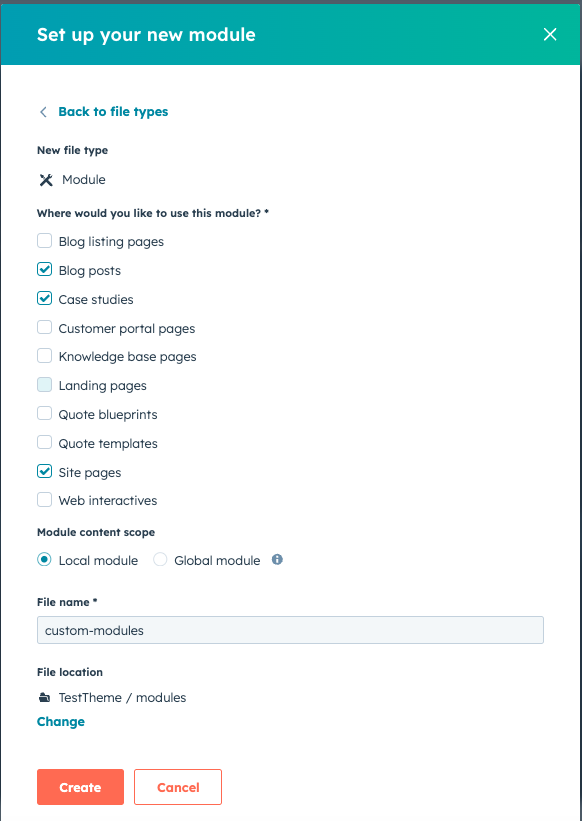
Developers typically create custom modules using the HubSpot Design Manager.
To create a module:
- Open Content → Design Manager
- Click Create → Module
- Define module fields such as text, images, or links
- Add HTML, CSS, and HubL code if needed
- Save and publish the module
Once published, the module becomes available inside the page editor.
Module Fields
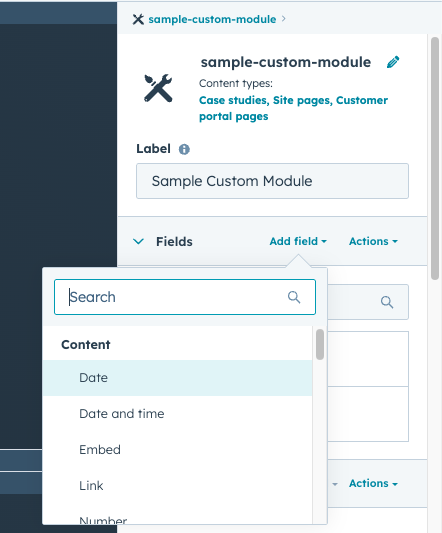
Custom modules include fields that allow editors to control the content displayed inside the module.
Common field types include:
- Text fields
- Rich text editors
- Image selectors
- Link fields
- Color pickers
- Repeater fields for lists
These fields allow editors to customize the content without modifying the module structure.
Using Modules in the Page Editor
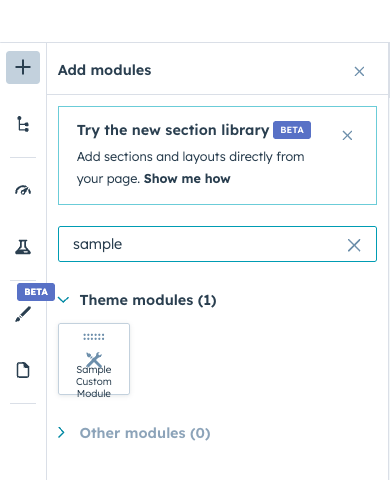
Once a custom module is created, it appears in the module library inside the page editor.
Editors can:
- Drag the module onto a page
- Fill in the content fields
- Rearrange modules within sections
- Duplicate modules if needed
This makes page creation flexible and efficient.
Reusable Components Across Pages
Because modules are reusable, the same component can be used across many pages.
For example:
- A feature grid module may appear on multiple service pages
- A testimonial module may appear on multiple service pages
- A call-to-action module may appear throughout the website
This consistency helps maintain a unified design system.
Global Modules vs Regular Modules
Some modules can be set as global modules.
Global modules are shared across multiple pages, and updating them once updates every instance.
Examples of global modules include:
- Website header
- Footer sections
- Announcement bars
This helps manage important elements centrally.
Key Takeaway
HubSpot Content Hub custom modules allow developers to create reusable components that editors can easily add to pages. By using modular design systems, businesses can maintain consistent layouts while making it easier for teams to manage website content.
Related Post
How Do HubSpot Content Hub Smart Content and Personalization Rules Work?
Not every visitor to your website is the same. Some may be new visitors, while others may already be customers or returning leads. HubSpot Content Hub includes Smart Content features that allow businesses to display different content to different...
How Do HubSpot Content Hub CTAs and Conversion Tracking Work?
Calls-to-action (CTAs) are designed to guide visitors toward taking a specific action on your website. In HubSpot Content Hub, CTAs play a key role in turning website traffic into leads, subscribers, or customers.
How Do HubSpot Content Hub Personalization Tokens Work?
Personalization is an important feature in modern marketing. Instead of showing the same content to every visitor, businesses can tailor messages based on user information. HubSpot Content Hub supports personalization tokens which allow dynamic...
Have a Project in Mind?
Let’s talk about what you need and how we can make it happen.

Leave a reply