


.png)
.png)


Blog comments allow readers to interact with your content by sharing feedback, asking questions, or joining discussions. HubSpot Content Hub includes tools that allow businesses to enable, manage, and moderate comments on their blog posts.
Comments can help increase engagement with your content and build a community around your blog. However, it’s important to manage comments carefully to ensure discussions remain relevant and professional.
Understanding how HubSpot Content Hub blog comments work can help you decide whether enabling comments is the right choice for your blog.
What Are Blog Comments in HubSpot Content Hub?
Blog comments allow visitors to leave messages or responses directly under a blog post.
Typical uses of comments include:
- Asking questions about the article
- Sharing opinions or feedback
- Discussing related topics
- Engaging with the blog author
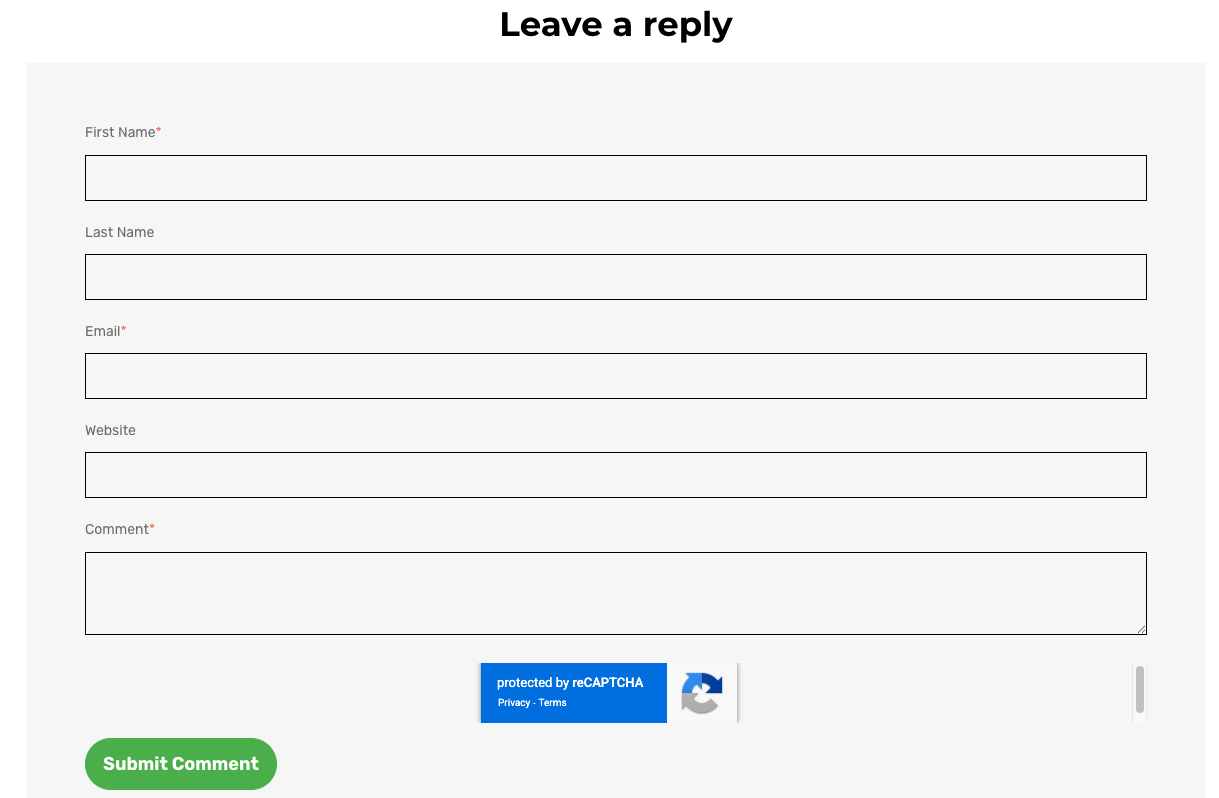
When enabled, comments appear at the bottom of a blog post where readers can write and submit their responses.
Enabling Blog Comments
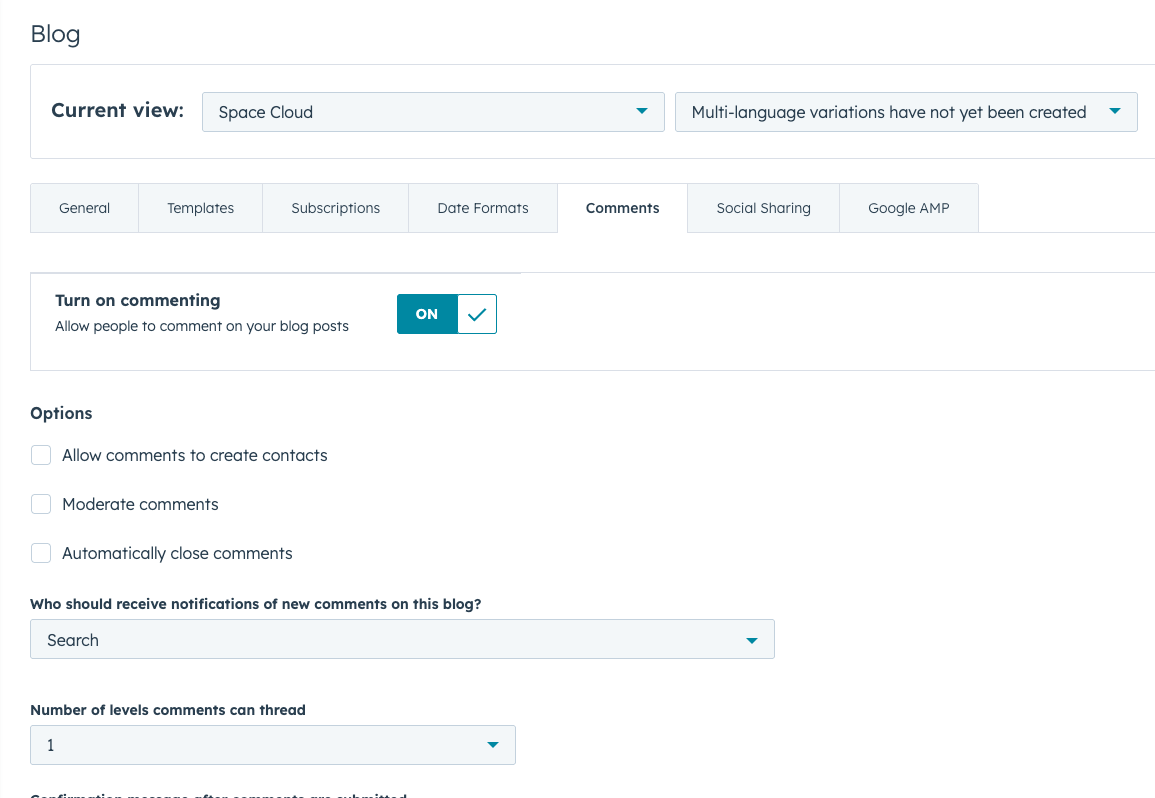
Comments can be enabled through the blog settings in HubSpot Content Hub
To enable comments:
- Navigate to your blog settings
- Locate the Comments section
- Enable the option to allow readers to comment on blog posts
Once enabled, the comment form will appear automatically on blog posts.
Moderating Blog Comments
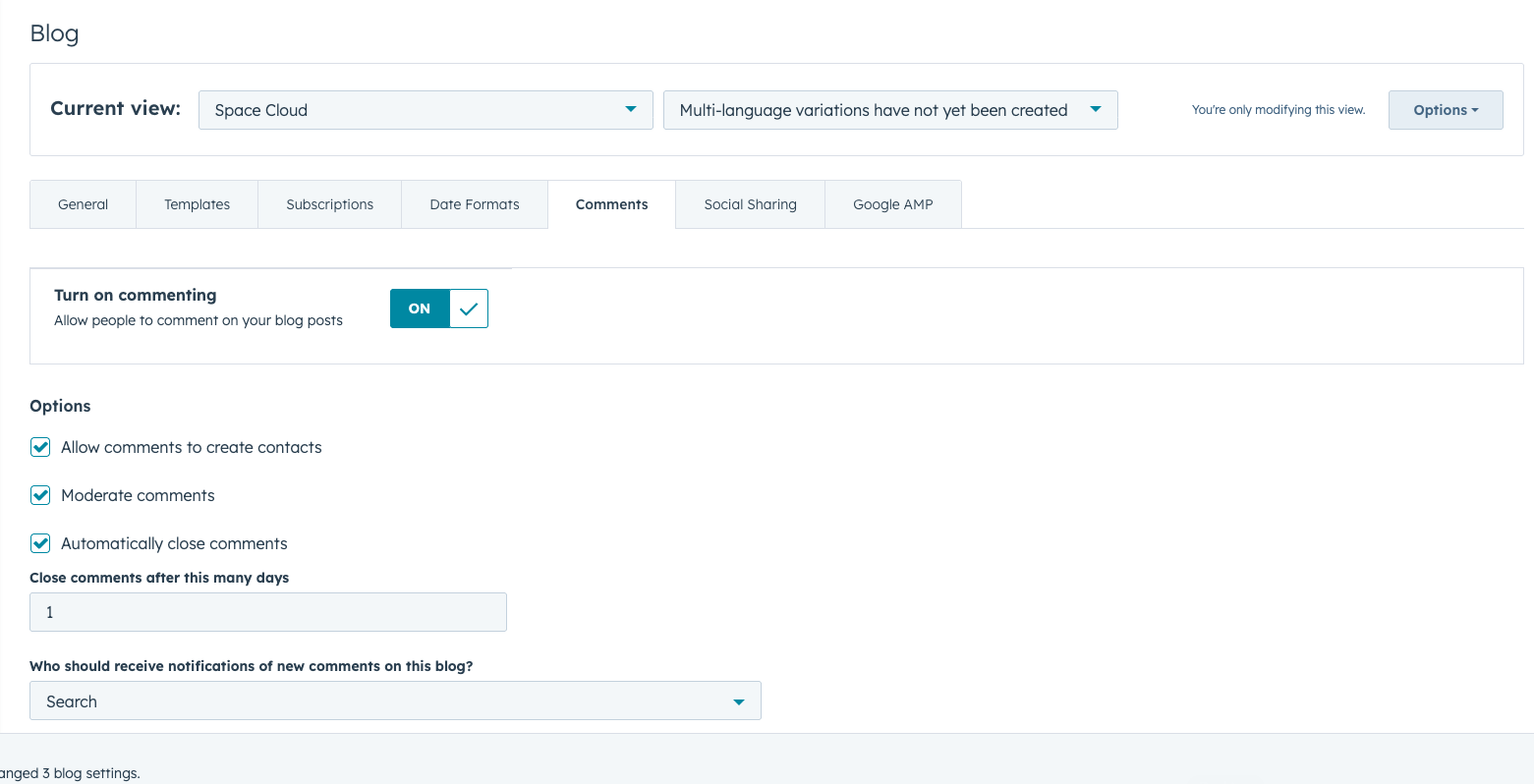
To maintain quality discussions, HubSpot Content Hub allows administrators to moderate comments.
Moderation options include:
- Approving comments before they appear publicly
- Deleting inappropriate comments
- Marking comments as spam
- Managing comment notifications
Moderation ensures that the blog remains professional and prevents unwanted spam messages.
Final Thoughts
HubSpot Content Hub blog comments allow readers to interact with your content and engage with your brand.When properly moderated, comments can create meaningful discussions and provide valuable feedback from your audience.
However, it’s important to monitor comments carefully to maintain a positive and professional environment.
Related Post
How Do HubSpot Content Hub Blog Tags and Categories Work?
As your blog grows, organizing content becomes increasingly important. HubSpot Content Hub provides tools such as blog tags and categories that help structure your blog content and make it easier for readers to find related articles.
How Do HubSpot Content Hub Blog Authors and Author Pages Work?
When publishing blog content, it’s often useful to show who wrote each article. HubSpot Content Hub includes a built-in author management system that allows you to assign authors to blog posts and automatically create author pages.

How Do HubSpot Content Hub Smart Content and Personalization Work?
One of the powerful features of HubSpot Content Hub is the ability to personalize website content for different visitors. This feature is called Smart Content. It allows websites to display different messages, offers, or content blocks depending on...
Have a Project in Mind?
Let’s talk about what you need and how we can make it happen.

Leave a reply