


.png)
.png)


When publishing blog content, it’s often useful to show who wrote each article. HubSpot Content Hub includes a built-in author management system that allows you to assign authors to blog posts and automatically create author pages.
Author pages help readers identify contributors and view all the posts written by a particular author. This feature is especially helpful for companies with multiple writers or subject matter experts contributing to the blog.
Understanding how HubSpot Content Hub blog authors and author pages work can help improve content organization and credibility.
What Is a Blog Author in HubSpot Content Hub?
A blog author in HubSpot Content Hub represents the person responsible for writing or contributing to a blog post.
Each author profile typically includes information such as:
- Author name
- Profile image
- Short biography
- Social media links
This information is displayed alongside blog posts to help readers learn more about the author.
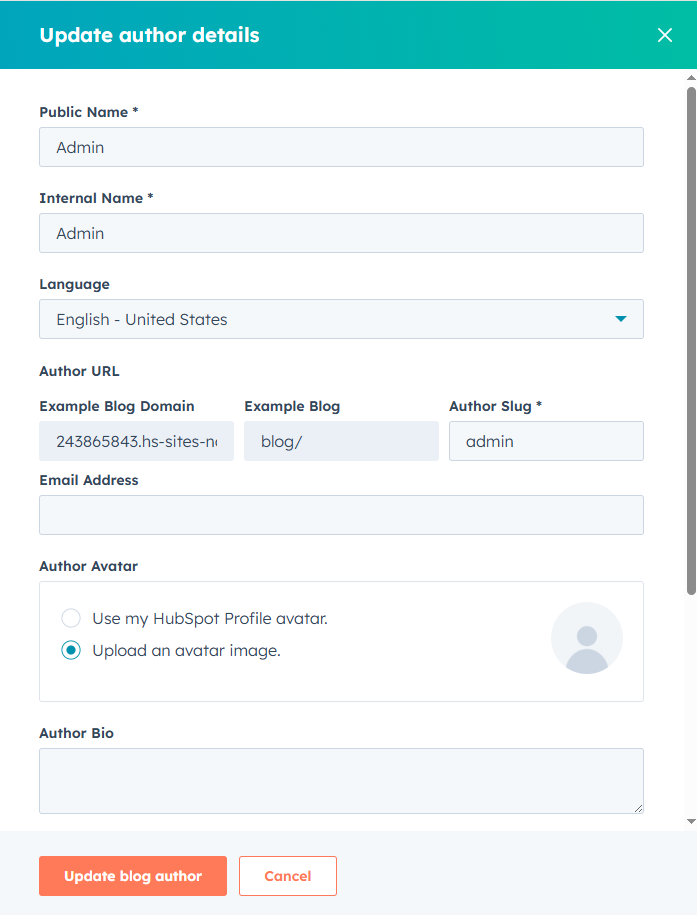
Creating an Author Profile
Before assigning an author to blog posts, you must first create an author profile.
To do this in HubSpot Content Hub, navigate to the blog settings and open the Authors section.
Here you can create a new author profile by entering details such as:
- Author name
- Author bio
- Profile photo
- Website or social links
Once saved, the author profile becomes available when publishing blog posts.

Assigning Authors to Blog Posts
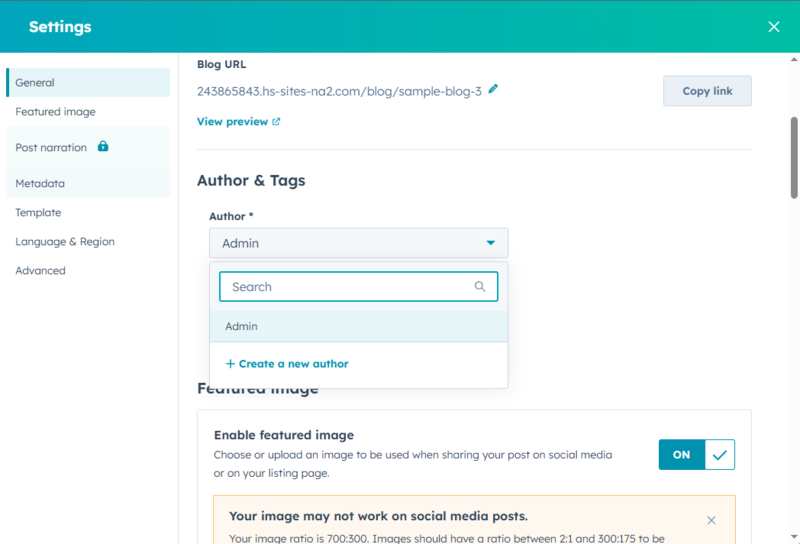
When creating or editing a blog post, you can assign an author from the author list.
Inside the blog editor, simply choose the author from the Author dropdown field in the post settings.
This ensures the correct author information appears on the published article.
Author Pages in HubSpot Content Hub
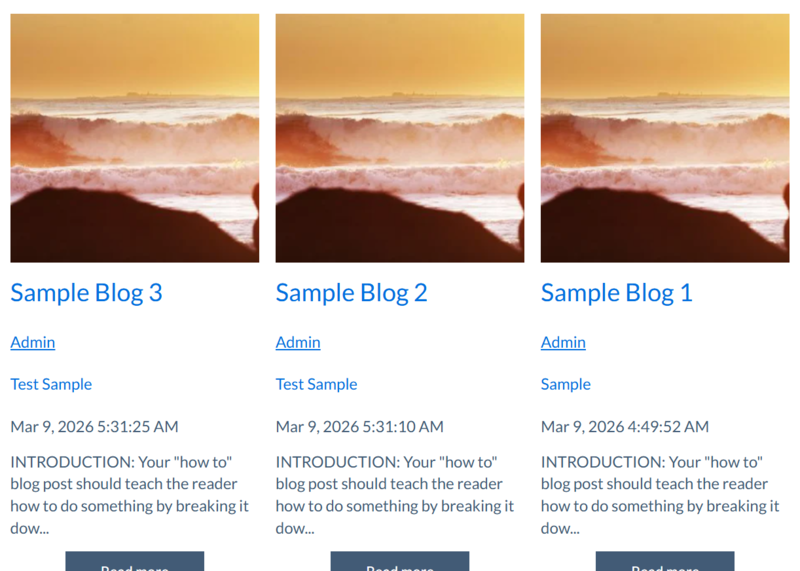
One useful feature of HubSpot Content Hub is that it automatically generates author archive pages.
An author page typically displays:
- Author name and bio
- Profile image
- A list of all blog posts written by that author
This allows readers to explore more articles from the same contributor.
Final Thoughts
The HubSpot Content Hub author management system helps organize blog contributors and improve the credibility of your content. By assigning authors and using author pages, blogs can create a more professional publishing structure while making it easier for readers to discover related articles.
Related Post
How Do HubSpot Content Hub Blog Comments Work?
Blog comments allow readers to interact with your content by sharing feedback, asking questions, or joining discussions. HubSpot Content Hub includes tools that allow businesses to enable, manage, and moderate comments on their blog posts.
How Do HubSpot Content Hub Blog Tags and Categories Work?
As your blog grows, organizing content becomes increasingly important. HubSpot Content Hub provides tools such as blog tags and categories that help structure your blog content and make it easier for readers to find related articles.
How Do HubSpot Content Hub Workflows and Content Automation Work?
Automation plays a major role in modern marketing and website management. HubSpot Content Hub works closely with HubSpot’s automation tools to trigger actions based on user behavior, form submissions, or other interactions with website content.
Have a Project in Mind?
Let’s talk about what you need and how we can make it happen.

Leave a reply