


.png)
.png)


One of the powerful features of HubSpot Content Hub is the ability to personalize website content for different visitors. This feature is called Smart Content. It allows websites to display different messages, offers, or content blocks depending on who is visiting the page.
Personalization helps create more relevant experiences for users, which can improve engagement and increase conversion rates.
Understanding how HubSpot Content Hub smart content and personalization work can help businesses deliver more targeted marketing experiences on their websites.
What Is Smart Content in HubSpot Content Hub?
Smart Content allows you to customize parts of a page based on information about the visitor.
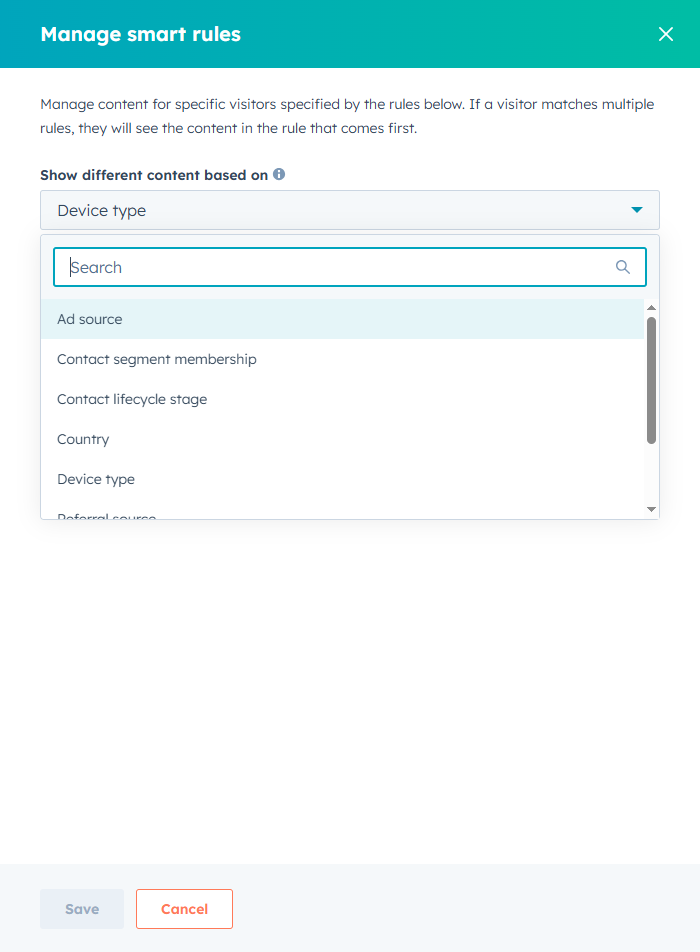
For example, different visitors might see different content depending on:
- Their location
- The device they are using
- Whether they are a known contact in HubSpot
- Their lifecycle stage
Their previous interactions with your website
Instead of showing the same message to everyone, HubSpot Content Hub allows you to adapt content to the visitor's profile.
Where Smart Content Can Be Used
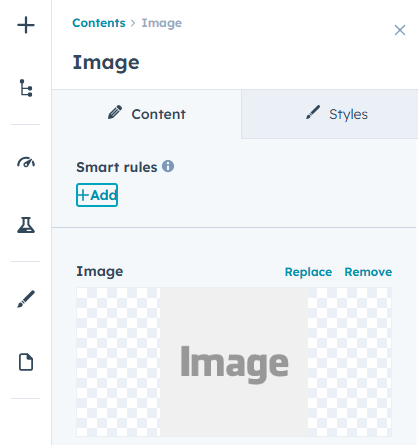
Smart content can be applied to several elements within HubSpot Content Hub, including:
- Text modules
- Images
- Calls-to-action (CTAs)
- Forms
- Entire sections of a page
This flexibility allows marketers to personalize key areas of their website.
Examples of Smart Content Personalization
Here are a few common ways businesses use HubSpot Content Hub personalization.
Location-Based Personalization
Visitors from different regions can see different content.
For example:
- Visitors from India may see local contact details
- Visitors from the United States may see US-specific messaging
Lifecycle Stage Personalization
HubSpot tracks the lifecycle stage of contacts in the CRM.
Smart content can display different messages for:
- New visitors
- Leads
- Existing customers
For example, new visitors might see an introductory offer while existing customers might see a product upgrade message.
Device-Based Personalization
Smart content can also adjust based on the device being used.
For example:
- Mobile users may see simplified content
- Desktop users may see more detailed sections
This helps ensure a better experience across devices.
Final Thoughts
HubSpot Content Hub smart content and personalization features allow businesses to tailor website experiences to different audiences. By showing the right message to the right visitor, companies can create more meaningful interactions and improve marketing results.
Related Post
How Do HubSpot Content Hub Page Templates and Layout Sections Work?
When building pages in HubSpot Content Hub, the structure of a page is usually defined by a template. Within that template, the page is divided into layout sections that organize how content appears on the page.
How Do You Delete a Page in HubSpot Content Hub?
At times, you may need to remove pages from your website. This can happen when content becomes outdated, a campaign ends, or the website structure is being reorganized.HubSpot Content Hub provides a simple way to delete pages directly from the page...
How Do HubSpot Content Hub Forms Work?
Forms are one of the most important tools inside HubSpot Content Hub, especially for businesses focused on lead generation and marketing campaigns. Forms allow websites to collect information from visitors and automatically store it in the HubSpot...
Have a Project in Mind?
Let’s talk about what you need and how we can make it happen.

Leave a reply