


.png)
.png)



Yes, non-developers can absolutely use HubSpot Content Hub. In fact, one of the main goals of the platform is to allow marketing teams and content editors to manage websites without needing to write code.
HubSpot Content Hub is designed so that developers can build the structure of the website, while marketers and editors can easily update content through a visual interface.
This separation makes it easier for teams to work together without constantly relying on developers for small website updates.
The Drag-and-Drop Editor
The main reason non-developers can use HubSpot Content Hub comfortably is the drag-and-drop page editor.
Using this editor, you can:
- Add new sections to a page
- Rearrange layouts
- Edit text and images
- Insert forms, videos, or buttons
- Preview the page before publishing
Most changes can be made directly in the editor without touching any code.
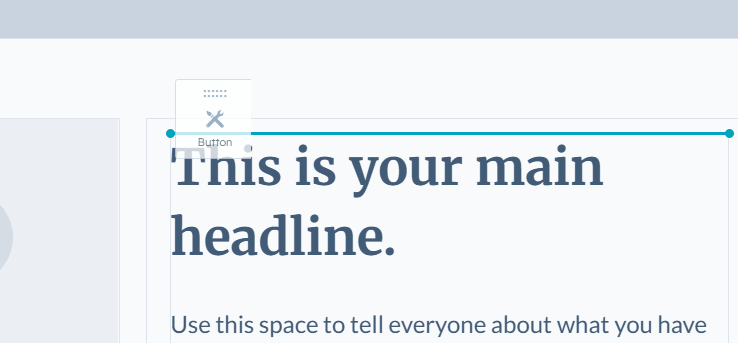
Editing Content Is Simple
Once a website is built, editors can update content in just a few steps.
For example, a marketer can easily:
- Update headlines
- Replace images
- Edit page text
- Add new landing pages
- Duplicate existing pages
These updates can usually be done in minutes, which makes the platform ideal for fast-moving marketing teams.
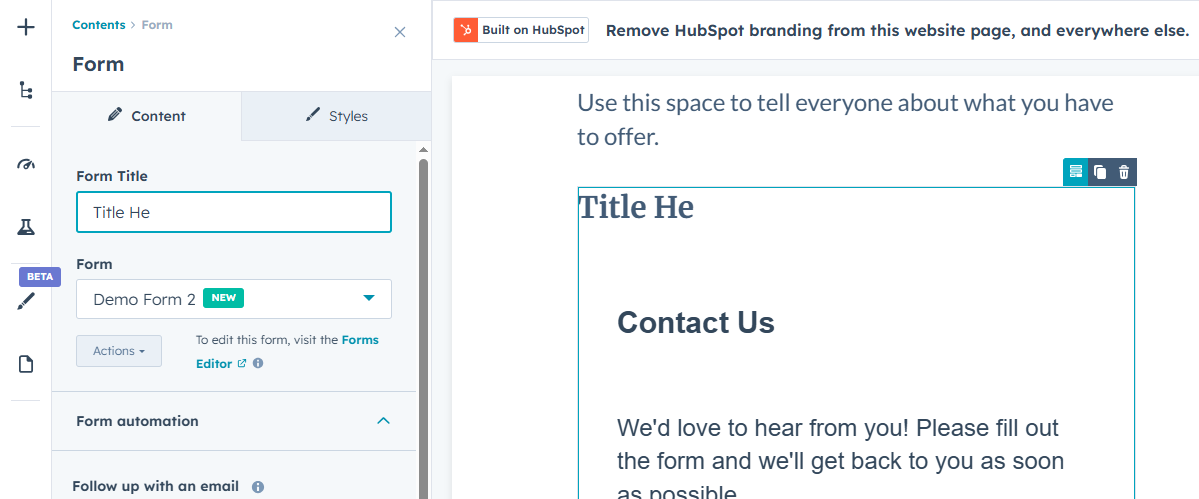
Developers Still Play an Important Role
While non-developers can manage content, developers are typically responsible for setting up the foundation of the website.
Developers create things like:
- Themes
- Templates
- Custom modules
- CSS and JavaScript styling
Once these elements are built, editors can reuse them across the website without worrying about the technical details.
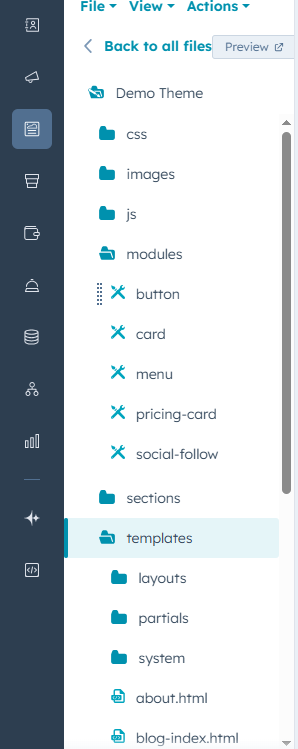
Guardrails Help Prevent Mistakes
One advantage of HubSpot Content Hub is that it provides built-in guardrails that help prevent editors from accidentally breaking the website design.
For example:
- Templates control page structure
- Modules limit what can be edited
- Themes maintain consistent styling
This allows marketing teams to work independently while keeping the overall website design consistent.
Common Tasks Non-Developers Can Handle
In most HubSpot websites, non-developers can easily manage tasks such as:
- Creating landing pages
- Updating blog posts
- Editing page content
- Adding calls-to-action
- Managing forms
- Updating images and media
This makes day-to-day website management much faster compared to systems that require developer involvement for every change.
When Developers Are Still Needed
Although many tasks can be handled by non-developers, developers may still be needed for more advanced work, such as:
- Creating custom modules
- Building new templates
- Integrating external systems
- Implementing advanced styling or scripts
Once these features are built, they can usually be reused across many pages.
Final Thoughts
HubSpot Content Hub is built to support both developers and non-developers.
Developers create the structure and reusable components, while marketers and editors can update and manage content through the visual editor.
This balance makes it possible for teams to maintain a professional website without needing technical expertise for everyday updates.
Related Post
How Do HubSpot Content Hub Campaigns and Content Organization Work?
Marketing campaigns often include multiple types of content such as landing pages, blog posts, emails, and calls-to-action. HubSpot Content Hub includes campaign tools that help organize these assets so teams can track and manage them as part of a...
How Do HubSpot Content Hub Content Permissions and User Roles Work?
When multiple people work on a website, it becomes important to control who can edit content, manage design assets, or publish pages. HubSpot Content Hub provides user roles and content permissions that allow administrators to control access across...

How Do HubSpot Content Hub Multilingual and Multi-Language Website Features Work?
Many businesses serve audiences in different countries and languages. To support this, HubSpot Content Hub provides multilingual website features that allow you to create and manage content in multiple languages.
Have a Project in Mind?
Let’s talk about what you need and how we can make it happen.

Leave a reply