


.png)
.png)



The Design Manager is the primary development environment within HubSpot Content Hub. It is where developers create and manage the files that control how a website looks and functions.
Using the Design Manager, developers can build templates, create custom modules, edit styles, and manage theme files. These components define the structure that marketing teams later use to create and edit pages.
Understanding how HubSpot Content Hub Design Manager works is essential for developers who want to customize website design and functionality.
What Is the Design Manager?
The HubSpot Content Hub Design Manager is a built-in development tool that allows developers to manage website design assets.
It acts as a workspace where developers can create and edit files related to website structure and styling.
Common file types managed inside the Design Manager include:
- Templates
- Custom modules
- CSS stylesheets
- JavaScript files
- Theme files
- HubL template files
These files define how the website appears and behaves.
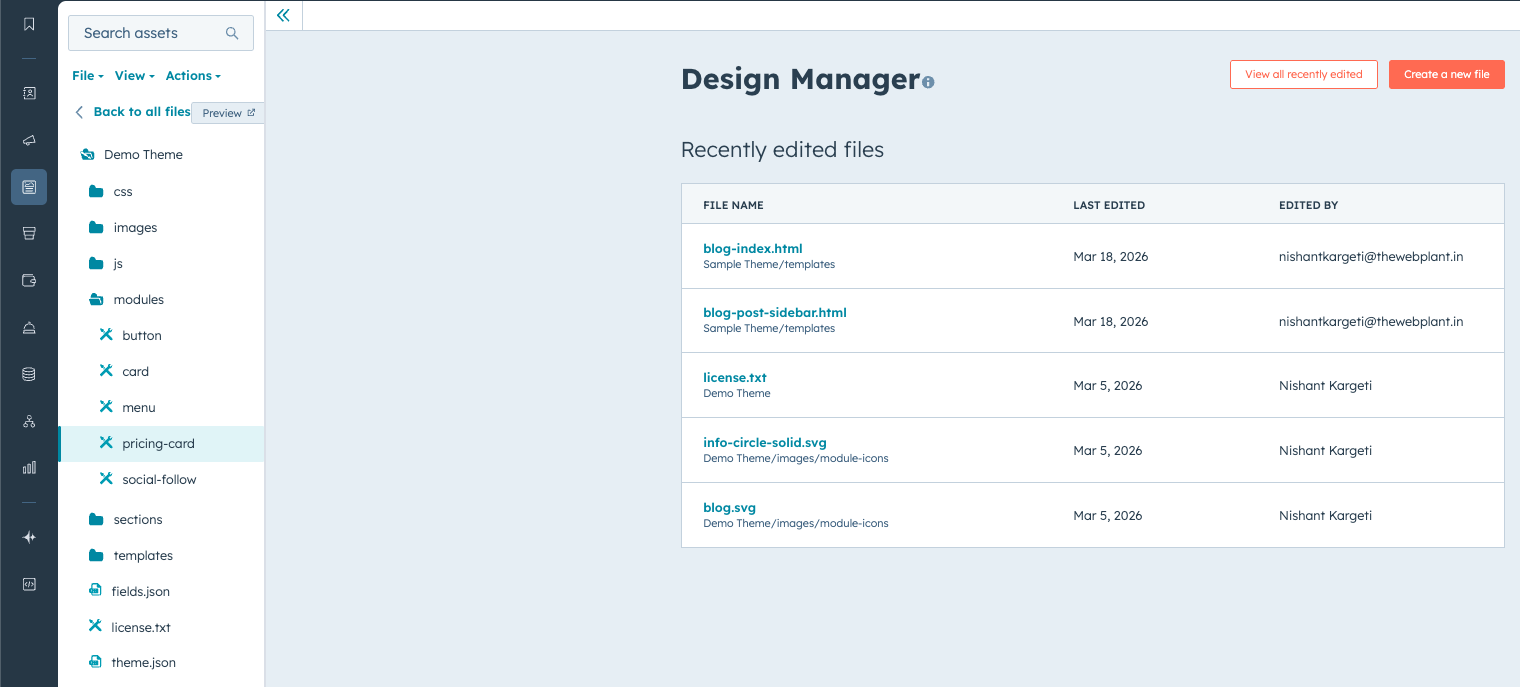
Where to Access Design Manager
You can access the Design Manager inside HubSpot by navigating to:
Content → Design Manager
Once opened, the interface displays a file structure similar to a code editor or development environment.
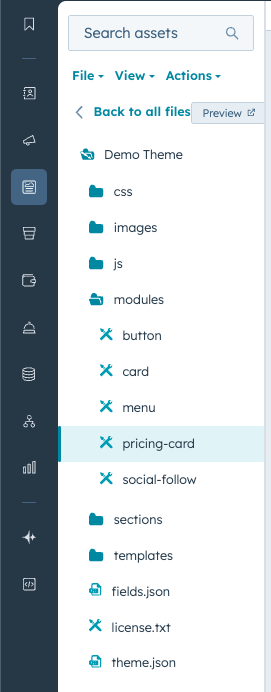
Files are organized into folders that represent themes, templates, modules, and other assets.
Key Components of Design Manager
The Design Manager includes several key areas that developers use regularly.
File Explorer
The file explorer displays all design assets in a structured folder layout.
Developers can create new files, edit existing files, and organize assets inside folders.
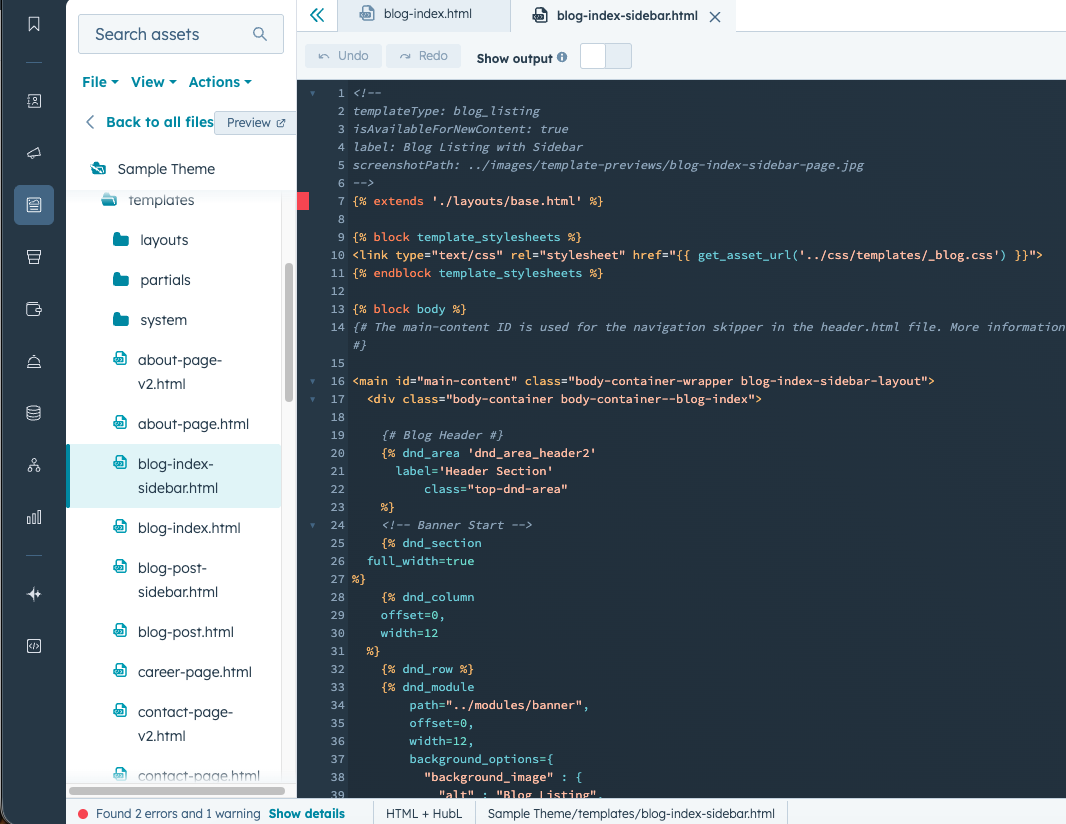
Code Editor
HubSpot provides a built-in code editor for writing and modifying template code.
Developers can work with:
- HTML
- CSS
- JavaScript
- HubL (HubSpot templating language)
The editor also includes syntax highlighting and error detection.
Template Builder
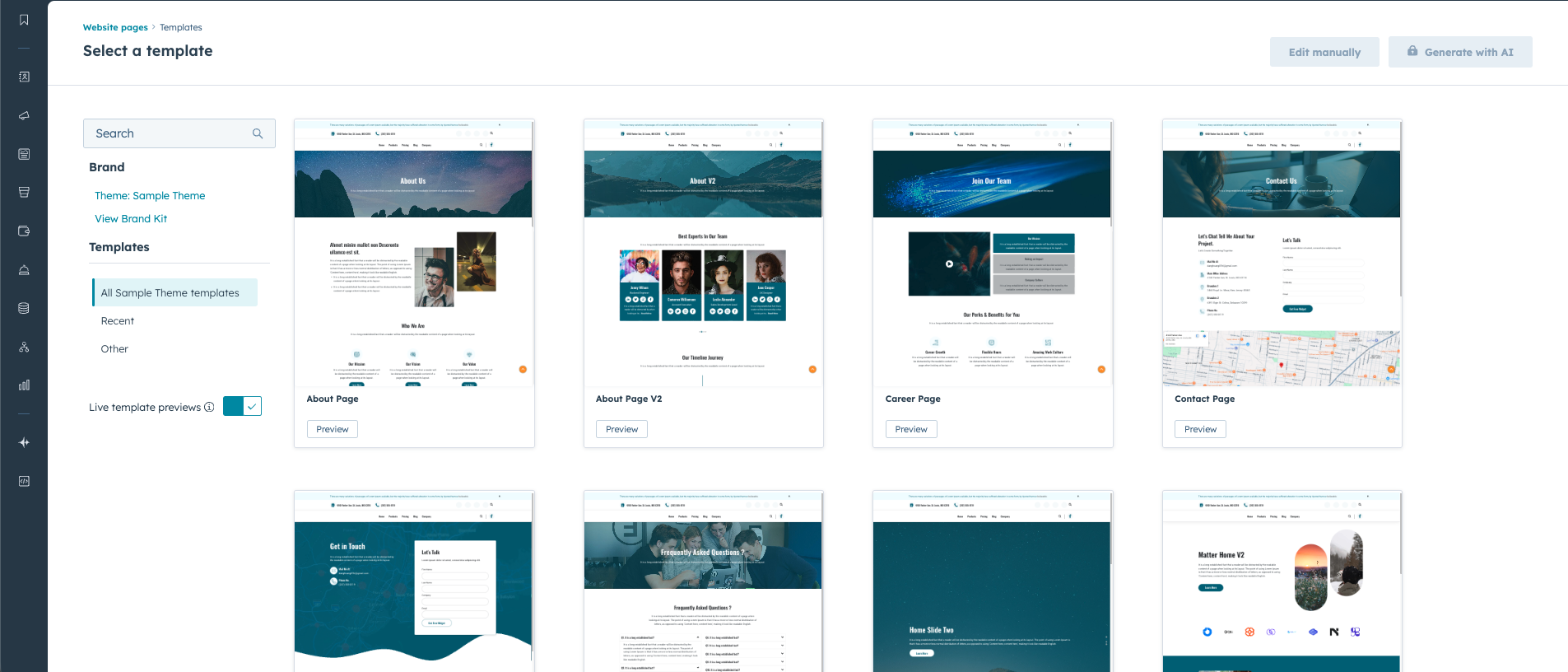
In addition to coding templates manually, HubSpot also provides a visual template builder.
This builder allows developers to arrange modules and sections visually to create page layouts.
These templates can then be used by marketers when creating pages.
Managing Themes and Modules
Themes and modules are also managed inside the HubSpot Content Hub Design Manager.
Developers can:
- Create new themes
- Modify theme styles
- Build custom modules
- Update existing design elements
Once saved, these assets become available in the page editor for content teams.
Publishing Design Changes
When a developer updates files in the Design Manager, those changes affect the templates and modules used across the website.
For example, modifying a template may update the layout of multiple pages using that template.
Because of this, developers typically test design updates carefully before publishing them live.
In Summary
HubSpot Content Hub Design Manager serves as the central workspace for developers building and maintaining website design elements. By managing templates, modules, and styling in one place, the Design Manager allows teams to maintain structured and scalable website designs.
Related Post

How Does HubSpot Content Hub HubL Work?
When building custom websites in HubSpot Content Hub, developers often use HubL, which is HubSpot’s templating language. HubL allows developers to create dynamic templates, pull data from HubSpot objects, and control how content appears on pages.

How Do HubSpot Content Hub Theme Files and Folder Structures Work?
Themes play an important role in how websites are built and managed in HubSpot Content Hub. A theme defines the overall design system of a website, including templates, styles, modules, and layout structures.

How Do HubSpot Content Hub Scripts and Custom Code Features Work?
Sometimes websites need functionality that goes beyond standard modules or page settings. HubSpot Content Hub provides custom code features that allow developers to add scripts and advanced code snippets to the website.
Have a Project in Mind?
Let’s talk about what you need and how we can make it happen.

Leave a reply