


.png)
.png)


When working on a website, changes are made frequently. Pages are updated, templates are modified, and content is revised over time. To help manage these updates safely, HubSpot Content Hub includes version history and backup capabilities that allow users to track and restore previous versions of content.
These tools make it easier to recover earlier versions of pages if something is changed accidentally or if a previous layout needs to be restored.
Understanding how HubSpot Content Hub backups and version history work helps teams maintain better control over their website content.
What Is Version History?
Version history allows HubSpot to keep a record of changes made to pages and other assets.
Each time a page is edited and updated, HubSpot stores a version of that page. This makes it possible to review previous versions and restore them if necessary.
Version history helps teams track content updates and revert changes when needed.
Viewing Page Revision History
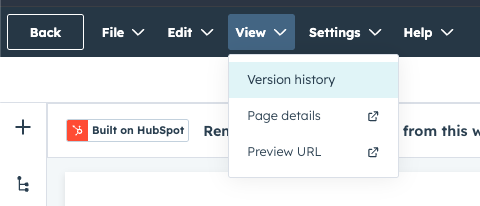
You can view revision history directly from the page editor in HubSpot Content Hub.
To access page history:
- Open the page in the editor
- Click View Page History or Revision History
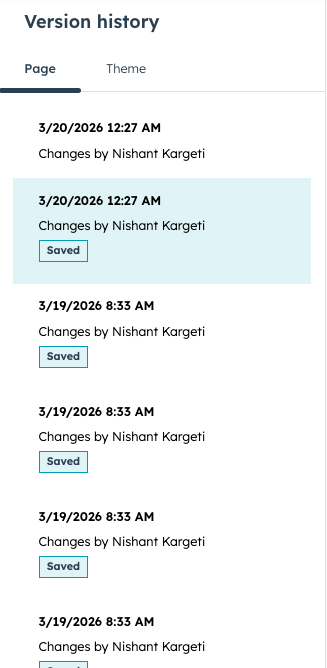
- Review the list of previous versions
Each version typically includes information such as:
- The date and time of the change
- The user who made the update
- A preview of the page version
Restoring a Previous Version
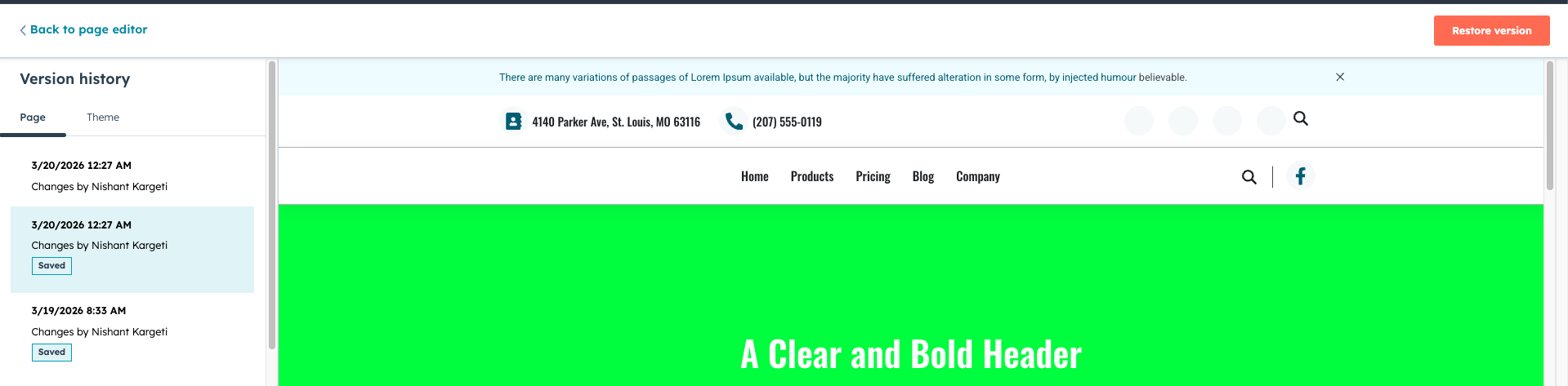
If a page update causes issues or removes important content, HubSpot allows you to restore an earlier version.
To restore a previous version:
- Open the revision history
- Select the version you want to restore
- Click Restore
Key Takeaway
HubSpot Content Hub version history allows teams to review and restore previous versions of pages and design assets. This feature provides an added layer of protection when updating website content and helps teams manage changes with greater confidence.
Related Post
How Do HubSpot Content Hub System Pages Work?
Every website needs certain system pages that handle situations such as errors, login access, or confirmation messages. HubSpot Content Hub provides system pages that control how these scenarios appear to visitors.
How Does HubSpot Content Hub HubL Work?
When building custom websites in HubSpot Content Hub, developers often use HubL, which is HubSpot’s templating language. HubL allows developers to create dynamic templates, pull data from HubSpot objects, and control how content appears on pages.

Who Should Use HubSpot Content Hub?
HubSpot Content Hub is designed for teams that want to build and manage websites without dealing with hosting, security, or complicated infrastructure.
Have a Project in Mind?
Let’s talk about what you need and how we can make it happen.

Leave a reply