


.png)
.png)


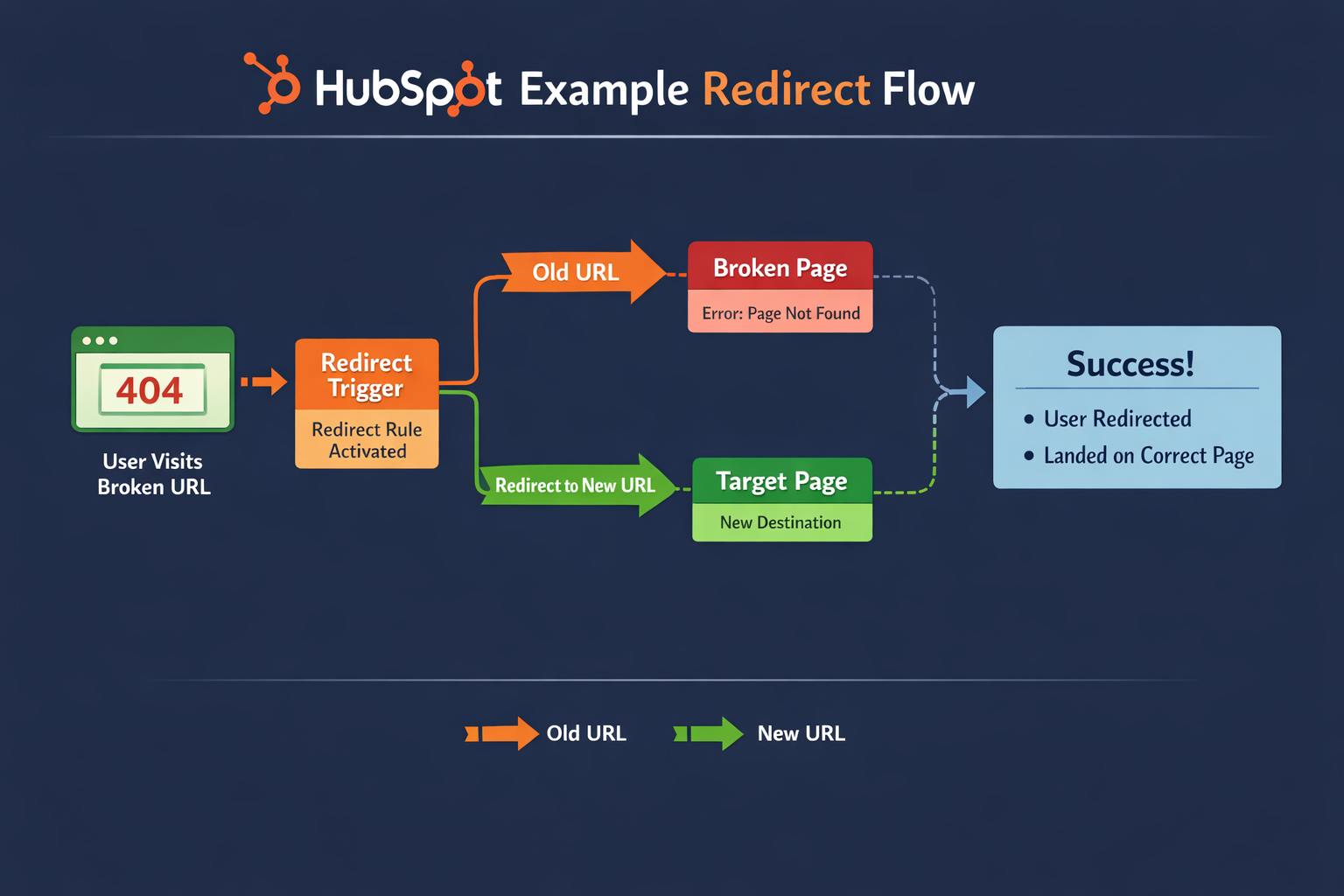
When websites evolve, page URLs sometimes change. This can happen when pages are renamed, moved to a new structure, or replaced with updated content. If visitors try to access the old URL, they may encounter a 404 page not found error.
To prevent this, HubSpot Content Hub provides a URL redirect tool that automatically sends visitors from an old URL to a new one.
Understanding how HubSpot Content Hub URL redirects work helps maintain a smooth user experience and preserve search engine rankings when making changes to your website.
What Is a URL Redirect?
A URL redirect automatically sends a visitor from one page URL to another.
For example:
Old URL
yourwebsite.com/old-service-page
Redirects to
New URL
yourwebsite.com/new-service-page
When someone visits the old URL, they are automatically taken to the new page.
Redirects help ensure visitors reach the correct content even when URLs change.
Why URL Redirects Are Important
Redirects play an important role in website management.
They help:
- Prevent broken links
- Preserve search engine rankings
- Maintain user experience
- Handle changes in website structure
Without redirects, visitors and search engines may encounter errors when trying to access outdated URLs.
Where to Manage Redirects in HubSpot
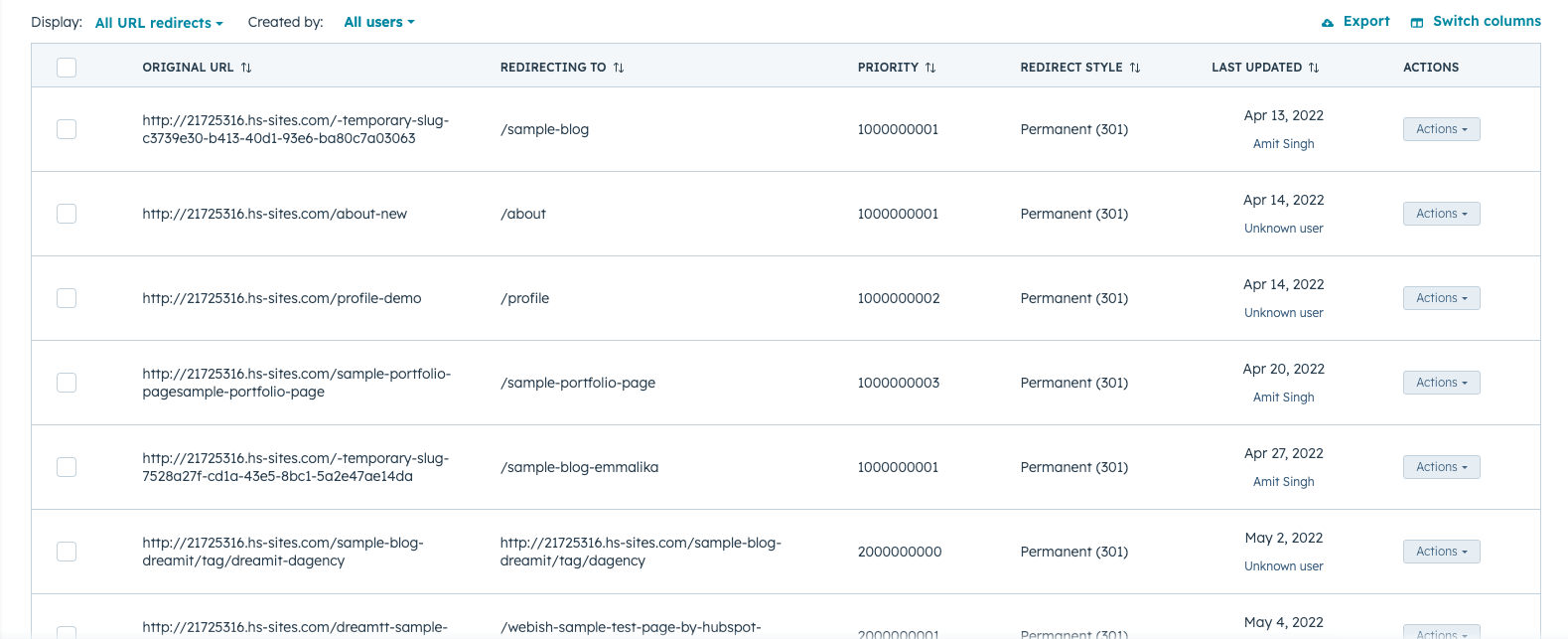
URL redirects in HubSpot Content Hub can be managed through the settings panel.
To access the redirect manager:
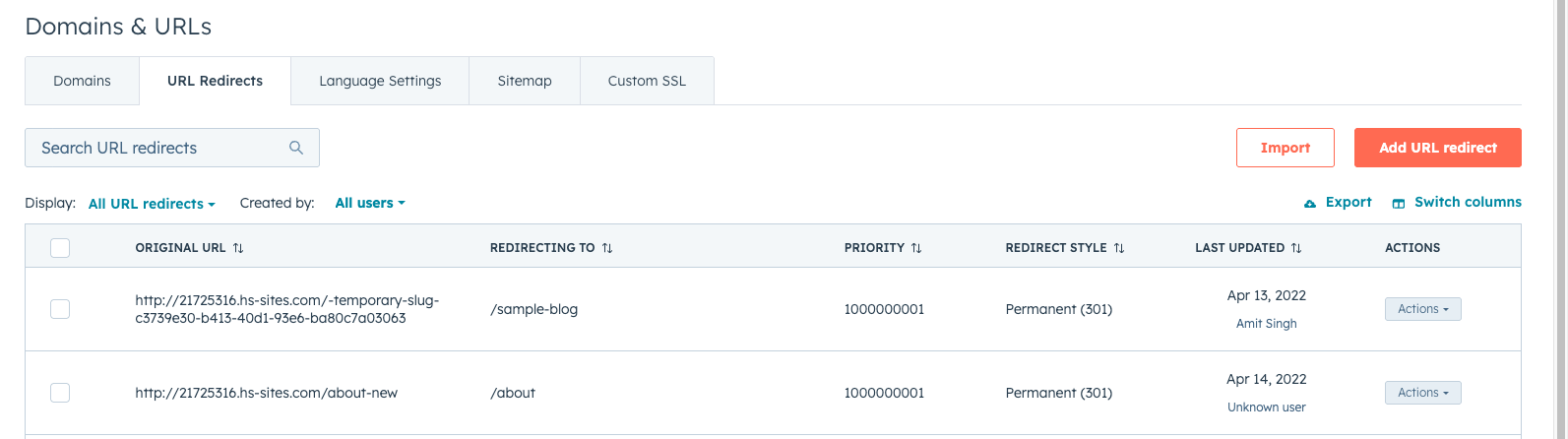
Settings → Website → Domains & URLs → URL Redirects
Here you can view existing redirects and create new ones.
Creating a URL Redirect
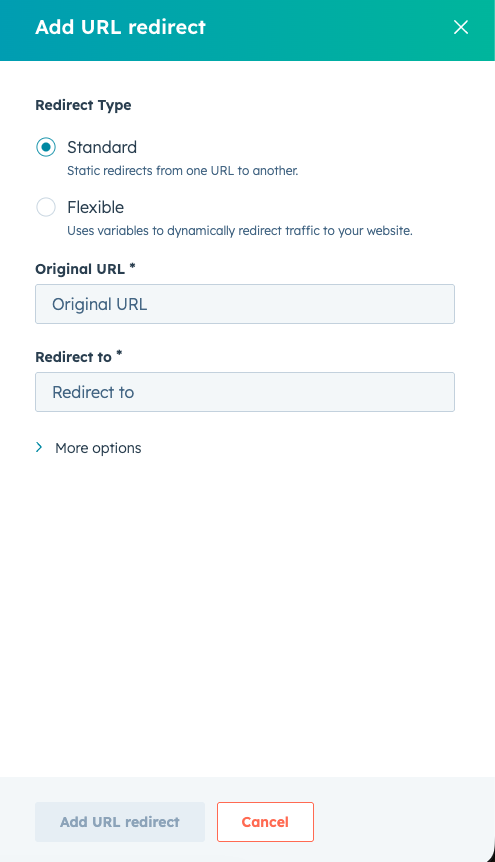
To create a redirect in HubSpot Content Hub, follow these steps:
- Open the URL Redirects tool
- Click Create Redirect
- Enter the original URL (the page being replaced)
- Enter the new destination URL
- Save the redirect
Once saved, visitors accessing the old URL will automatically be redirected to the new page.

Managing Multiple Redirects
For larger websites, the redirect manager allows you to:
- Search existing redirects
- Edit redirect rules
- Delete outdated redirects
This makes it easier to maintain a clean redirect structure as the website grows.
Key Takeaway
HubSpot Content Hub URL redirects help ensure visitors and search engines are directed to the correct pages when URLs change. By properly managing redirects, teams can avoid broken links, maintain SEO performance, and keep website navigation smooth.
Related Post
How Does HubSpot Content Hub Manage User Permissions?
When multiple people work on a website, it’s important to control who can access and edit different parts of the platform. HubSpot Content Hub includes a flexible user permissions system that allows administrators to control exactly what each user...

How HubSpot Content Hub Works
HubSpot Content Hub works by combining drag-and-drop page building, predefined design systems, and fully managed infrastructure—all inside the HubSpot platform.

How Do You Duplicate a Page in HubSpot Content Hub?
Duplicating a page in HubSpot Content Hub is a useful feature that allows you to quickly create a copy of an existing page. Instead of building a new page from scratch, duplication lets you reuse the same layout, modules, and content structure.
Have a Project in Mind?
Let’s talk about what you need and how we can make it happen.

Leave a reply