


.png)
.png)



Themes are an important part of how websites are designed and managed in HubSpot Content Hub. A theme defines the overall design system of a website, including layouts, styles, templates, and reusable modules.
Instead of designing every page separately, themes provide a consistent framework that allows teams to create pages quickly while maintaining a unified design across the entire website.
Understanding how HubSpot Content Hub themes work can help businesses build scalable and easy-to-manage websites.
What Is a Theme in HubSpot Content Hub?
A HubSpot Content Hub theme is a collection of design assets that work together to define the appearance and structure of a website.
A theme typically includes:
- Page templates
- Custom modules
- Global styles
- Layout settings
- CSS and JavaScript files
These components allow developers to create a complete website design system that editors can easily use when building pages.
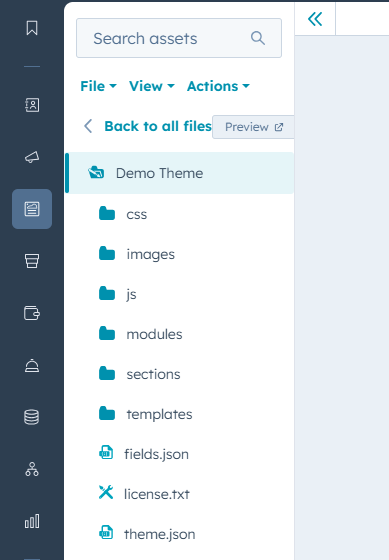
Themes vs Templates
Themes and templates are closely related but serve different purposes in HubSpot Content Hub
- Themes define the overall design system of the website.
- Templates define the layout of individual pages.
In most cases, templates are built as part of a theme. This ensures that all pages created with those templates follow the same design rules
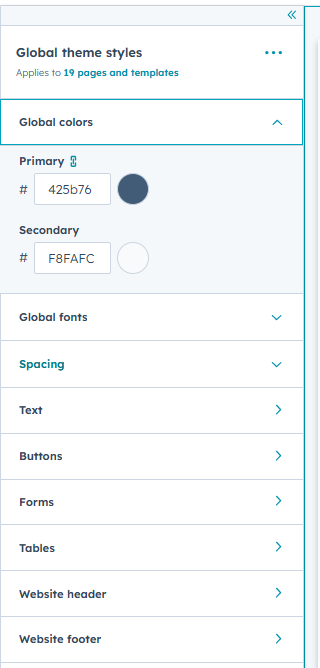
Theme Settings and Global Styles
One powerful feature of HubSpot Content Hub themes is the ability to control global design settings.
Theme settings often include options such as:
- Brand colors
- Typography styles
- Button styles
- Spacing and layout rules
These settings allow editors to update the overall look of the website without modifying individual pages.
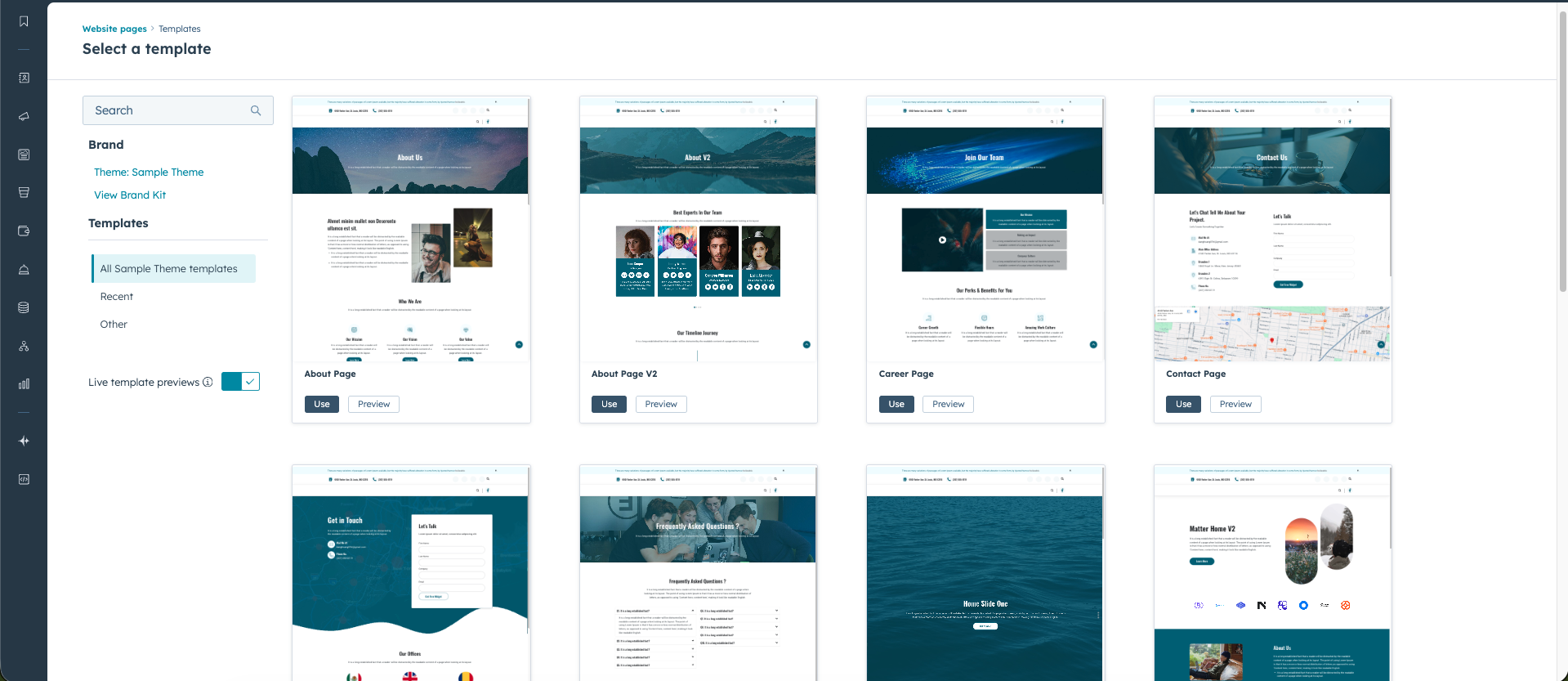
Creating Pages Using Themes
When creating a new page in HubSpot Content Hub, you will usually choose a template that belongs to a specific theme.
The theme ensures that the page follows the website’s design system, whi
le the template defines the page layout.
Editors can then customize the page using the drag-and-drop editor while still maintaining the theme’s design structure.
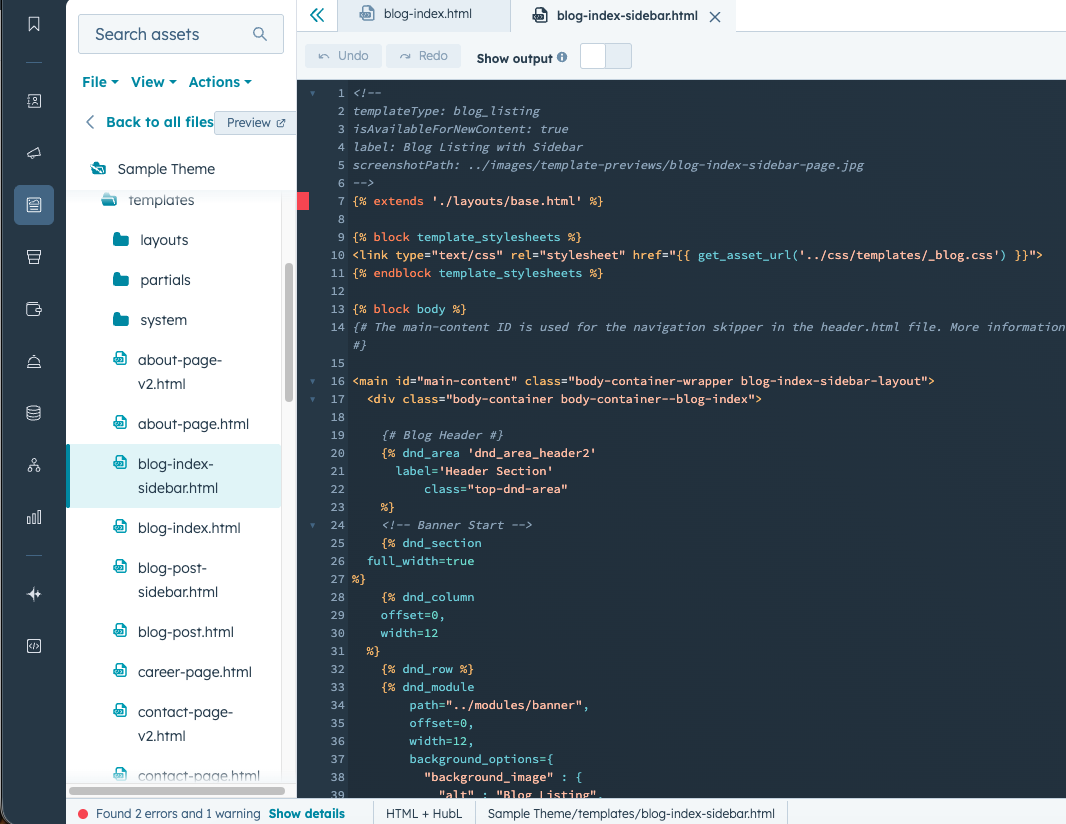
Customizing Themes
Themes are typically created or modified by developers using the HubSpot Design Manager.
Developers can customize themes by:
- Creating new templates
- Building custom modules
- Modifying CSS styling
- Adding JavaScript functionality
This flexibility allows businesses to build themes tailored to their brand and website requirements.
Why Themes Are Important
Themes help simplify website management by providing a structured design system.
They help teams:
- Maintain consistent branding across pages
- Create new pages quickly
- Manage design updates more easily
- Scale websites without redesigning each page
For businesses with large websites, themes make content management significantly more efficient.
Final Thoughts
HubSpot Content Hub themes provide the foundation for website design and structure. By combining templates, modules, and global styles, themes allow businesses to build professional websites that are both flexible and easy to maintain.
For developers and marketers working together, themes help create a clear separation between design and content management.
Related Post

How HubSpot Content Hub Works
HubSpot Content Hub works by combining drag-and-drop page building, predefined design systems, and fully managed infrastructure—all inside the HubSpot platform.
How Do HubSpot Content Hub Image Optimization and Image Settings Work?
Images are an important part of modern websites. They help improve visual appeal, communicate ideas quickly, and make content easier to read. However, large or poorly optimized images can slow down page loading times.

How Do HubSpot Content Hub Website Backups and Version History Work?
When working on a website, changes are made frequently. Pages are updated, templates are modified, and content is revised over time. To help manage these updates safely, HubSpot Content Hub includes version history and backup capabilities that allow...
Have a Project in Mind?
Let’s talk about what you need and how we can make it happen.

Leave a reply