


.png)
.png)


Every page created in HubSpot Content Hub includes a set of page settings that control how the page behaves, appears in search engines, and is shared across platforms. These settings are important for both website functionality and search engine optimization (SEO).
Page settings allow editors to define key elements such as the page title, URL, meta description, and social sharing details.
Understanding how HubSpot Content Hub page settings and SEO settings work helps ensure your website pages are properly configured for search visibility and user experience.
Where to Find Page Settings
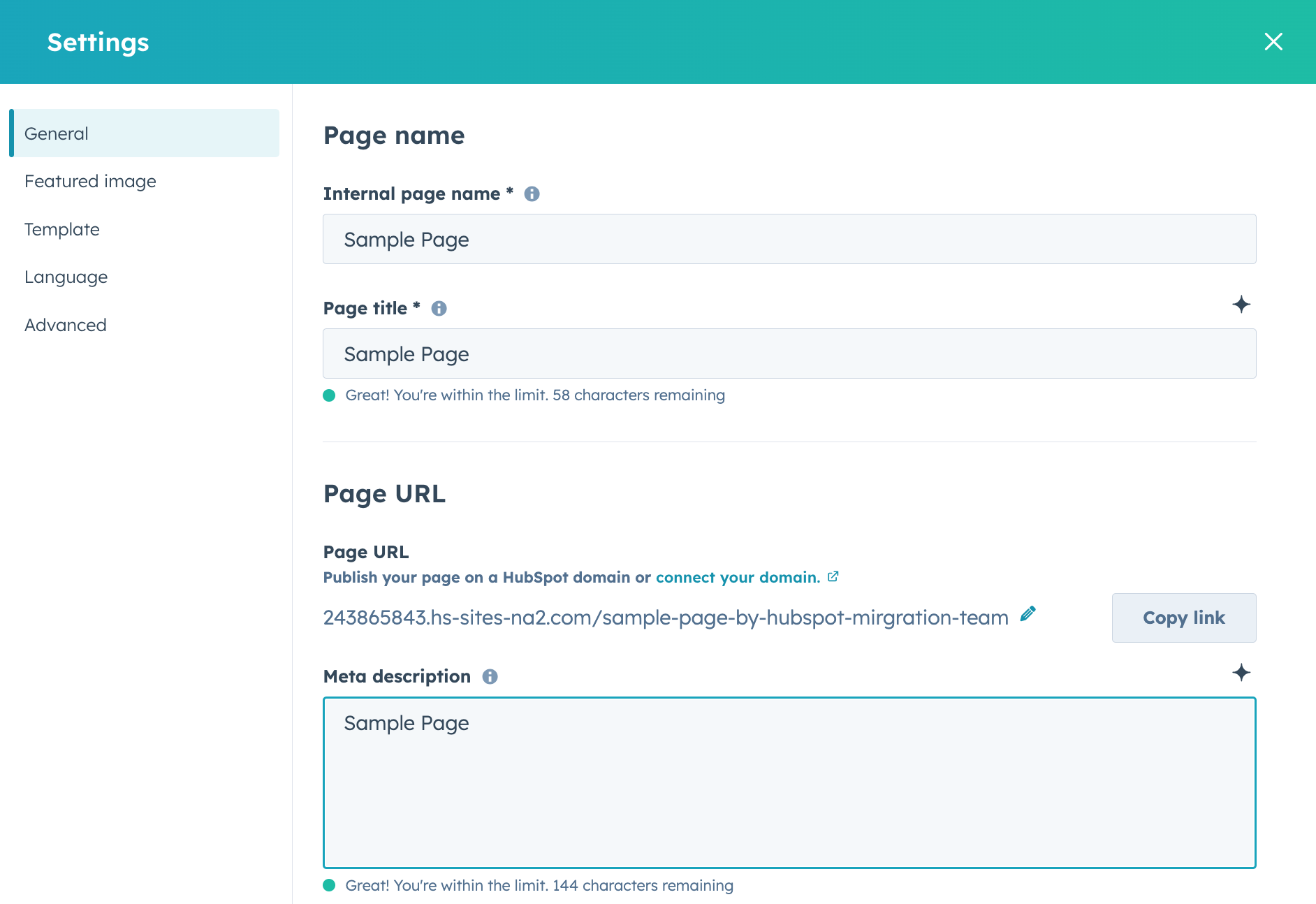
Page settings can be accessed directly within the page editor in HubSpot Content Hub.
To open them:
- Open a page in the editor
- Click the Settings tab at the top of the editor
- Review and edit the available options
This section contains several configuration options that affect how the page appears online.
Page Title
The page title is one of the most important SEO elements.
It appears in:
- Search engine results
- Browser tabs
- Social sharing previews
A clear and descriptive page title helps search engines understand the page content.
For example:
How HubSpot Content Hub Themes Work
Including relevant keywords in the title can help improve search rankings.
Page URL
The page URL determines the address where the page is accessible.
For example:
yourwebsite.com/hubspot-content-hub-themes
In HubSpot Content Hub, the URL slug can be edited within the page settings.
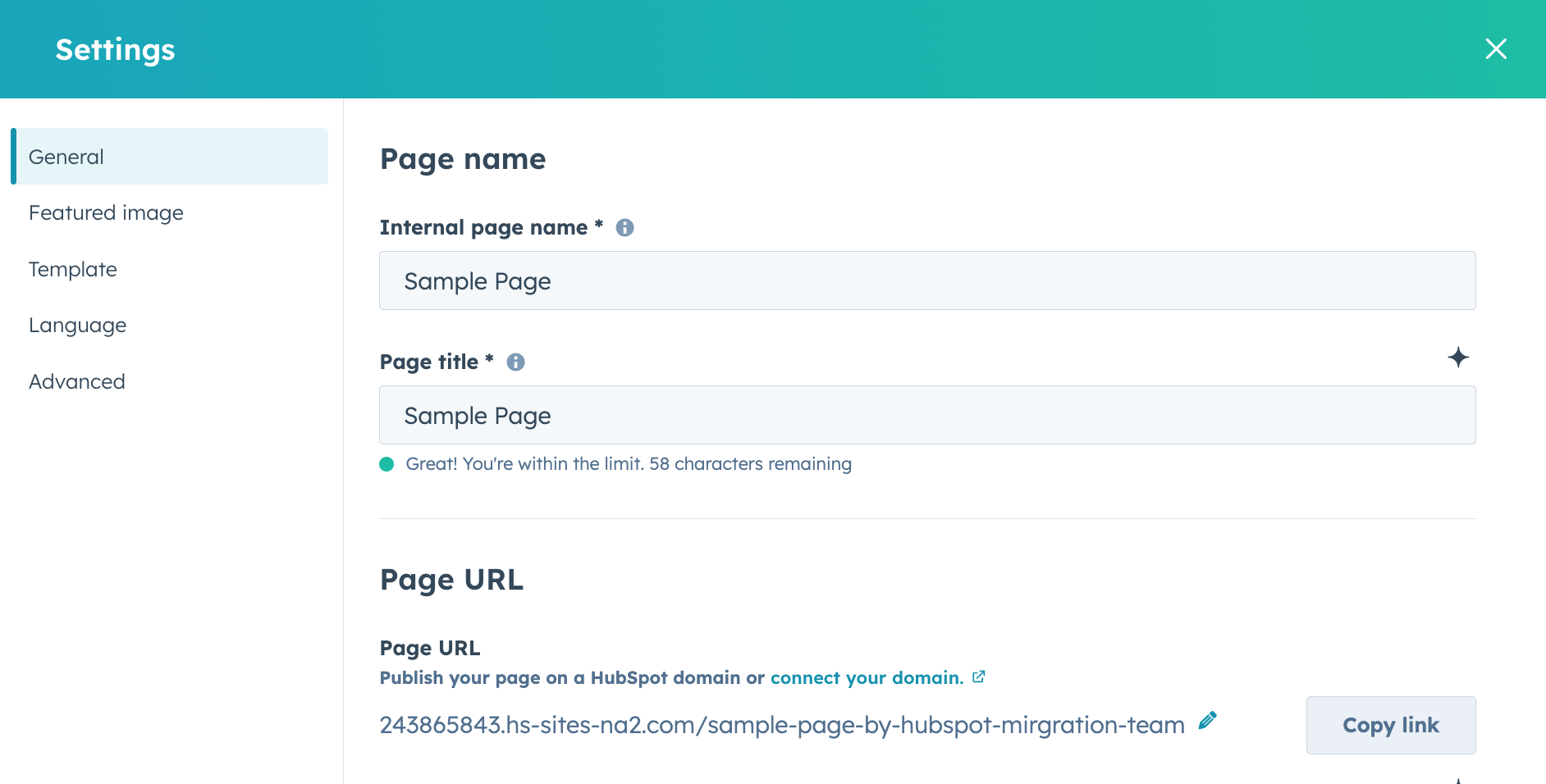
Clear, simple URLs help both search engines and users understand the page topic.
Meta Description
The meta description is a short summary of the page content.
Search engines often display this description in search results under the page title.
A well-written meta description can help encourage users to click on the page.
Meta descriptions should typically:
- Clearly explain the page topic
- Include relevant keywords
- Stay within recommended length limits
Featured Image for Social Sharing
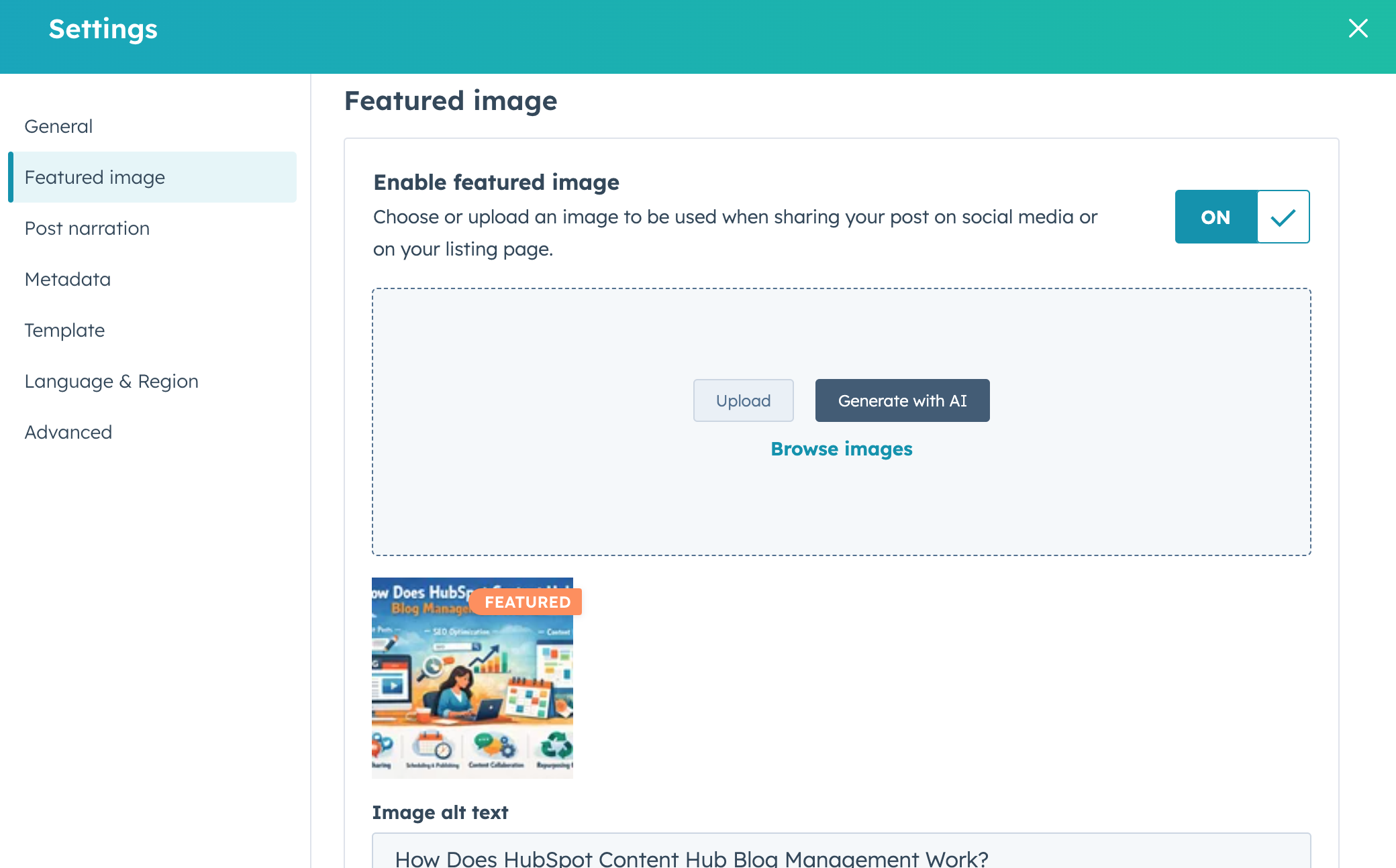
HubSpot allows you to choose a featured image that appears when the page is shared on social platforms such as LinkedIn or Facebook.
This image helps make shared links more visually appealing.
Canonical URL Settings
HubSpot also allows users to define a canonical URL.
Canonical URLs help search engines understand which version of a page should be considered the primary version if similar pages exist.
This helps prevent duplicate content issues.
Controlling Page Visibility
Page settings also include options that control how the page is indexed by search engines.
For example, you can choose whether to:
- Allow search engines to index the page
- Hide the page from search results
This option is useful for pages such as temporary landing pages or internal resources.
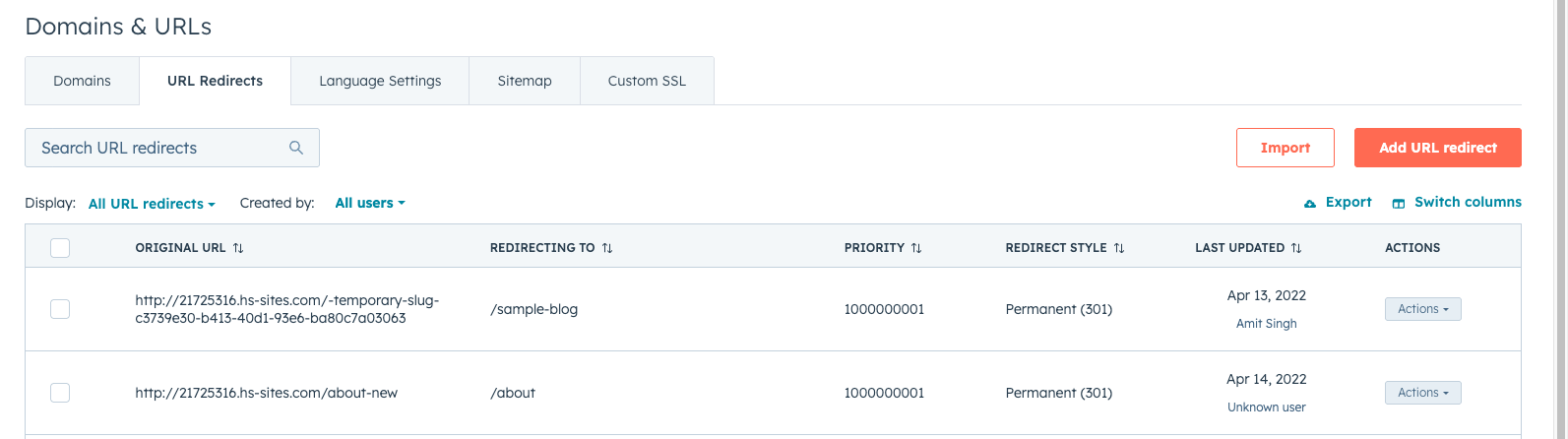
Redirect Settings
If a page URL changes, HubSpot allows you to create redirects so that visitors are automatically sent to the new page.
Redirects help prevent broken links and maintain SEO value.
Key Takeaway
HubSpot Content Hub page settings provide important controls for how pages appear in search engines, how they are shared online, and how visitors access them. By properly configuring page titles, URLs, meta descriptions, and other settings, teams can improve both search visibility and overall website performance.
Related Post
How Do HubSpot Content Hub Image Optimization and Image Settings Work?
Images are an important part of modern websites. They help improve visual appeal, communicate ideas quickly, and make content easier to read. However, large or poorly optimized images can slow down page loading times.
How Do HubSpot Content Hub Website Domains and URL Settings Work?
Before publishing a website, businesses need to connect their domain so visitors can access the site using a custom web address. HubSpot Content Hub allows users to connect domains and manage URL settings for their website pages, blogs, and landing...
How Do HubSpot Content Hub Global Content and Reusable Sections Work?
Many websites include sections that appear on multiple pages, such as headers, footers, banners, or promotional blocks. Managing these sections individually on every page can be time-consuming. HubSpot Content Hub provides global content features...
Have a Project in Mind?
Let’s talk about what you need and how we can make it happen.

Leave a reply