


.png)
.png)



One of the main goals of most websites is to capture leads and collect information from visitors. HubSpot Content Hub includes built-in forms and lead capture tools that allow businesses to gather visitor information directly from their website.
These tools help convert website visitors into contacts stored in the HubSpot CRM.
Understanding how HubSpot Content Hub forms and lead capture features work helps businesses build effective lead generation systems.
What Is a HubSpot Form?
A HubSpot form is a form that collects information from visitors and stores it inside the HubSpot CRM.
Forms are typically used to capture details such as:
- Name
- Email address
- Company name
- Phone number
- Custom information related to a business
Once submitted, the information becomes part of the contact record in HubSpot.
Where Forms Are Used
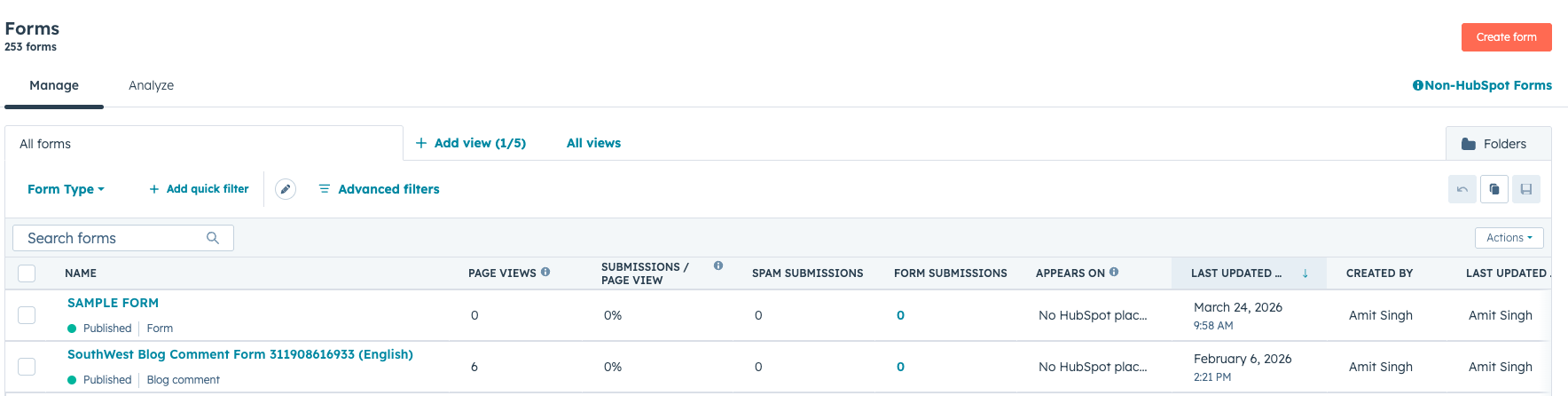
Forms can be placed across various types of content in HubSpot Content Hub, including:
- Landing pages
- Contact pages
- Resource download pages
- Blog posts
- Webinar registration pages
Forms help convert website traffic into potential leads.
Creating a Form
To create a form in HubSpot:
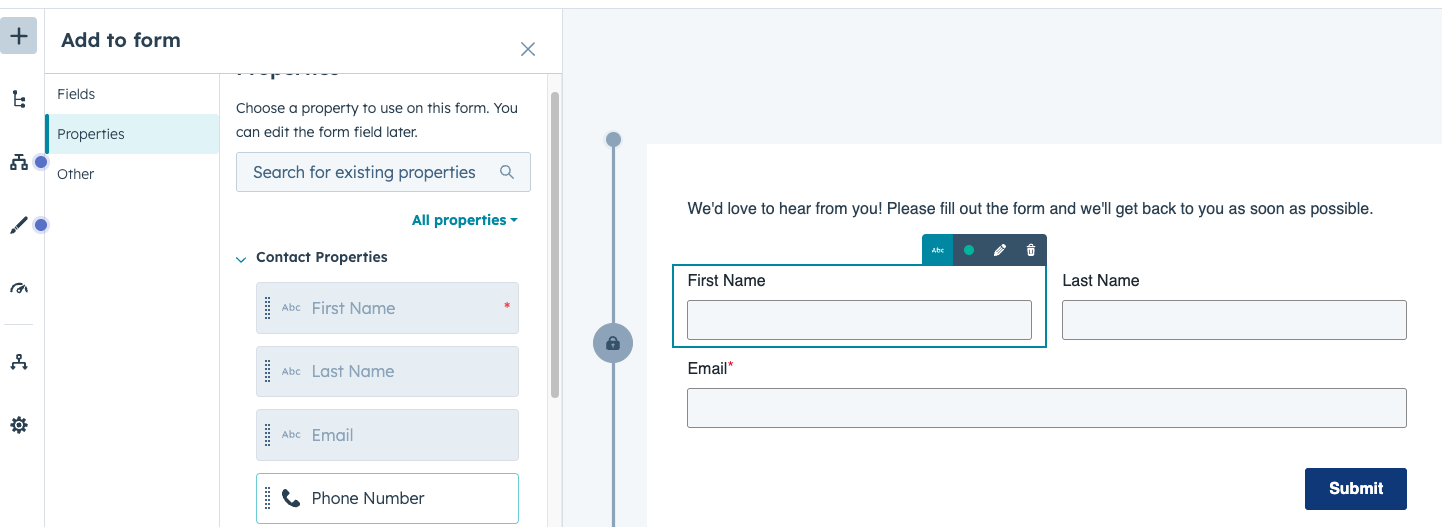
- Navigate to Marketing → Lead Capture → Forms
- Click Create Form
- Select the form type
- Add fields to collect visitor information
- Save and publish the form
Once created, the form can be embedded into website pages.
Types of Form Fields
HubSpot forms allow different types of fields to collect information.
Common field types include:
- Text fields
- Email fields
- Dropdown selections
- Radio buttons
- Checkboxes
- Custom property fields
These fields allow businesses to collect detailed information from visitors.
Embedding Forms on Pages
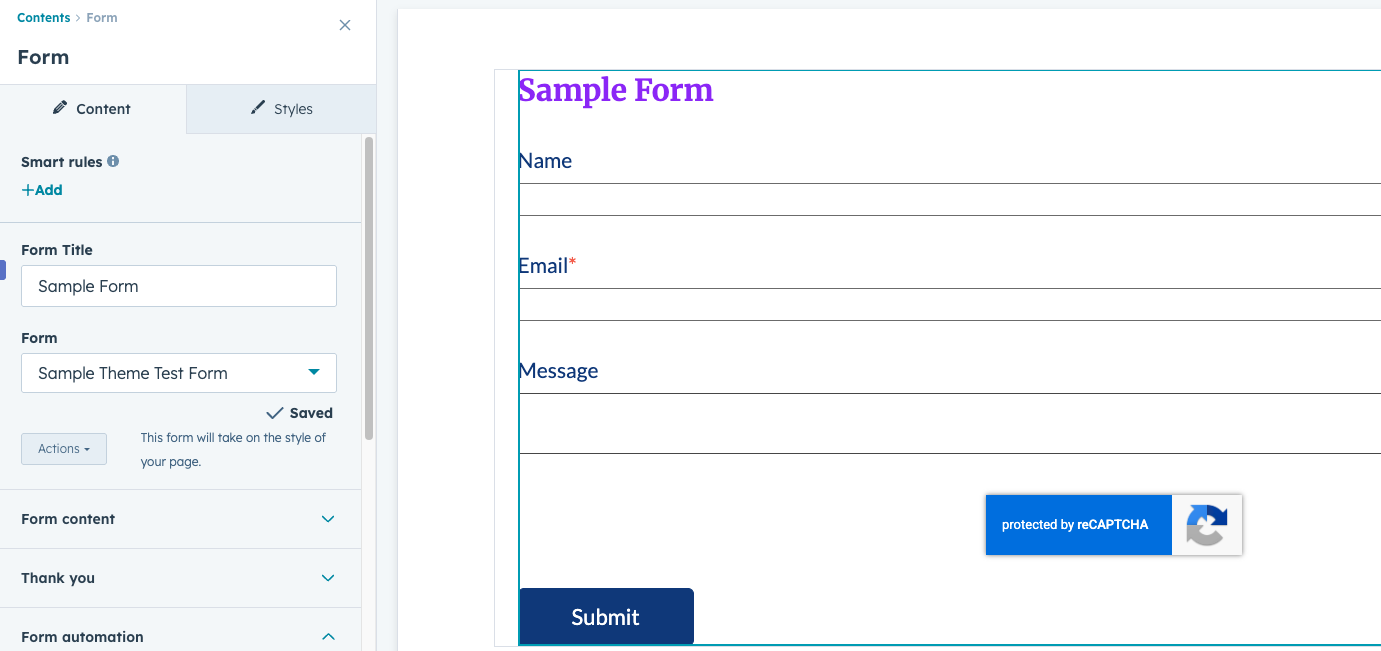
Forms can be added to pages using modules inside the page editor.
To add a form:
- Open the page editor
- Drag the Form module into the page layout
- Select the form you created
Once the page is published, visitors can submit the form directly from the website.
What Happens After Form Submission
When a visitor submits a form, several actions may occur automatically.
For example:
- A contact record is created in the HubSpot CRM
- The visitor may be redirected to a thank-you page
- An automated email may be sent
- A workflow may be triggered
These automated processes help streamline lead management.
Form Analytics and Conversion Tracking
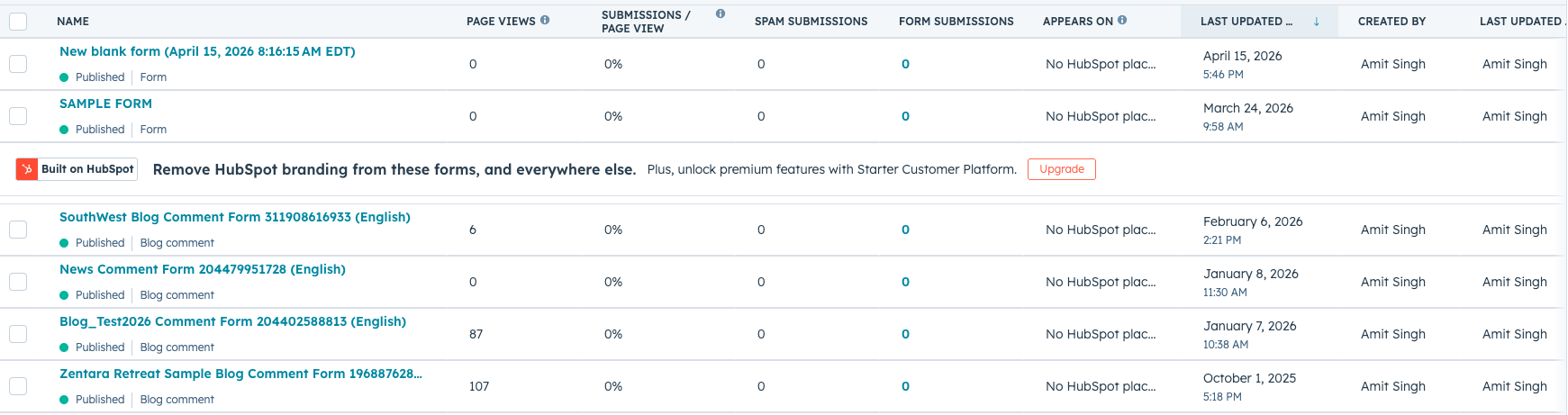
HubSpot provides analytics to track how forms perform.
Form reports may include:
- Number of submissions
- Conversion rates
- Traffic sources for form submissions
These insights help teams improve their lead capture strategy.
Key Takeaway
HubSpot Content Hub forms and lead capture tools allow businesses to collect visitor information and convert website traffic into CRM contacts. By combining forms with automation and analytics, teams can build efficient lead generation systems that support marketing and sales efforts.
Related Post

How Do HubSpot Content Hub Website Accessibility Features Work?
Website accessibility ensures that digital content can be used by everyone, including people with disabilities. Accessible websites allow visitors using screen readers, keyboard navigation, or other assistive technologies to interact with content...

How Hosting and Security Work in HubSpot Content Hub
When you build a website on HubSpot Content Hub, you don’t have to worry about managing servers, installing security updates, or configuring hosting environments. HubSpot provides a fully managed hosting and security infrastructure as part of the...

How Do HubSpot Content Hub Cookie Consent and Privacy Compliance Features Work?
Modern websites collect various types of visitor data through analytics, forms, and tracking scripts. Because of this, many countries require websites to inform visitors about data collection and obtain consent when necessary.
Have a Project in Mind?
Let’s talk about what you need and how we can make it happen.

Leave a reply