


.png)
.png)



Modern websites collect various types of visitor data through analytics, forms, and tracking scripts. Because of this, many countries require websites to inform visitors about data collection and obtain consent when necessary.
HubSpot Content Hub includes built-in cookie consent and privacy compliance tools that help businesses follow data protection regulations while maintaining transparency with visitors.
Understanding how HubSpot Content Hub cookie consent and privacy compliance features work helps businesses build trust with visitors and comply with global privacy standards.
What Are Cookies?
Cookies are small pieces of data stored in a visitor’s browser when they interact with a website.
Cookies are commonly used for:
- Website analytics
- Tracking visitor behavior
- Tracking visitor behavio
- Personalizing website experiences
Many websites rely on cookies to improve performance and marketing insights.
Why Cookie Consent Is Important
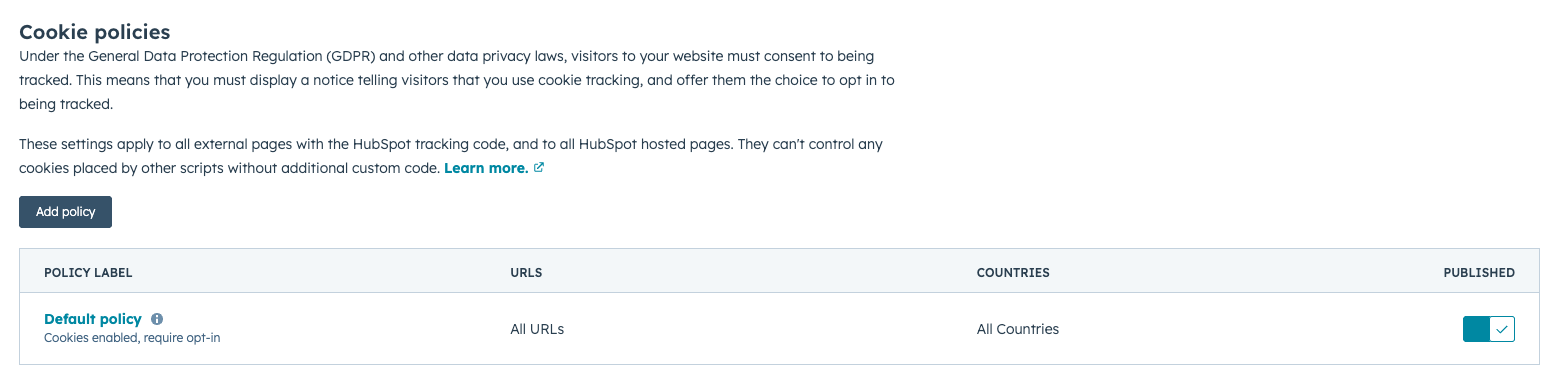
Many privacy regulations require websites to inform visitors about cookies and obtain consent before tracking certain types of data.
Some major privacy laws include:
- GDPR (General Data Protection Regulation) in Europe
- CCPA (California Consumer Privacy Act) in the United States
- Other regional privacy regulations
Providing clear cookie consent notices helps websites comply with these regulations.
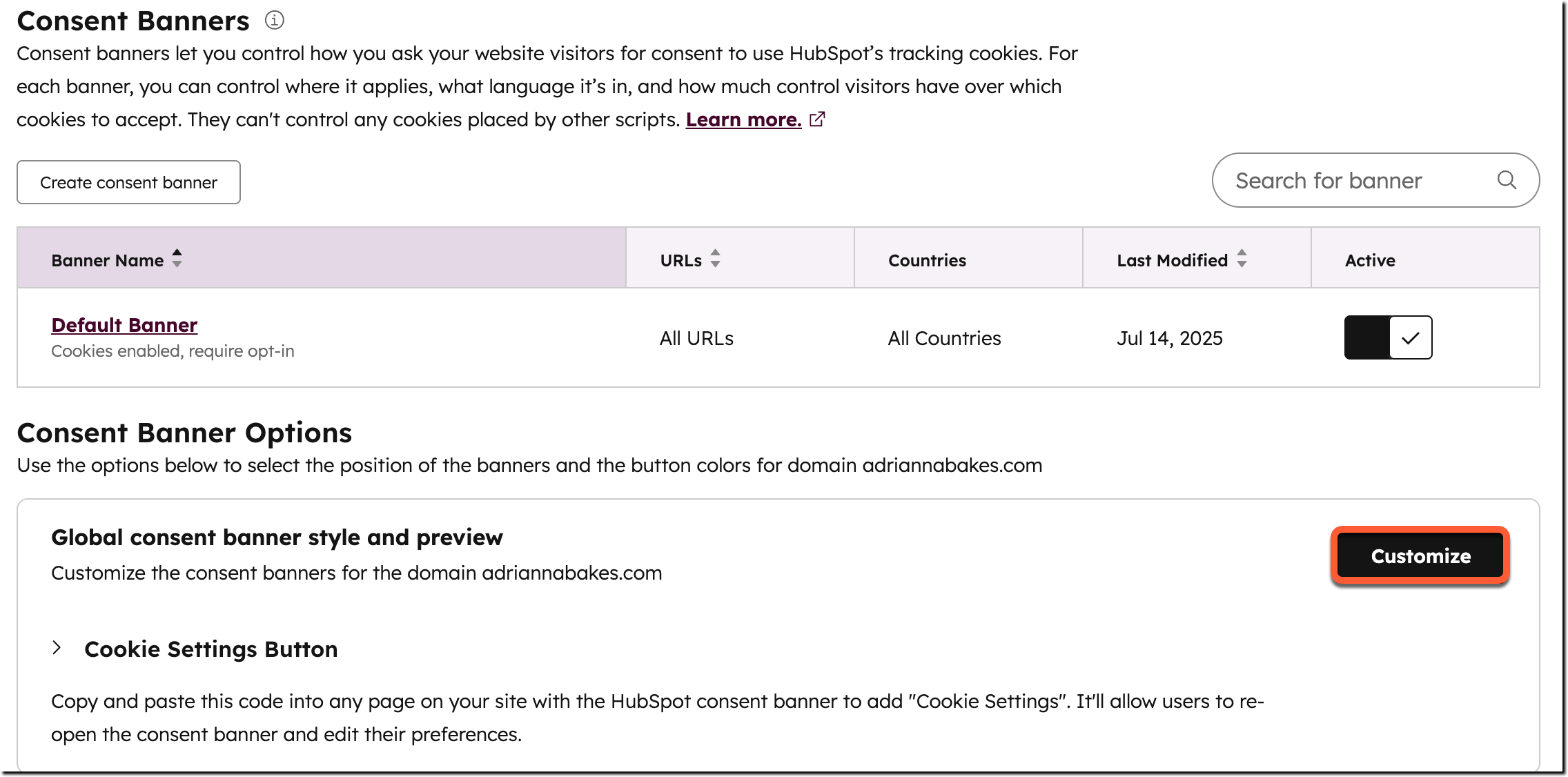
HubSpot Cookie Consent Banner
HubSpot allows businesses to display a cookie consent banner on their website.
Visitors may be given options such as:
- Accept cookies
- Manage preferences
- Learn more about the privacy policy
Setting Up Cookie Consent in HubSpot
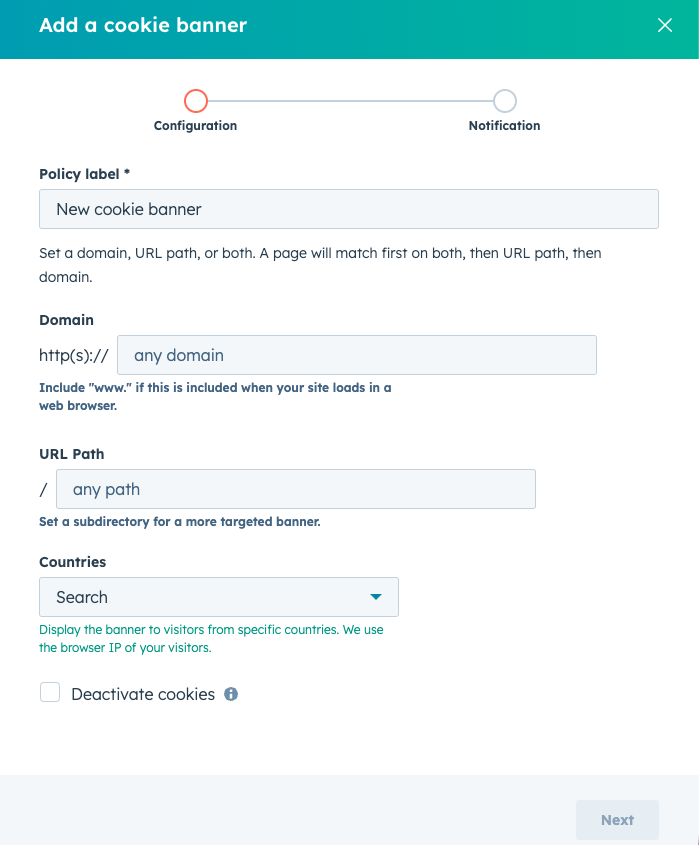
To configure cookie consent settings in HubSpot Content Hub:
- Navigate to Settings → Privacy & Consent
- Open the Cookies section
- Enable cookie consent banner
- Customize the message and options
Once activated, the banner will appear for visitors based on the selected rules.
Regional Cookie Rules
HubSpot allows businesses to apply cookie consent rules based on visitor location.
For example:
- Visitors from the EU may see a GDPR-compliant consent banner
- Visitors from other regions may see different consent options
This helps businesses comply with different regulatory requirements.
Key Takeaway
HubSpot Content Hub cookie consent and privacy compliance tools help businesses inform visitors about data collection and manage consent for tracking technologies. By configuring cookie banners and privacy settings, organizations can comply with global privacy regulations while maintaining transparency with website visitors.
Related Post
How Does HubSpot Content Hub HubL Work?
When building custom websites in HubSpot Content Hub, developers often use HubL, which is HubSpot’s templating language. HubL allows developers to create dynamic templates, pull data from HubSpot objects, and control how content appears on pages.
Who Should Use HubSpot Content Hub?
HubSpot Content Hub is designed for teams that want to build and manage websites without dealing with hosting, security, or complicated infrastructure.
How Do HubSpot Content Hub Knowledge Base and Help Center Features Work?
Many businesses provide documentation, guides, or support articles to help customers solve common problems. HubSpot Content Hub includes Knowledge Base features hat allow businesses to create a structured help center directly within their website.
Have a Project in Mind?
Let’s talk about what you need and how we can make it happen.

Leave a reply