


.png)
.png)


Introduction
In today’s digital landscape, generic content just doesn’t cut it. Audiences expect relevance. They expect to be spoken to directly — based on who they are, what they’ve done, and where they are in the buying journey.
That’s where Smart Content in HubSpot comes in.
Smart Content allows you to dynamically personalize headlines, CTAs, images, and blocks of text on your website, emails, or landing pages based on visitor data.
The result? Higher engagement. More qualified leads. Better conversion rates.
In this post, you’ll learn:
- What Smart Content is (and how it works)
- Use cases across the funnel
- Best practices to implement it in HubSpot
- Tips to avoid common personalization pitfalls
What Is Smart Content?
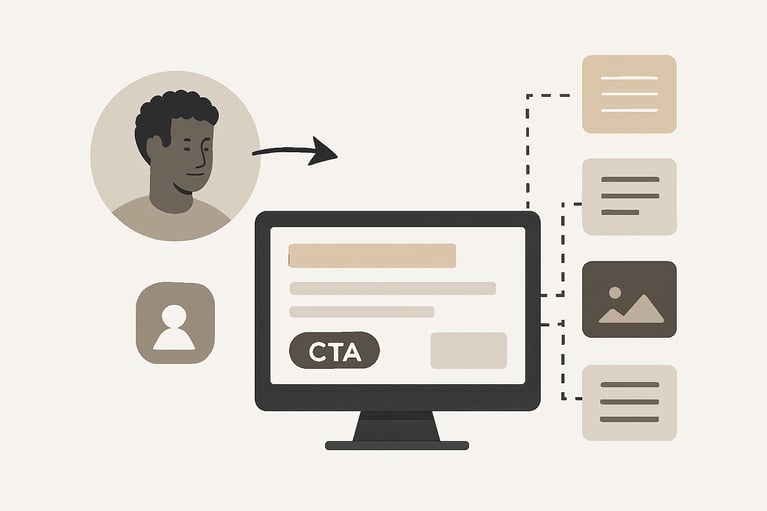
Smart Content in HubSpot refers to content that changes dynamically based on who is viewing it.
Depending on what you know about a visitor (CRM data, location, device, etc.), you can show different:
- Headlines
- Paragraphs
- CTAs (Calls to Action)
- Forms
- Images
- Modules (e.g., pricing tables, testimonials)
This gives each visitor a more tailored experience, increasing the chances they’ll take the next step.
What Can You Personalize Smart Content By?
HubSpot allows Smart Content targeting using:
You can mix and match targeting rules for even more precision.
Smart Content Use Cases That Drive Conversions
Here’s how real businesses are using Smart Content in HubSpot:

Landing Pages
- Greet returning users by name or company
- Change the CTA for customers (e.g., “Refer a Friend” instead of “Sign Up”)
- Localize copy based on country

Homepage Headlines
- “Welcome back, Sarah!” instead of “Welcome to Our Site”
- Highlight different features based on industry or company size
.png?width=512&height=512&name=Design%20a%20Clear%20Call-to-Action%20(CTA).png)
Blog CTAs
- First-time visitor? Show a “Subscribe” CTA
- Known lead? Offer a lead magnet or case study
- Existing customer? Promote upsell or product update

Email Campaigns
- Change email content blocks based on lifecycle stage or recent activity
- Show different product offers depending on past interactions

Pricing Pages
- Add urgency for leads (e.g., “Your trial ends in 3 days”)
- Remove unnecessary friction for returning users (“You’re already signed up!”)
Tips to Optimize Smart Content Performance
- Keep it subtle — don’t make major content shifts that feel inconsistent
- Start with CTAs or headlines — these drive quick wins
- Use lifecycle stages for high-impact personalization
- A/B test static vs. smart versions to prove impact
- Always include a default version (in case criteria aren’t met)
Mistakes to Avoid
- Over-segmentation: Too many variants become hard to manage
- Relying only on Smart Content without a solid core message
- Neglecting fallback content — not everyone will meet your criteria
- Being too salesy — personalization should feel helpful, not manipulative
Smart Content Conversion Examples
These aren’t magic — they’re the result of personalization done right.
Final Thoughts
Smart Content is one of the most powerful (and underused) features in HubSpot.
It helps you:
- Deliver more relevant experiences
- Increase conversion rates at every funnel stage
- Align marketing and sales messages automatically
The best part? You don’t need complex coding or segmentation models. Just clear goals and the right criteria.
In a world full of noise, personalization is how you stand out — and Smart Content is your secret weapon.
You might also like
How to Personalize Email Campaigns in HubSpot
Introduction Email marketing is still one of the highest ROI channels available — but only when it’s relevant.
What Is a HubSpot Lifecycle Stage? And Why You Should Care
Introduction One of the most powerful — but often overlooked — features in HubSpot is the Lifecycle Stage property. Whether you’re in marketing, sales, or client services, understanding lifecycle stages can completely transform how your team manages...
How to Set Up Lifecycle Stages in HubSpot and Why They Matter ?
Setting Up Lifecycle Stages in HubSpot: What They Are and Why They Matter Most businesses have leads at every stage of the customer journey, ranging from the first time someone visits your website, to marketing qualified leads (MQLs) who’ve shown...
Have a Project in Mind?
Let’s talk about what you need and how we can make it happen.

Leave a reply