


.png)
.png)


Publishing blog content consistently is important for maintaining an active website and engaging your audience. HubSpot Content Hub makes this easier by allowing users to schedule blog posts in advance.
Instead of publishing articles immediately after writing them, you can set a specific date and time for the post to go live. This feature helps marketing teams plan content calendars and maintain a steady publishing schedule.
Understanding how HubSpot Content Hub schedules blog posts can help streamline your content publishing workflow.
Why Schedule Blog Posts?
Scheduling blog posts offers several benefits for content teams.
It helps you:
- Maintain a consistent publishing schedule
- Plan content campaigns in advance
- Coordinate blog releases with marketing campaigns
- Manage blog production more efficiently
For example, many companies prepare blog posts weeks in advance and schedule them to publish automatically.
Step 1: Create or Edit a Blog Post
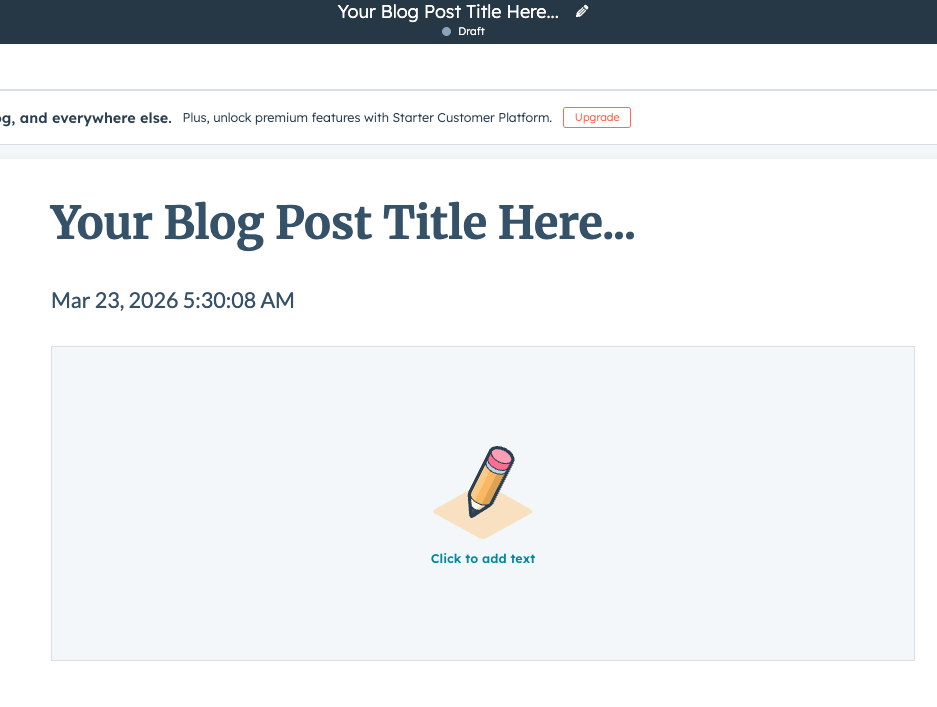
To schedule a blog post in HubSpot Content Hub, start by creating a new blog post or editing an existing one.
Navigate to:
Content → Blog
Then click Create Blog Post or open an existing draft.
The blog editor allows you to write and format your article as usual.
Step 2: Open the Publish Options
Once your blog content is ready, click the Publish button in the top-right corner of the editor.
HubSpot will display publishing options where you can choose how and when the post should go live

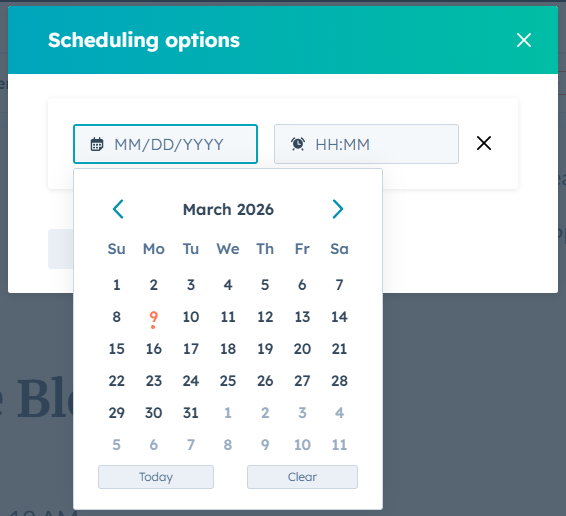
Step 3: Select the Schedule Option
Instead of publishing immediately, choose the Schedule for later option.
You will then be able to select:
- A specific date
- A specific time
Once scheduled, HubSpot will automatically publish the blog post at the chosen time.
Step 4: Manage Scheduled Blog Posts
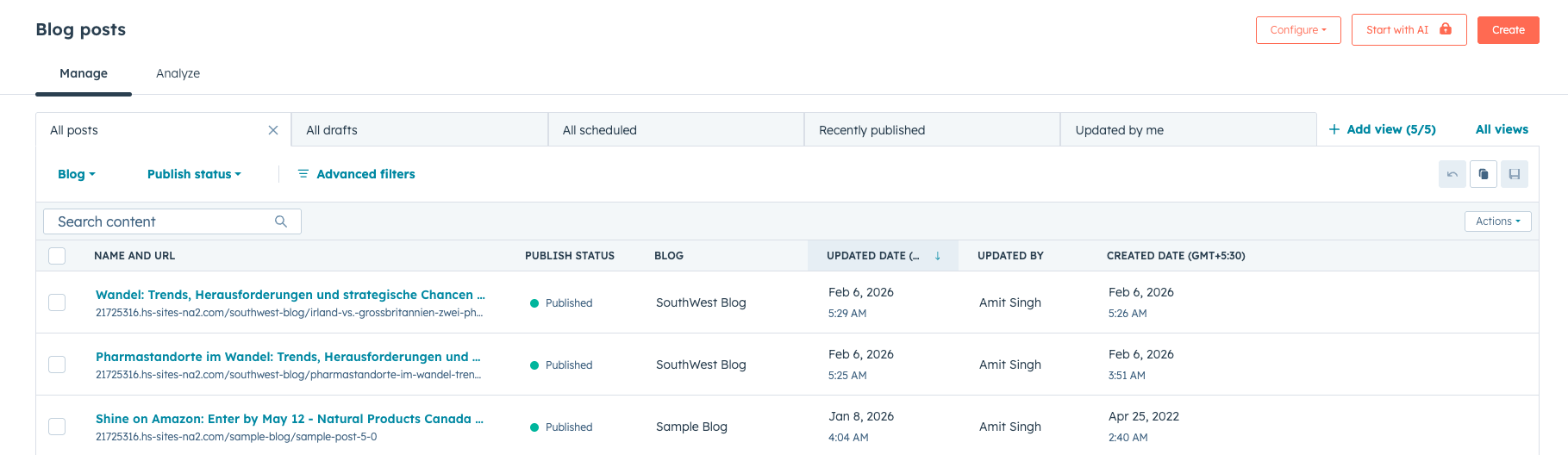
Scheduled blog posts appear in the blog dashboard along with other posts.
You can filter posts by status such as:
- Draft
- Scheduled
- Published
If necessary, you can edit or reschedule a post before it goes live.
Final Thoughts
HubSpot Content Hub scheduling tools make it easy to plan and automate blog publishing. By scheduling posts in advance, teams can maintain a steady flow of content while focusing on creating high-quality articles.
This feature is especially helpful for businesses that publish content regularly as part of their marketing strategy.
Related Post
How Do HubSpot Content Hub Campaigns and Content Organization Work?
Marketing campaigns often include multiple types of content such as landing pages, blog posts, emails, and calls-to-action. HubSpot Content Hub includes campaign tools that help organize these assets so teams can track and manage them as part of a...
How Do HubSpot Content Hub Multilingual and Multi-Language Website Features Work?
Many businesses serve audiences in different countries and languages. To support this, HubSpot Content Hub provides multilingual website features that allow you to create and manage content in multiple languages.
How Do HubSpot Content Hub Forms Work?
Forms are one of the most important tools inside HubSpot Content Hub, especially for businesses focused on lead generation and marketing campaigns. Forms allow websites to collect information from visitors and automatically store it in the HubSpot...
Have a Project in Mind?
Let’s talk about what you need and how we can make it happen.

Leave a reply