


.png)
.png)



When multiple people work on a website, it becomes important to control who can edit content, manage design assets, or publish pages. HubSpot Content Hub provides user roles and content permissions that allow administrators to control access across the platform.
These permissions help ensure that the right team members can perform the right tasks while protecting important website assets from accidental changes.
Understanding how HubSpot Content Hub content permissions and user roles work helps organizations manage teams and maintain website security.
Why Content Permissions Are Important
Websites are often managed by different teams such as:
- Marketing teams
- Content editors
- Designers
- Developers
- Administrators
Each team may require different levels of access.
Permissions allow organizations to control:
- Who can create pages
- Who can edit blog posts
- Who can modify templates
- Who can publish changes
This helps maintain a structured workflow.
Where User Roles Are Managed
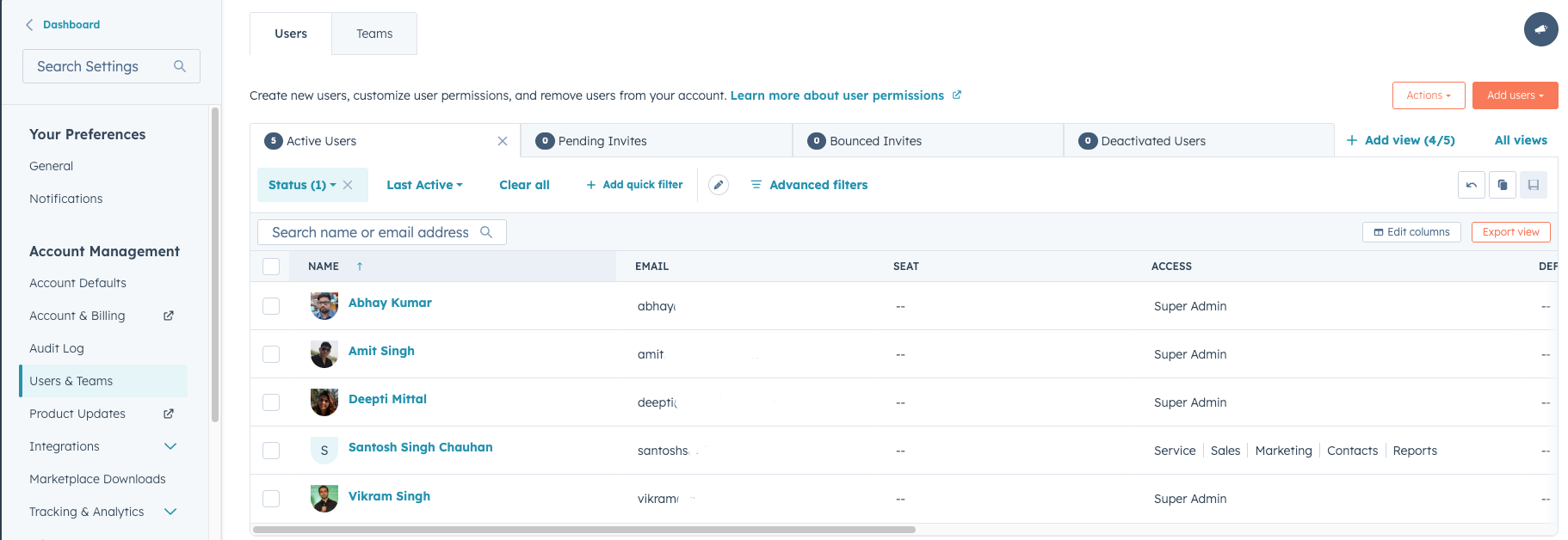
User roles and permissions are managed within HubSpot settings.
To manage user access:
Settings → Users & Teams
From this section, administrators can:
- Add new users
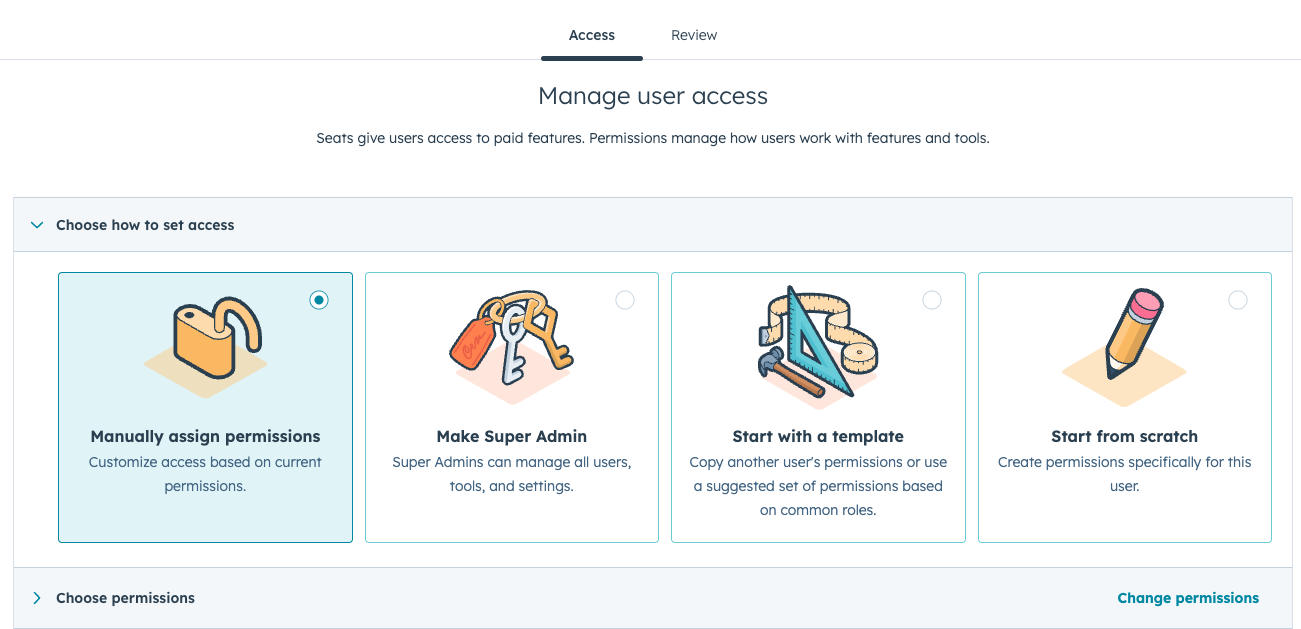
- Assign user roles
- Define permission levels
Types of Content Permissions
HubSpot provides several permission levels related to content management.
Common permissions include:
- View – allows users to view content but not edit it
- Edit – allows users to modify content
- Publish –allows users to publish pages or blog posts
- Delete –allows users to remove content
Permissions can be customized depending on the needs of the team.
Content Access for Website Pages
Permissions can also control who can manage website pages and landing pages.
For example:
- Some users may only edit content
- Others may publish changes
- Developers may manage templates and modules
This ensures that website structure and design are handled by the appropriate team members.
Key Takeaway
HubSpot Content Hub user roles and content permissions allow organizations to control who can create, edit, and publish website content. By assigning appropriate permission levels, teams can collaborate efficiently while protecting important website assets.
Related Post
How Do HubSpot Content Hub Campaigns and Content Organization Work?
Marketing campaigns often include multiple types of content such as landing pages, blog posts, emails, and calls-to-action. HubSpot Content Hub includes campaign tools that help organize these assets so teams can track and manage them as part of a...
How Do HubSpot Content Hub Content Governance and Website Management Work?
As websites grow larger, managing content becomes more complex. Multiple teams may be editing pages, publishing blog posts, updating resources, and managing campaigns at the same time. HubSpot Content Hub provides tools that help organizations...
How Do HubSpot Content Hub Content Strategy and Topic Clusters Work?
Creating a successful website requires more than publishing random content. A structured content strategy helps businesses organize topics in a way that improves search visibility and user experience. HubSpot Content Hub supports topic clusters, a...
Have a Project in Mind?
Let’s talk about what you need and how we can make it happen.

Leave a reply