


.png)
.png)



Creating a successful website requires more than publishing random content. A structured content strategy helps businesses organize topics in a way that improves search visibility and user experience. HubSpot Content Hub supports topic clusters, a content organization method designed to improve SEO and make information easier to navigate.
Topic clusters connect related content around a central theme, helping both visitors and search engines understand how your content is structured.
Understanding how HubSpot Content Hub content strategy and topic clusters work helps businesses create content that attracts consistent organic traffic.
What Is a Topic Cluster?
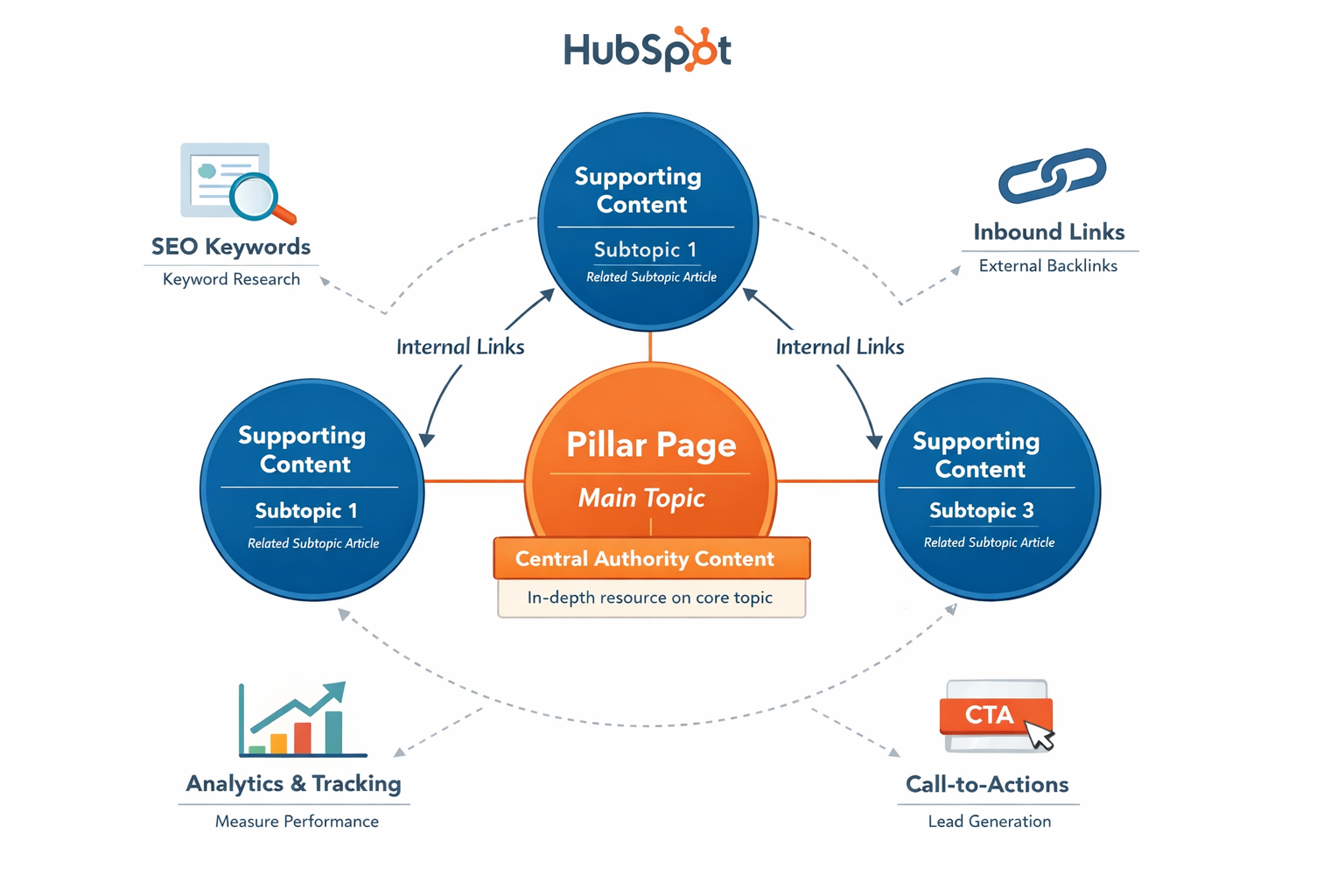
A topic cluster is a content strategy model where multiple related pieces of content are grouped around a central topic.
The structure usually includes:
- A pillar page covering a broad topic
- Multiple cluster pages that explore related subtopics
All cluster pages link back to the pillar page, creating a structured network of content.
What Is a Pillar Page?
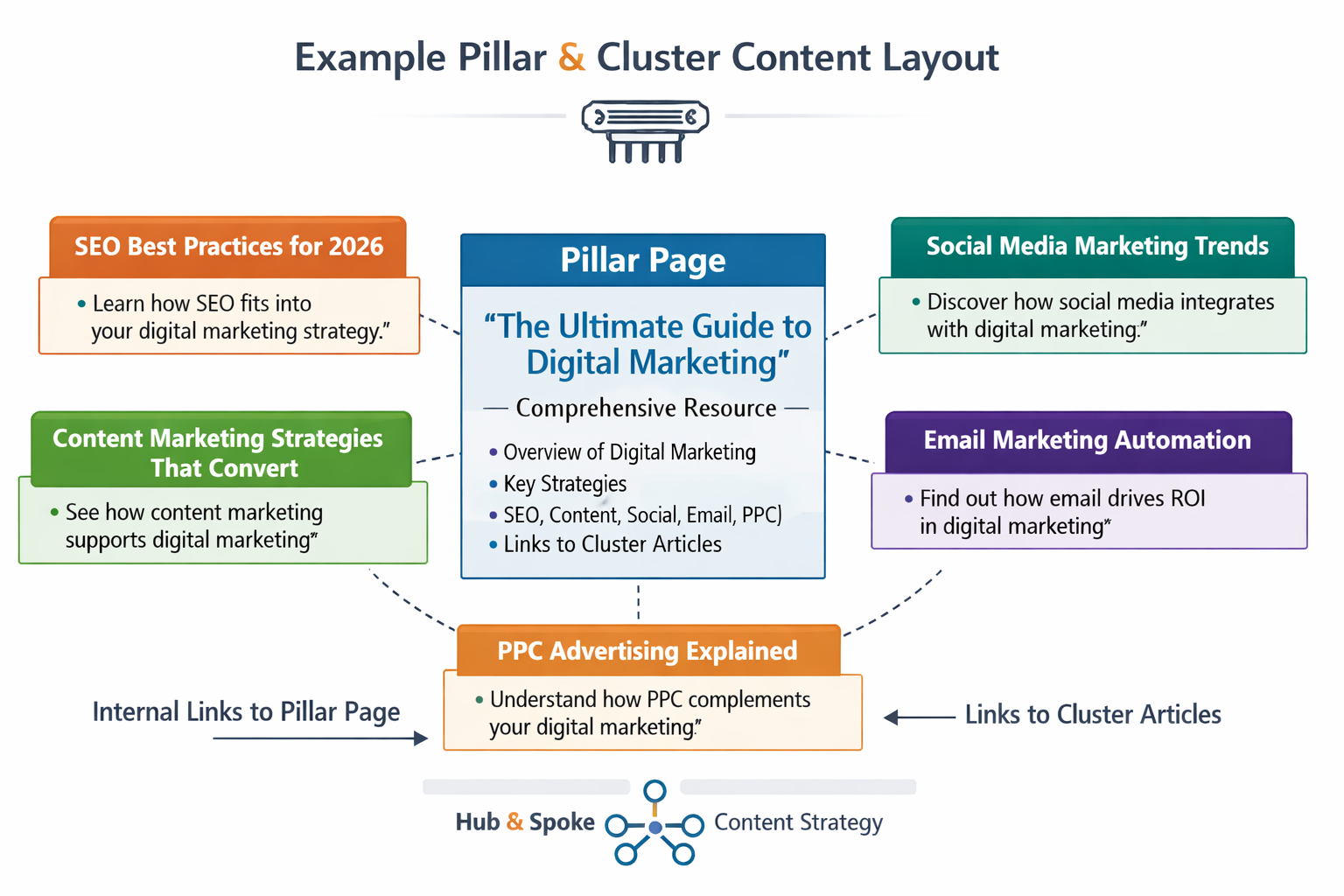
A pillar page is a comprehensive page that covers a major topic in depth.
For example, a pillar page might be:
“The Complete Guide to HubSpot Content Hub”
This page provides an overview of the topic and links to several related articles that explain specific aspects in detail.
What Are Cluster Content Pages?
Cluster pages are individual articles that focus on specific subtopics related to the pillar page.
For example, cluster content might include articles such as:
- How HubSpot Content Hub Templates Work
- How HubSpot Content Hub Custom Modules Work
- How HubSpot Content Hub Dynamic Pages Work
- How HubSpot Content Hub SEO Settings Work
Each cluster article links back to the pillar page.
Why Topic Clusters Help SEO
Search engines try to understand the relationships between different pieces of content on a website.
Topic clusters help search engines see that your website provides comprehensive coverage of a specific topic.
This can improve:
- Keyword rankings
- Content authority
- Internal linking structure
- Overall SEO performance
Topic clusters help search engines understand your site as a trusted source on a subject.
Creating Topic Clusters in HubSpot
HubSpot includes tools that help organize topic clusters.
To create a topic cluster:
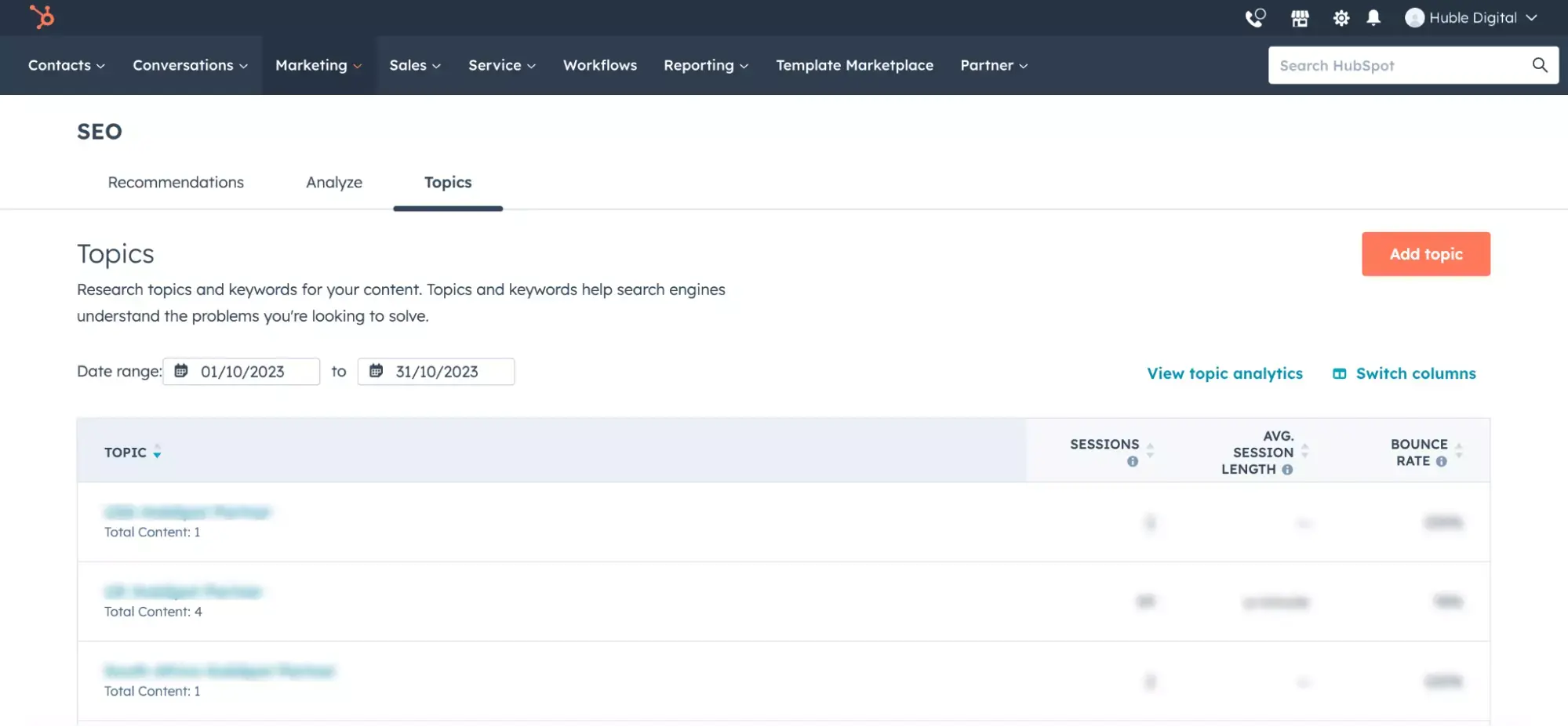
- Navigate to Marketing → SEO → Topics
- Create a new topic
- Add a pillar page
- Attach related cluster content
HubSpot will then visualize how your content connects around that topic.
Key Takeaway
HubSpot Content Hub topic clusters help organize content around central themes, improving both SEO performance and content discoverability. By connecting pillar pages with related articles, businesses can create structured knowledge hubs that attract long-term organic traffic.
Related Post
How Do HubSpot Content Hub Workflows and Content Automation Work?
Automation plays a major role in modern marketing and website management. HubSpot Content Hub works closely with HubSpot’s automation tools to trigger actions based on user behavior, form submissions, or other interactions with website content.
How Do HubSpot Content Hub Content Governance and Website Management Work?
As websites grow larger, managing content becomes more complex. Multiple teams may be editing pages, publishing blog posts, updating resources, and managing campaigns at the same time. HubSpot Content Hub provides tools that help organizations...
How Do HubSpot Content Hub Campaigns and Content Organization Work?
Marketing campaigns often include multiple types of content such as landing pages, blog posts, emails, and calls-to-action. HubSpot Content Hub includes campaign tools that help organize these assets so teams can track and manage them as part of a...
Have a Project in Mind?
Let’s talk about what you need and how we can make it happen.

Leave a reply