


.png)
.png)


Automation plays a major role in modern marketing and website management. HubSpot Content Hub works closely with HubSpot’s automation tools to trigger actions based on user behavior, form submissions, or other interactions with website content.
Using workflows and automation, businesses can automatically follow up with visitors, send emails, update contact records, or trigger marketing campaigns.
Understanding how HubSpot Content Hub workflows and content automation work helps teams create more efficient and responsive marketing systems.
What Is a Workflow in HubSpot?
A workflow in HubSpot is an automation process that performs actions when certain conditions are met.
For example, a workflow might trigger when:
- A visitor submits a form
- A contact downloads a resource
- A user signs up for a webinar
- A contact visits a specific page
Once triggered, the workflow can automatically perform actions such as sending emails or updating contact properties.
How Content Hub Connects with Workflows
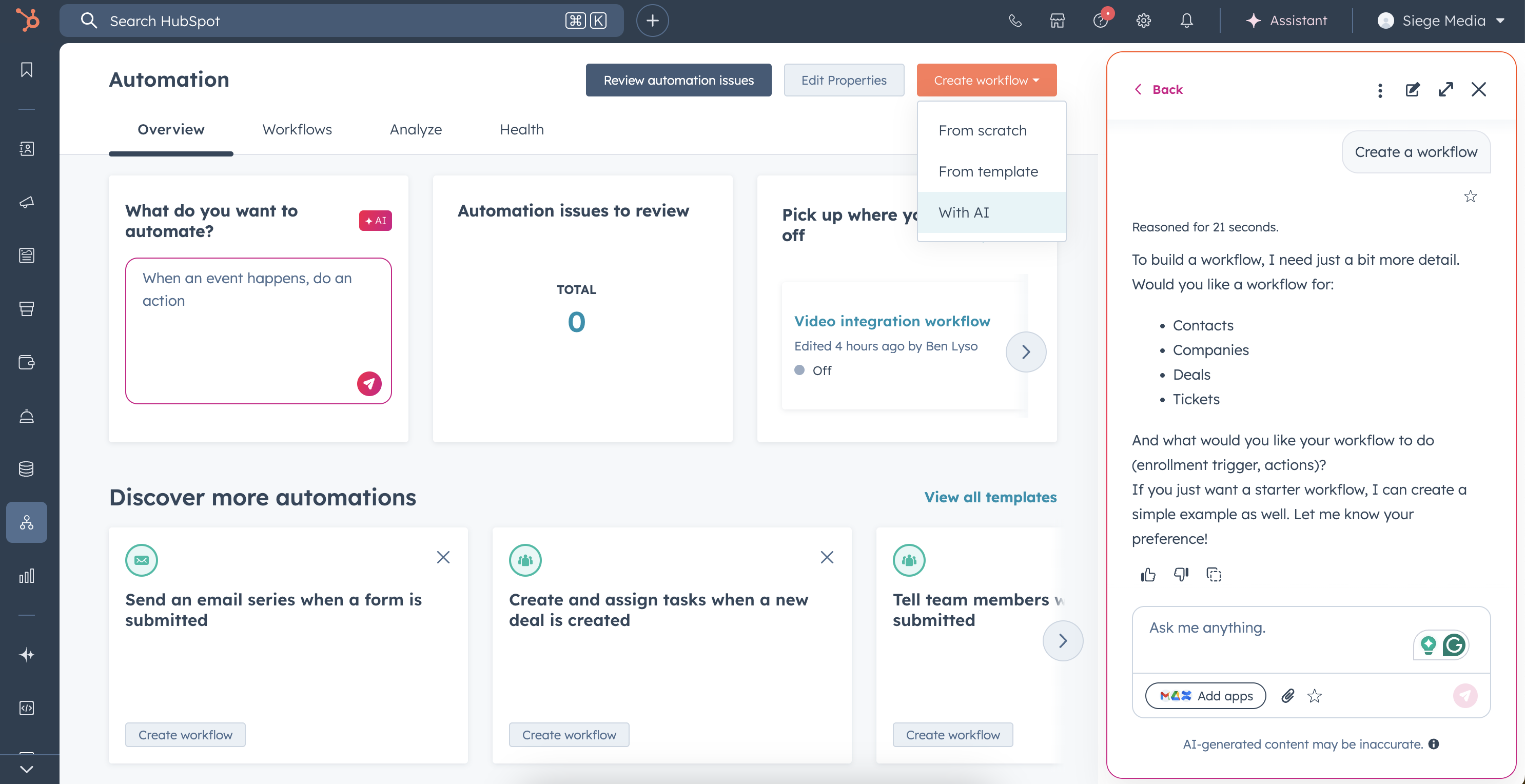
HubSpot Content Hub plays an important role in triggering workflows because website pages and forms often collect user data.
For example, when a visitor fills out a form on a landing page created in Content Hub, that action can trigger a workflow in HubSpot.
Typical automation actions may include:
- Sending a follow-up email
- Adding the contact to a marketing list
- Assigning the contact to a sales representative
- Notifying the marketing team
This connection helps automate many marketing processes.
Common Content Automation Examples
Businesses often use workflows with HubSpot Content Hub to automate marketing tasks.
Examples include:
Resource Download Follow-up
When a visitor downloads a guide or ebook, a workflow can automatically send a follow-up email with additional resources.
Webinar Registration Automation
After someone registers for a webinar through a landing page, workflows can send confirmation emails and reminders.
Lead Nurturing Campaigns
When visitors submit forms on website pages, workflows can enroll them into automated email sequences designed to educate and nurture potential customers.
Creating a Workflow
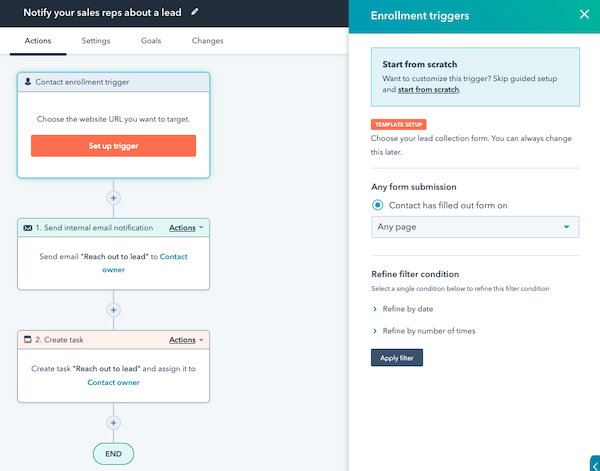
To create a workflow in HubSpot:
- Navigate to Automation → Workflows
- Click Create Workflow
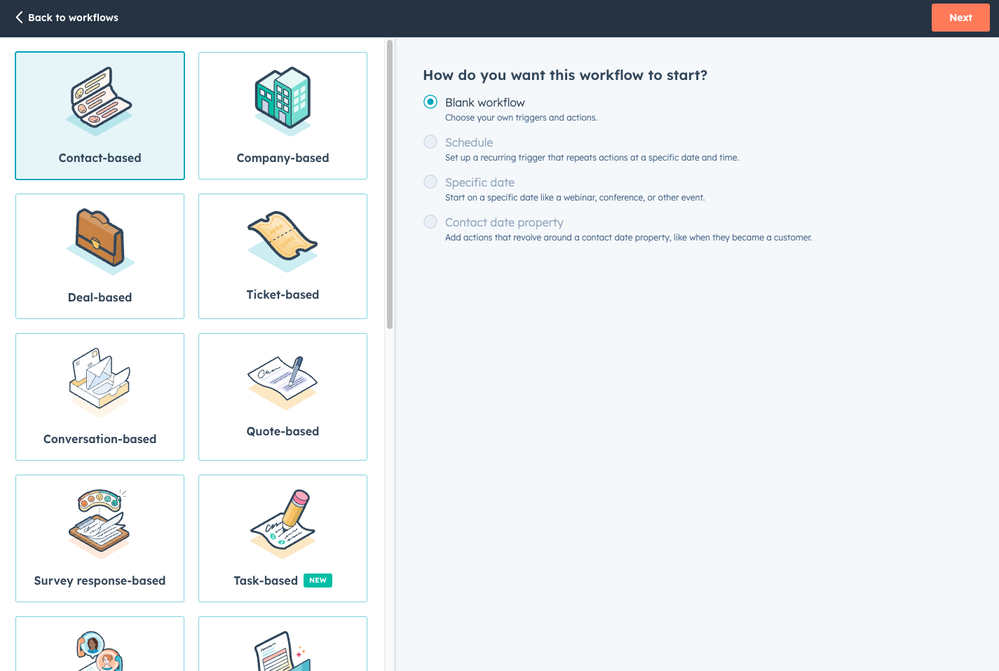
- Select the type of workflow (contact-based, deal-based, etc.)
- Define the enrollment trigger
- Add automation actions
Once activated, the workflow will run automatically whenever the trigger conditions are met.
Key Takeaway
HubSpot Content Hub works seamlessly with HubSpot workflows to automate marketing and content-related processes. By triggering actions based on visitor behavior and form submissions, businesses can create efficient marketing systems that respond automatically to user interactions.
Related Post

How Do HubSpot Content Hub Multilingual and Multi-Language Website Features Work?
Many businesses serve audiences in different countries and languages. To support this, HubSpot Content Hub provides multilingual website features that allow you to create and manage content in multiple languages.
How Do HubSpot Content Hub Content Permissions and User Roles Work?
When multiple people work on a website, it becomes important to control who can edit content, manage design assets, or publish pages. HubSpot Content Hub provides user roles and content permissions that allow administrators to control access across...

How Do HubSpot Content Hub Content Strategy and Topic Clusters Work?
Creating a successful website requires more than publishing random content. A structured content strategy helps businesses organize topics in a way that improves search visibility and user experience. HubSpot Content Hub supports topic clusters, a...
Have a Project in Mind?
Let’s talk about what you need and how we can make it happen.

Leave a reply