


.png)
.png)



Website performance plays an important role in both user experience and search engine rankings. Visitors expect pages to load quickly, and slow websites often lead to higher bounce rates.
HubSpot Content Hub includes several built-in performance optimizations that help websites load faster and perform reliably without requiring extensive server management.
Understanding how HubSpot Content Hub website performance and page speed optimization work helps teams build faster websites that provide better experiences for visitors.
Why Website Performance Matters
Fast-loading websites offer several benefits.
They help improve:
- User experience
- Search engine rankings
- Conversion rates
- Visitor engagement
If a page takes too long to load, visitors may leave before interacting with the content.
Built-In Performance Optimization in HubSpot
One advantage of using HubSpot Content Hub is that many performance optimizations are handled automatically.
These optimizations include:
- Global CDN delivery
- Optimized image hosting
- Efficient asset caching
- Secure hosting infrastructure
Because these systems are managed by HubSpot, users do not need to configure servers manually.
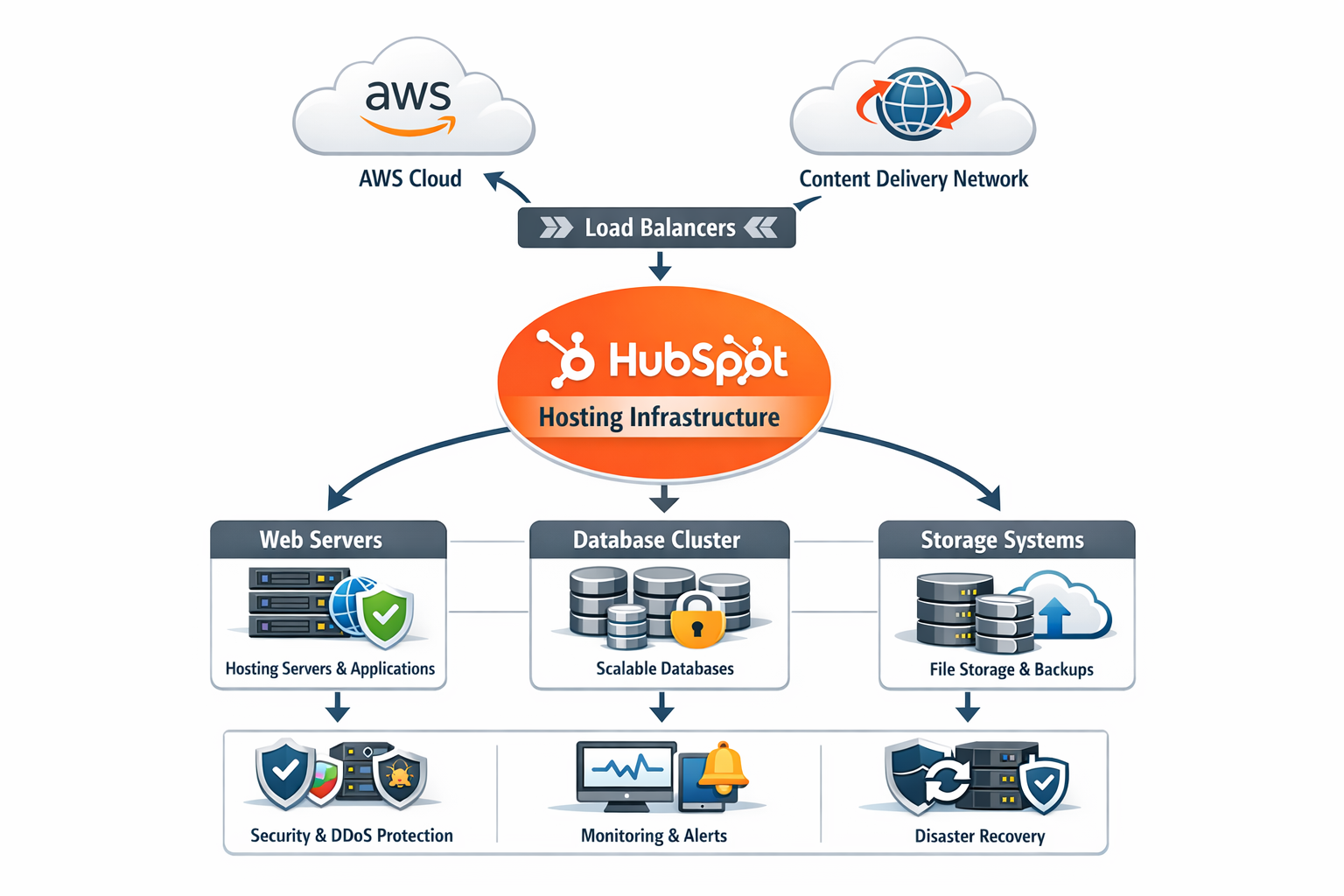
Image Optimization
Large images are one of the most common causes of slow websites.
HubSpot helps optimize images by:
- Serving responsive image sizes
- Compressing images for faster loading
- Delivering images through the CDN
However, it is still important to upload appropriately sized images.
Optimizing Page Layouts
Page design also affects performance.
To improve performance, developers often:
- Avoid unnecessary animations
- Reduce large background images
- Limit the number of heavy scripts
Clean page layouts generally load faster and perform better.

Managing JavaScript and Scripts
Excessive scripts can slow down page performance.
Common scripts include:
- Analytics tools
- Chat widgets
- Third-party integrations
Teams should evaluate whether all scripts are necessary and remove those that are not required.
Using Performance Testing Tools
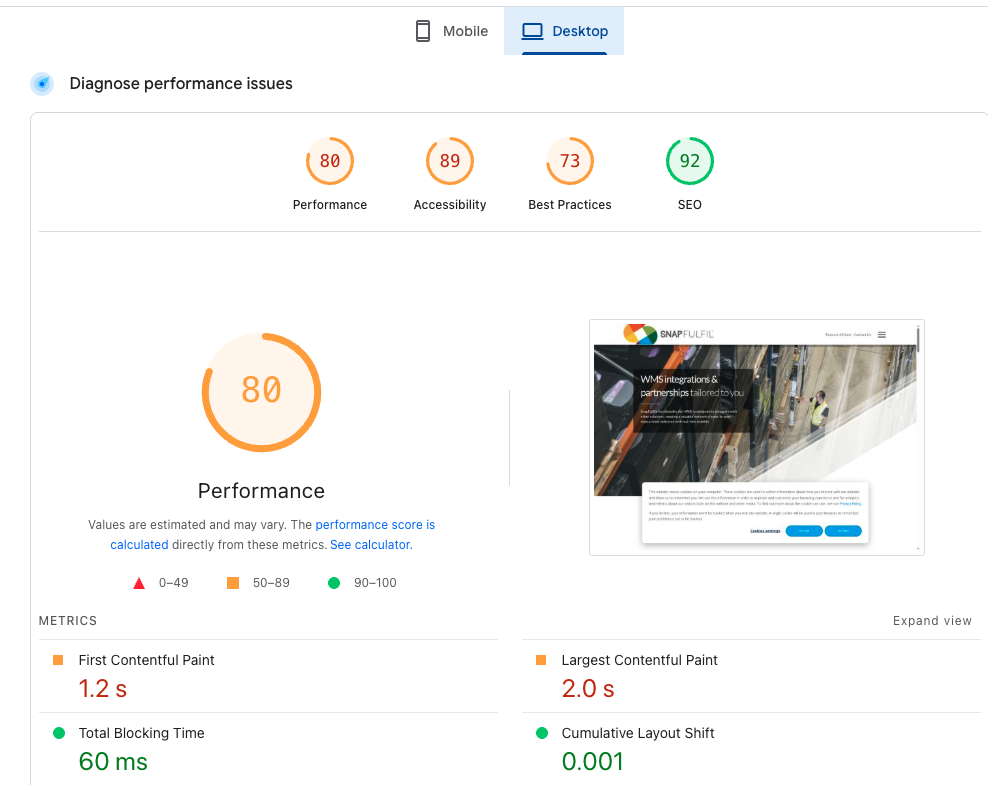
Developers often use tools such as Google PageSpeed Insights or Lighthouse to measure page performance.
These tools analyze factors such as:
- Page load time
- Render blocking resources
- Image optimization
- Mobile performance
Testing helps identify areas where performance can be improved.
Maintaining Performance as Websites Grow
As websites grow and new features are added, it is important to continue monitoring performance.
Best practices include:
- Reviewing page speed regularly
- Optimizing images and media files
- Minimizing unnecessary scripts
- Updating outdated modules
Consistent maintenance helps ensure that the website remains fast and reliable.
Key Takeaway
HubSpot Content Hub includes built-in performance optimizations such as CDN delivery, caching, and optimized hosting infrastructure. By combining these platform features with good design practices and regular performance monitoring, businesses can maintain fast and efficient websites.
Have a Project in Mind?
Let’s talk about what you need and how we can make it happen.

Leave a reply