


.png)
.png)


Understanding how visitors interact with your website is essential for improving marketing performance. HubSpot Content Hub includes built-in analytics dashboards and reporting tools that allow teams to monitor traffic, engagement, and conversions across their website.
These reports help businesses understand which pages perform well, where visitors are coming from, and how website content contributes to lead generation.
Understanding how HubSpot Content Hub analytics dashboards and reporting work allows teams to make informed decisions about their website and content strategy.
What Are Analytics Dashboards?
An analytics dashboard provides a visual overview of website performance using charts, graphs, and metrics.
In HubSpot Content Hub, dashboards typically display information such as:
- Website traffic
- Visitor behavior
- Page performance
- Conversion metrics
Dashboards help teams quickly understand how their website is performing without needing to analyze raw data manually.
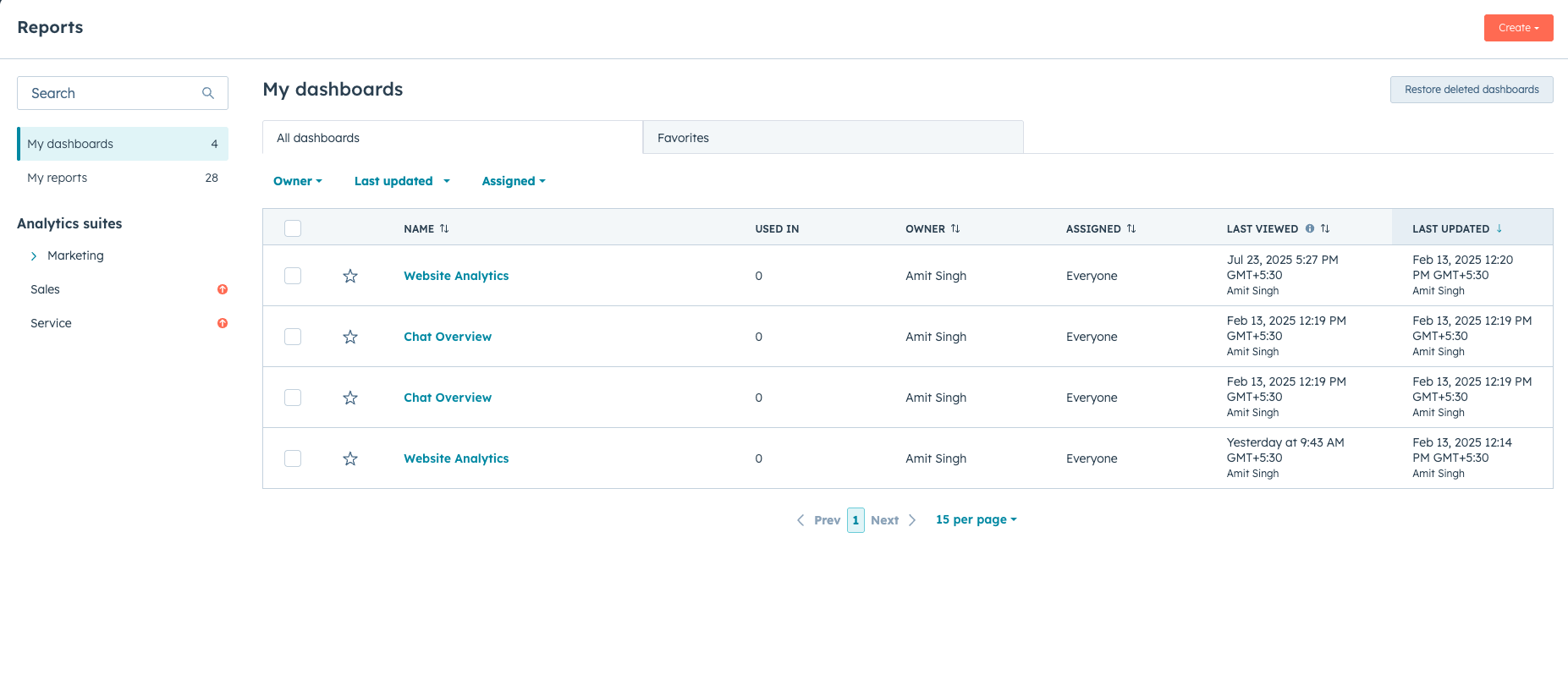
Where to Access Website Analytics
Website analytics can be accessed through the HubSpot reporting tools.
To view analytics:
Reports → Analytics Tools → Traffic Analytics
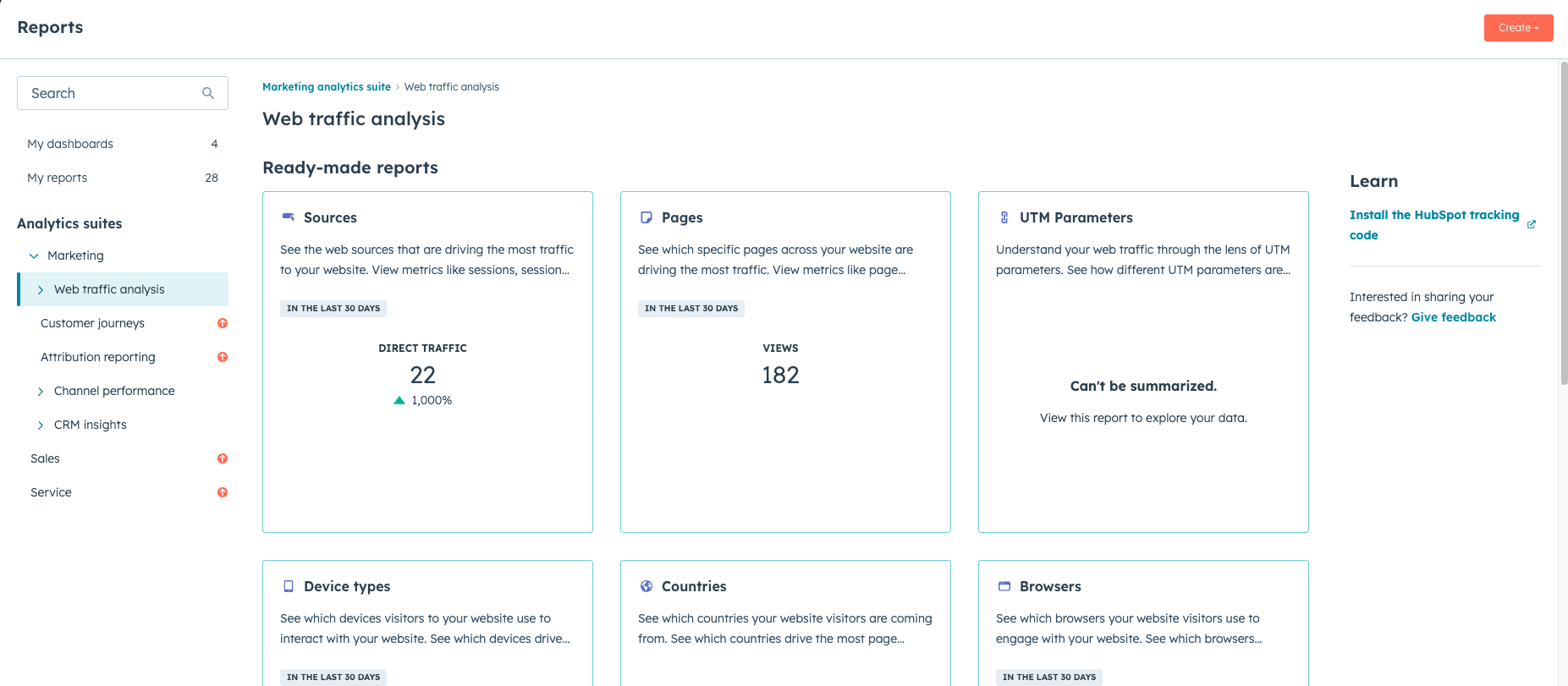
This section includes several reports that help track different aspects of website activity.
Key Website Metrics
HubSpot analytics dashboards provide a variety of metrics related to website performance.
Common metrics include:
- Page Views – number of times a page is viewed
- Unique Visitors – number of individual users visiting the site
- Average Time on Page – how long visitors spend reading content
- Bounce Rate – percentage of visitors who leave without interacting further
- Conversion Rate – percentage of visitors who complete a desired action
Tracking these metrics helps businesses evaluate the effectiveness of their content.
Traffic Sources
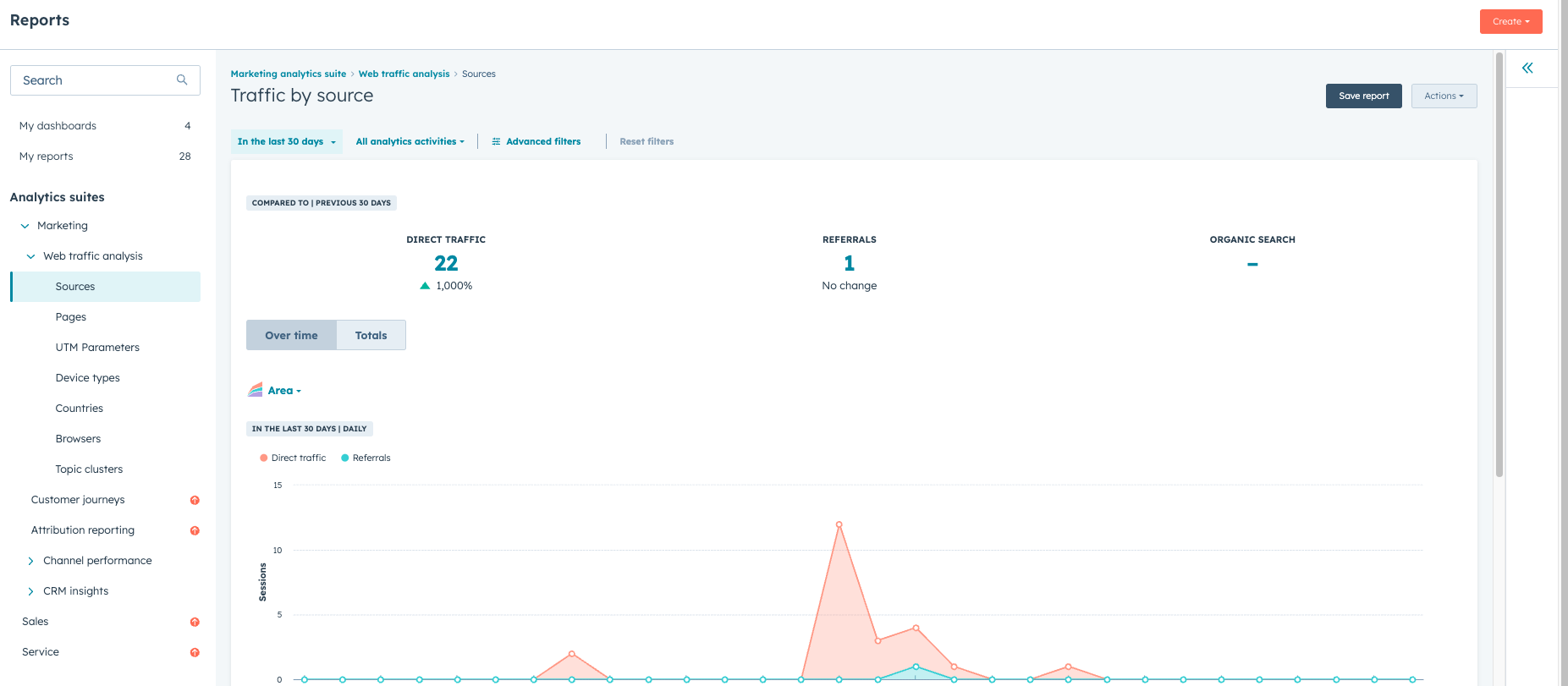
HubSpot also provides insights into where website visitors are coming from.
Traffic sources typically include:
- Organic search (Google and other search engines)
- Direct visits
- Social media platforms
- Email campaigns
- Referral websites
Understanding traffic sources helps teams identify which marketing channels are driving visitors to the site.
Page Performance Reports
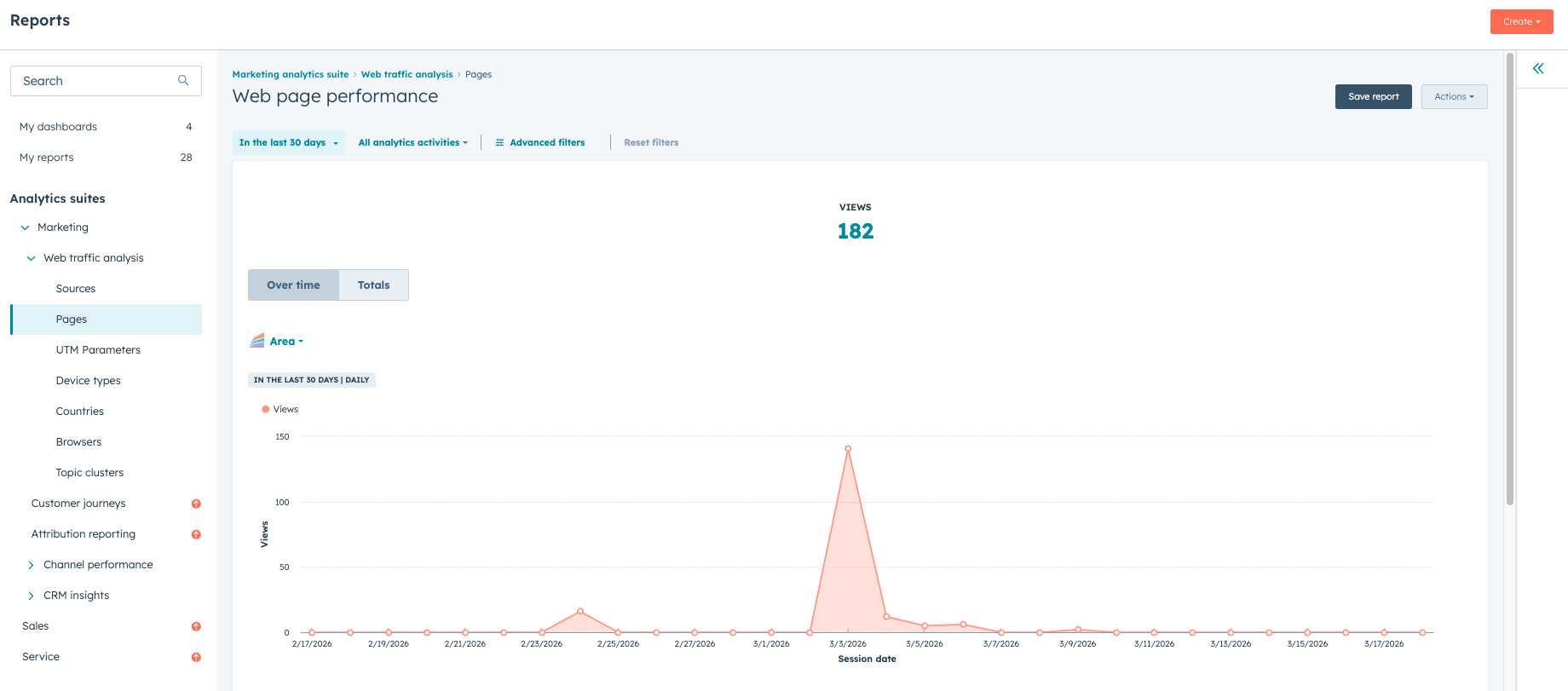
HubSpot Content Hub allows teams to analyze the performance of individual pages.
Page reports typically include data such as:
- Page views over time
- Engagement metrics
- Conversion performance
These reports help identify which pages attract the most traffic and which pages generate leads.
Key Takeaway
HubSpot Content Hub analytics dashboards provide valuable insights into website traffic, engagement, and conversions. By analyzing this data, teams can better understand how visitors interact with their website and make improvements that support marketing and business goals.
Related Post

How Do HubSpot Content Hub Header and Footer Management Work?
The header and footer are two of the most important sections of any website. The header typically contains the navigation menu, logo, and key links, while the footer usually includes contact information, secondary navigation, and legal links.

What Is Design Manager in HubSpot Content Hub?
Design Manager is the development workspace inside HubSpot Content Hub where themes, templates, modules, and website assets are created and managed.

How Do HubSpot Content Hub Modules Work?
Modules are one of the most important building blocks in HubSpot Content Hub. They allow you to add and manage content elements such as text, images, forms, and buttons within your website pages.
Have a Project in Mind?
Let’s talk about what you need and how we can make it happen.

Leave a reply