


.png)
.png)


As websites grow, manually creating hundreds of pages can become difficult to manage. HubSpot Content Hub provides dynamic page functionality using HubDB, which allows teams to generate multiple pages from a structured data table.
Instead of building each page individually, dynamic pages automatically pull information from a database-like table and generate pages based on that data.
Understanding how HubSpot Content Hub dynamic pages and HubDB work helps businesses scale content efficiently while maintaining consistent layouts.
What Is HubDB?
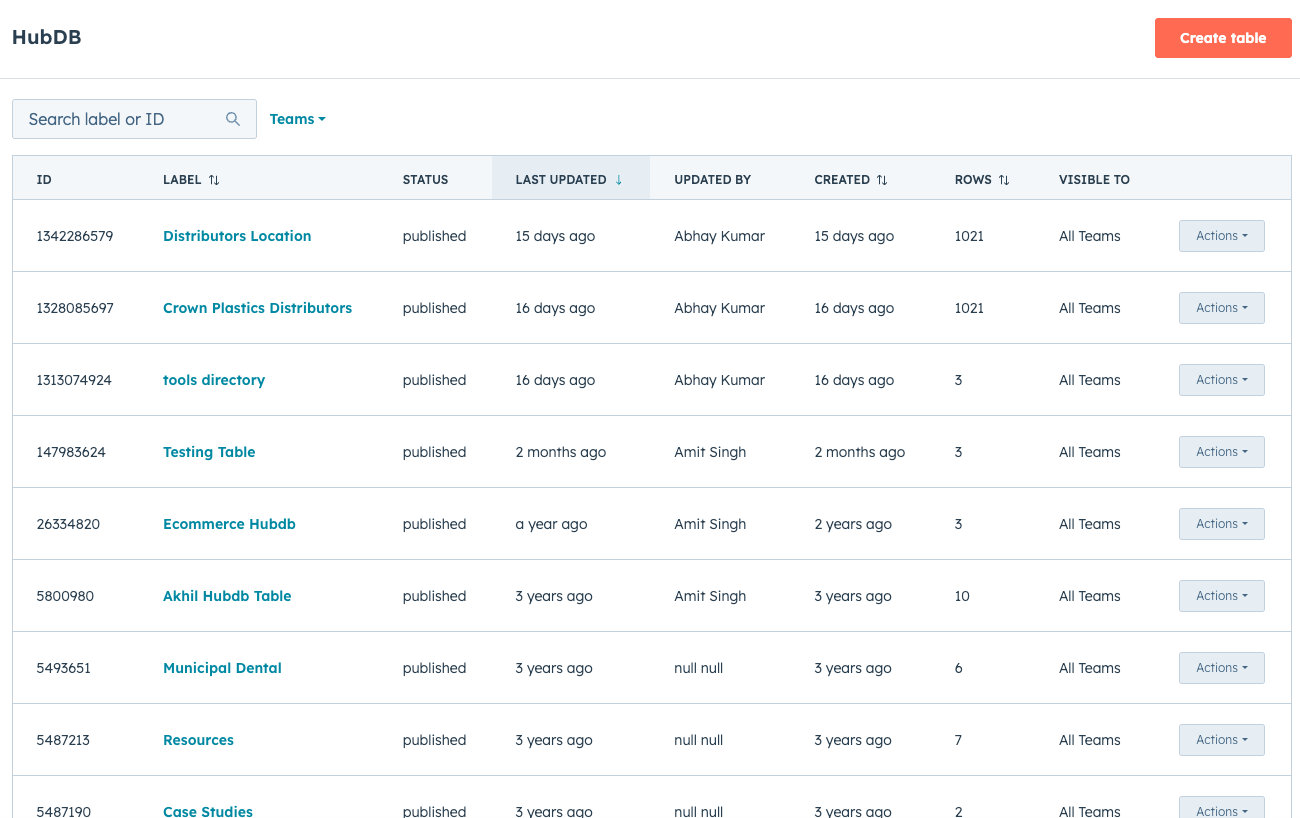
HubDB is HubSpot’s built-in database tool that allows users to store structured data in table format.
A HubDB table contains:
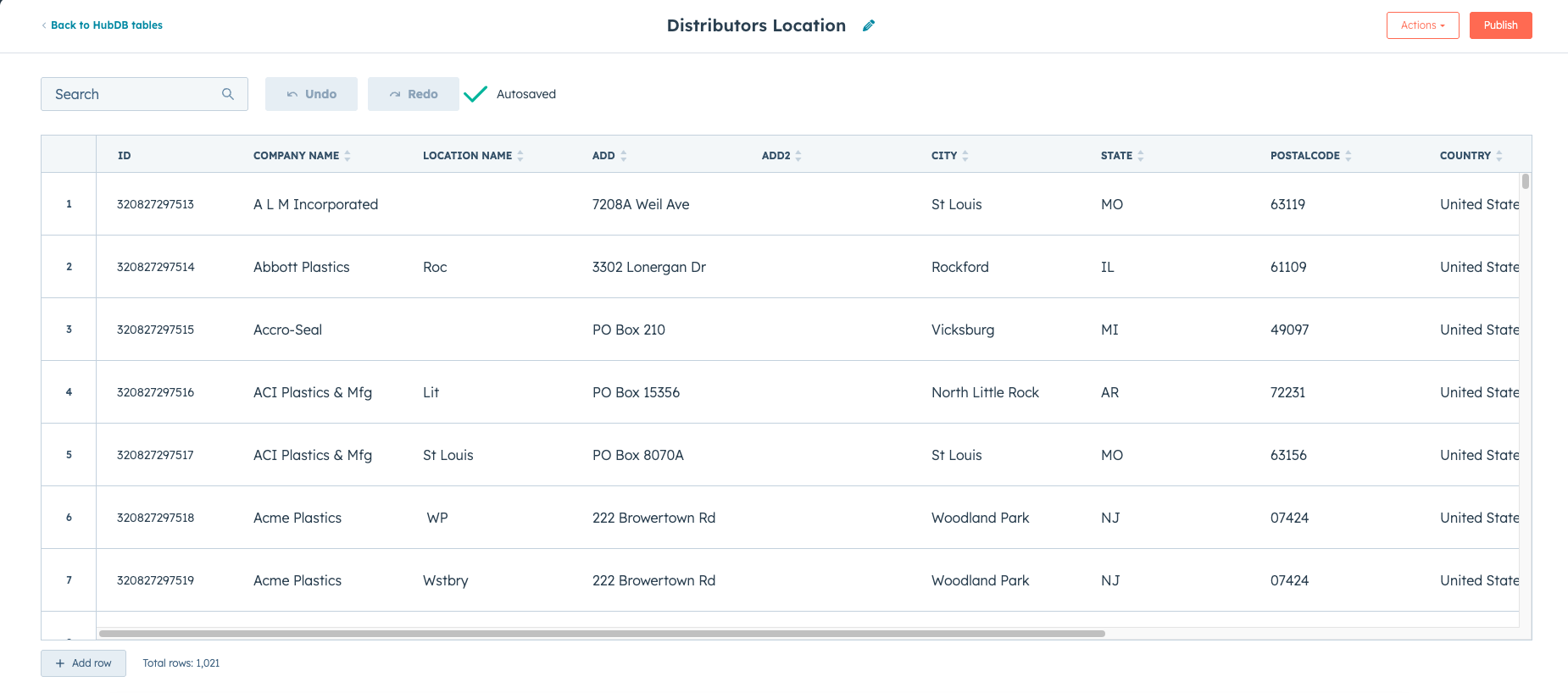
- Rows (individual entries)
- Columns (data fields)
For example, a table might contain information about:
- Team members
- Product listings
- Resource libraries
- Event directories
- Location pages
HubDB acts as the data source for dynamic pages.
What Are Dynamic Pages?
Dynamic pages are website pages that are automatically generated from HubDB table entries.
Instead of manually creating each page, HubSpot creates a page for each row in the HubDB table.
For example, if a table contains 100 entries, HubSpot can automatically generate 100 pages using a single template.
This makes dynamic pages extremely useful for large content directories.

Example Use Cases for Dynamic Pages
Businesses commonly use HubSpot Content Hub dynamic pages for content structures such as:
- Directory listings
- Event pages
- Product catalogs
- Resource libraries
- Team member profiles
These use cases often require similar page layouts with different data.
Creating a HubDB Table
To create a HubDB table:
- Navigate to Content → HubDB
- Click Create Table
- Define the columns (fields)
- Add rows of data
Each row represents a unique content entry that can be used to generate a dynamic page.
Connecting HubDB to a Template
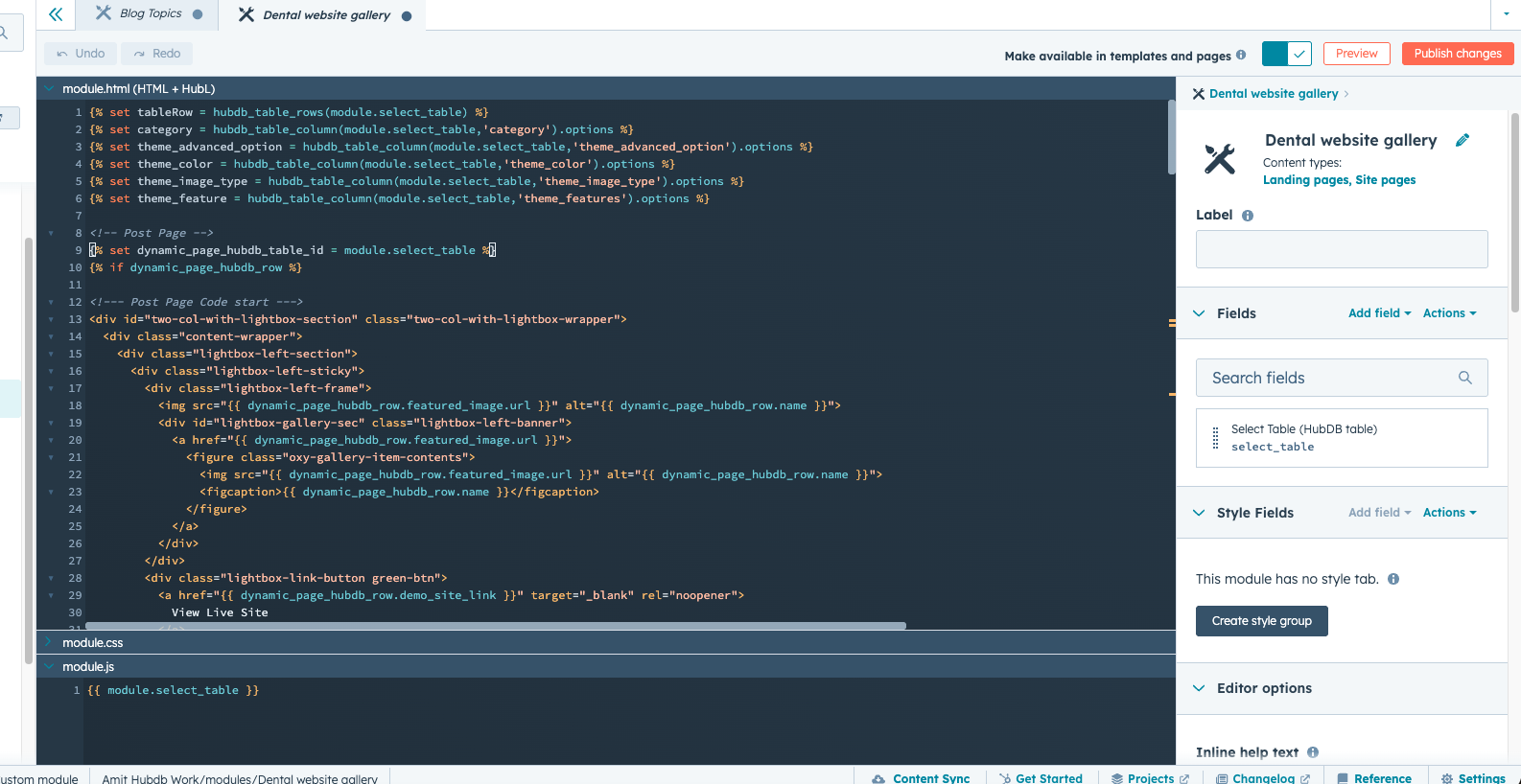
Dynamic pages are generated using a template that pulls data from the HubDB table.
Developers create templates using HubL to display data from the table.
For example, the template might include fields such as:
- Title
- Description
- Image
- Location
- Link
When a visitor opens a dynamic page, the template automatically displays the corresponding row data.
Key Takeaway
HubSpot Content Hub dynamic pages use HubDB tables as a structured data source to generate multiple pages automatically. By combining HubDB with templates and HubL, businesses can create scalable content directories without manually building each page.
Related Post
How Do HubSpot Content Hub Blog Features and Publishing Tools Work?
Blogs are one of the most effective ways to publish educational content, attract search traffic, and support inbound marketing strategies. HubSpot Content Hub includes built-in blog tools that allow businesses to create, manage, and publish blog...

How Do HubSpot Content Hub Header and Footer Management Work?
The header and footer are two of the most important sections of any website. The header typically contains the navigation menu, logo, and key links, while the footer usually includes contact information, secondary navigation, and legal links.

How Does HubSpot Content Hub Website Performance and Page Speed Optimization Work?
Website speed plays an important role in both user experience and search engine rankings. Visitors expect pages to load quickly, and slow websites can lead to higher bounce rates and lower engagement.
Have a Project in Mind?
Let’s talk about what you need and how we can make it happen.

Leave a reply