



When building a website, maintaining consistent design elements such as colors, fonts, spacing, and button styles is important. HubSpot Content Hub includes theme settings and style controls that allow designers and editors to manage these visual elements from a centralized location.
Theme settings help ensure that the website follows consistent branding while allowing editors to make adjustments without modifying code.
Understanding how HubSpot Content Hub theme settings and style controls work helps teams maintain consistent design across all pages.
What Are Theme Settings?
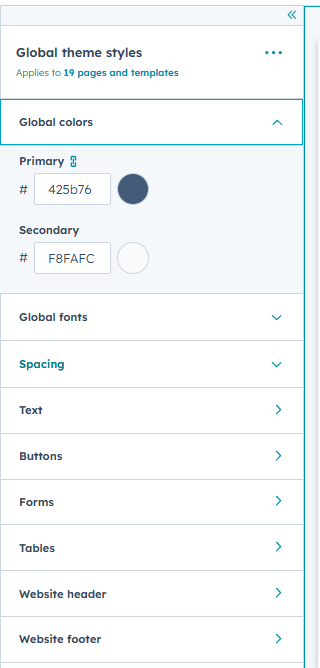
Theme settings are centralized controls that define the visual style of a website.
These settings typically include options for:
- Color palettes
- Typography
- Button styles
- Layout spacing
- Background styles
Once configured, these settings apply across all templates and pages that use the theme.
Where Theme Settings Are Managed
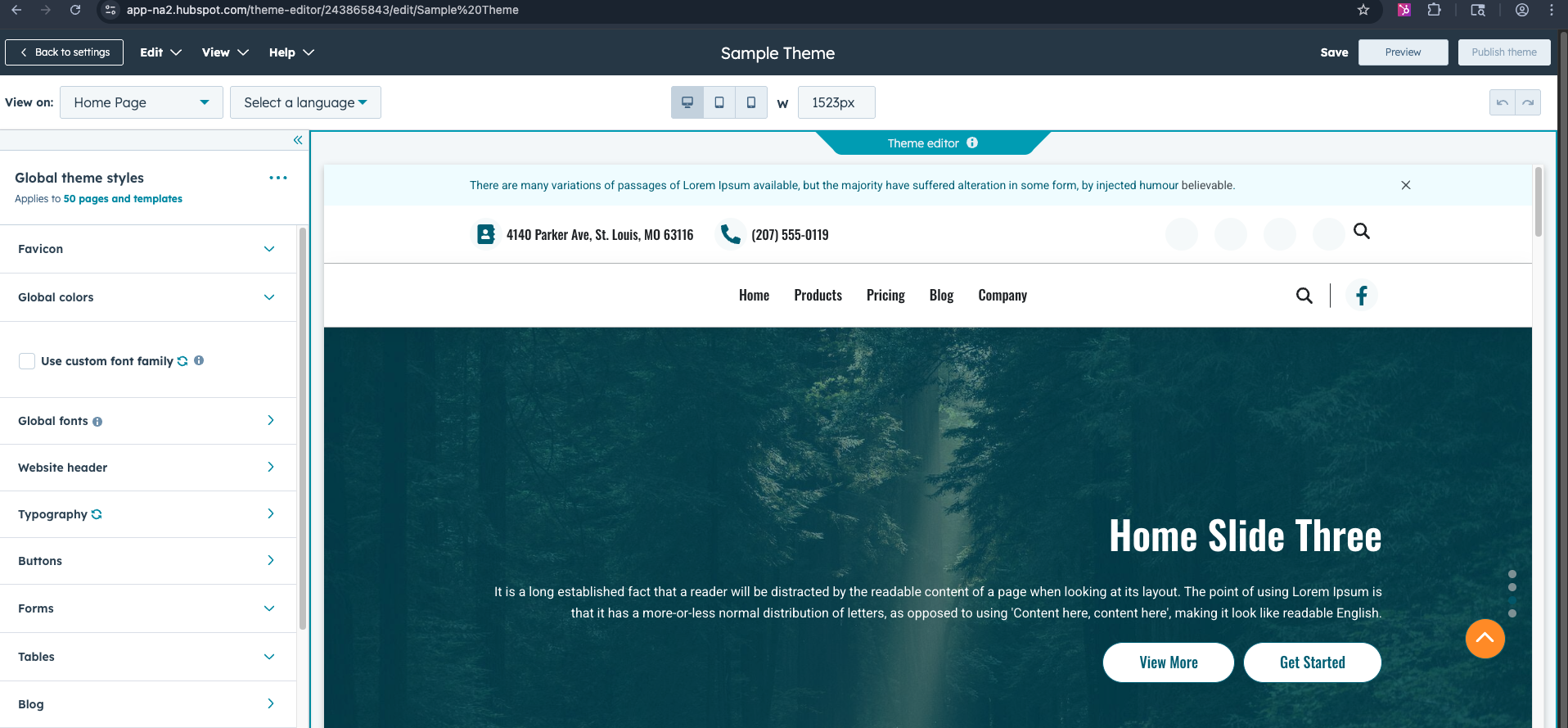
Theme settings are usually accessed from the page editor when editing a page that uses a HubSpot theme.
To access them:
- Open a page in the editor
- Locate the Theme Settings panel
- Adjust the available design options
Changes made here can affect multiple pages across the website.
Managing Website Colors
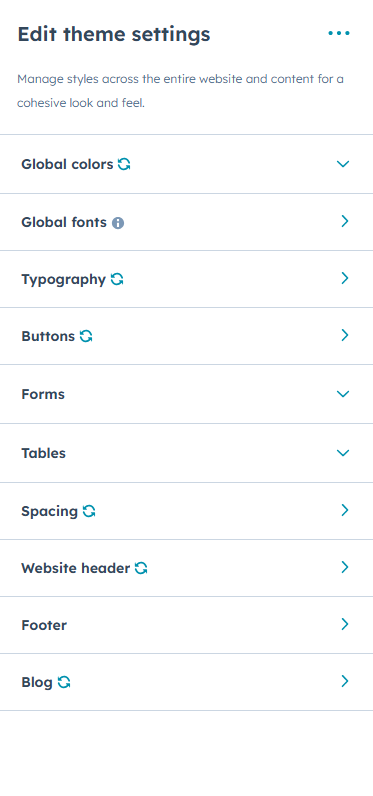
Themes typically allow users to define global color palettes.
These colors may be used for:
- Buttons
- Links
- Background sections
- Accent elements
Centralized color settings help maintain brand consistency across the website.
Typography Controls
Theme settings often include typography controls.
These controls allow teams to adjust:
- Heading fonts
- Paragraph fonts
- Font sizes
- Line spacing
Consistent typography improves readability and design harmony.
Key Takeaway
HubSpot Content Hub theme settings and style controls allow teams to manage design elements such as colors, fonts, and layouts from a centralized location. By using theme settings effectively, businesses can maintain consistent branding while making it easier to update website designs.
Have a Project in Mind?
Let’s talk about what you need and how we can make it happen.

Leave a reply