


.png)
.png)



When building a website, certain sections appear repeatedly across multiple pages. Examples include the header, footer, promotional banners, and newsletter signup sections. Instead of editing these sections individually on each page, HubSpot Content Hub provides global modules that can be updated from a single location.
Global modules help maintain consistent content and simplify website management.
Understanding how HubSpot Content Hub global modules work helps teams efficiently manage shared website components.
What Is a Global Module?
A global module is a reusable module that appears across multiple pages of a website.
When the module is updated once, the changes automatically apply to every page where the module is used.
Common examples of global modules include:
- Website header
- Footer section
- Announcement bars
- Newsletter signup blocks
- Global call-to-action sections
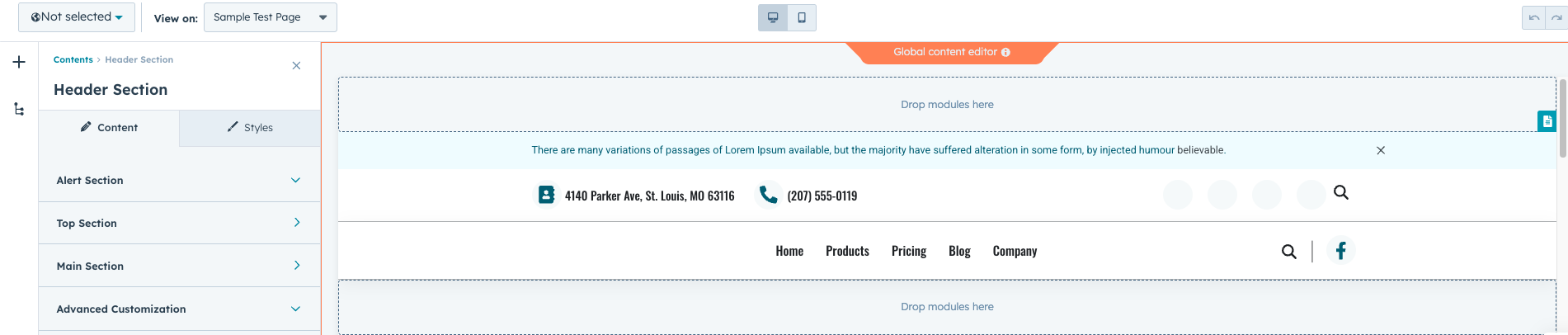
Why Global Modules Are Useful
Without global modules, teams would need to update the same section manually on many pages.
Global modules provide several advantages:
- Consistent content across pages
- Faster updates to shared sections
- Reduced editing errors
- Easier website maintenance
This feature becomes especially valuable for large websites.
Creating a Global Module
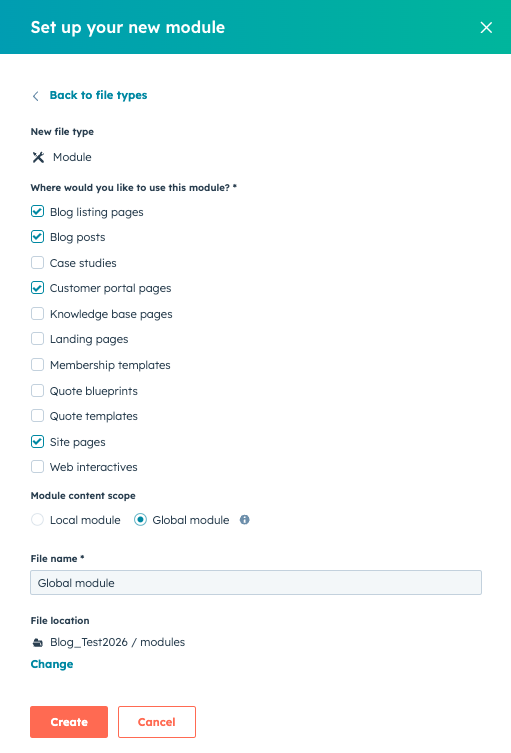
Developers usually create global modules in the HubSpot Design Manager.
To create a global module:
- Navigate to Content → Design Manager
- Create a new module
- Configure the module fields and layout
- Mark the module as global
Once created, the module can be inserted into templates or pages.
Adding Global Modules to Templates
Global modules are often added to templates so that they appear across the entire website.
For example:
- The header module may appear on every page
- The footer module may appear across the entire site
Templates ensure that these global modules are automatically included when new pages are created.
Editing Global Modules
To update a global module:
- Open a page that contains the module
- Click the module
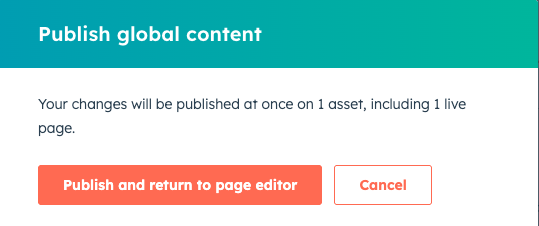
- Select Edit Global Content
- Update the content
- Publish the changes
The update will immediately apply to all pages using that module.
Examples of Global Module Use Cases
Global modules are commonly used for sections that must remain consistent across the website.
Examples include:
- Navigation menus
- Footer contact details
- Promotional banners
- Legal notices
Centralized updates help maintain consistency across all pages.
Key Takeaway
HubSpot Content Hub global modules allow teams to manage shared website components from a single location. By updating a module once and applying the change across multiple pages, businesses can maintain consistent content while simplifying website management.
Have a Project in Mind?
Let’s talk about what you need and how we can make it happen.

Leave a reply