



Typography plays a major role in the visual identity of a website. Fonts influence readability, branding, and the overall user experience. HubSpot Content Hub allows developers and designers to manage fonts and typography through themes, templates, and style settings.
These features make it possible to maintain consistent typography across the entire website.
Understanding how HubSpot Content Hub custom fonts and typography settings work helps teams maintain strong visual branding while ensuring content remains easy to read.
Why Typography Matters on Websites
Typography affects how visitors experience website content.
Good typography helps:
- Improve readability
- Maintain brand consistency
- Create visual hierarchy
- Guide visitors through content
Poor typography can make content difficult to read and reduce engagement.
Default Fonts in HubSpot Themes
Most HubSpot themes include default font settings that define typography across the website.
These settings usually include fonts for:
- Headings (H1, H2, H3)
- Paragraph text
- Buttons and navigation elements
These default fonts ensure that pages follow a consistent design style.
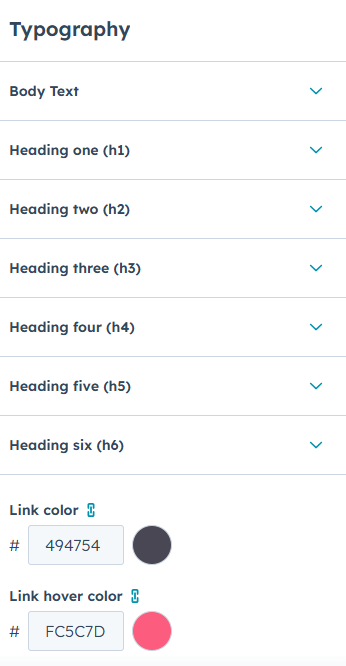
Adding Custom Fonts
Developers can also add custom fonts to a HubSpot website.
Common methods include:
- Uploading font files to the file manager
- Linking to web font services such as Google Fonts
- Including fonts within theme CSS files
Once added, the fonts can be applied across the website.
Managing Typography with Theme Settings
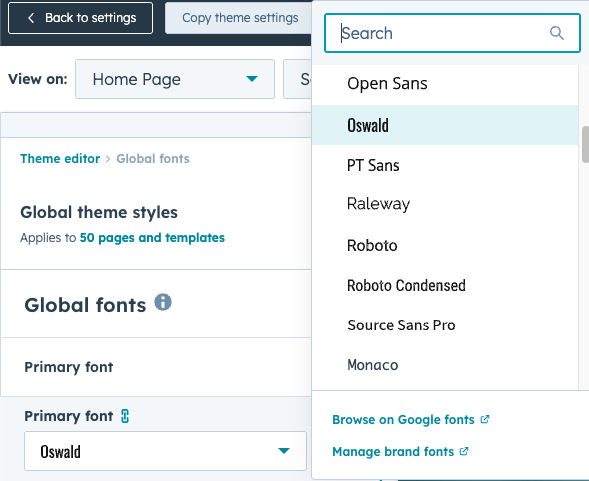
Many modern HubSpot themes include theme settings panels that allow editors to adjust typography without editing code.
These settings may allow users to change:
- Font families
- Font sizes
- Line spacing
- Font weights
Editors can update these settings to match brand guidelines.
Applying Fonts to Page Content
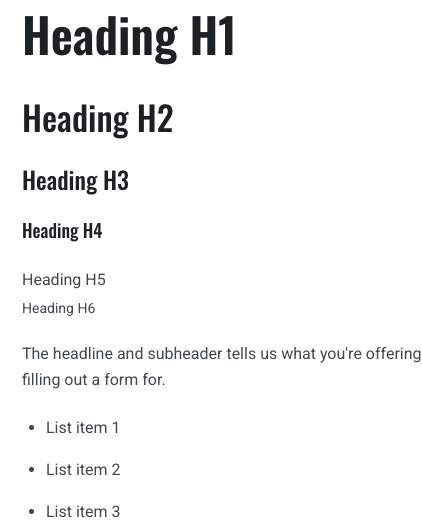
Typography settings usually apply to different types of content elements.
Examples include:
- Headings and titles
- Paragraph text
- Navigation menus
- Buttons and links
Consistent typography ensures that all pages maintain the same visual style.
Key Takeaway
HubSpot Content Hub typography settings allow teams to control fonts and text styles across their website. By managing fonts through themes and style settings, businesses can maintain consistent branding while ensuring content remains readable and visually appealing.
Have a Project in Mind?
Let’s talk about what you need and how we can make it happen.

Leave a reply