



When multiple writers contribute to a blog, it becomes useful to display who wrote each article and group their posts together. HubSpot Content Hub includes blog author features that allow websites to assign authors to blog posts and automatically generate author profile pages.
Author pages help readers discover more articles written by the same person and add credibility to the content.
Understanding how HubSpot Content Hub blog authors and author pages work helps teams organize blog content and showcase contributors effectively.
What Is a Blog Author in HubSpot?
A blog author is the person credited with writing a blog post.
Each author can have a profile that includes:
- Author name
- Profile photo
- Short bio
- Social links (optional)
When an article is published, the author information appears on the blog post page.
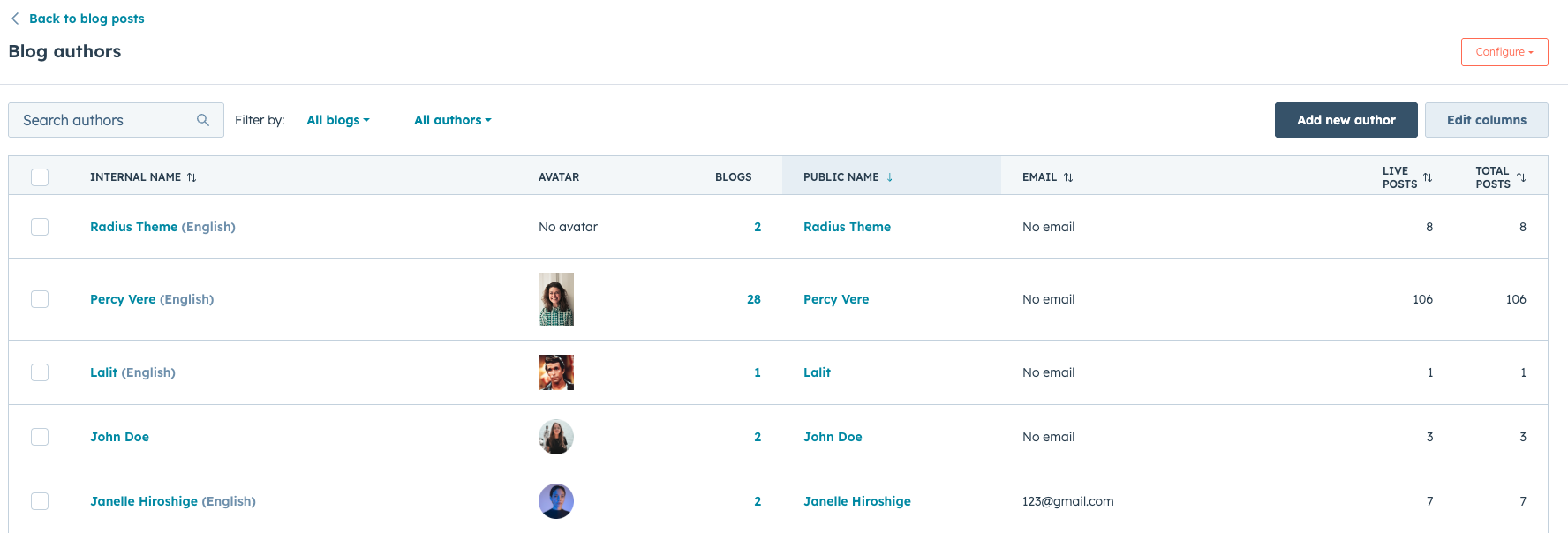
Creating a Blog Author Profile
To add an author in HubSpot Content Hub:
- Navigate to Settings → Website → Blog
- Open the Authors section
- Click Add new author
- Enter the author details
- Save the profile
Once created, the author can be assigned to blog posts.
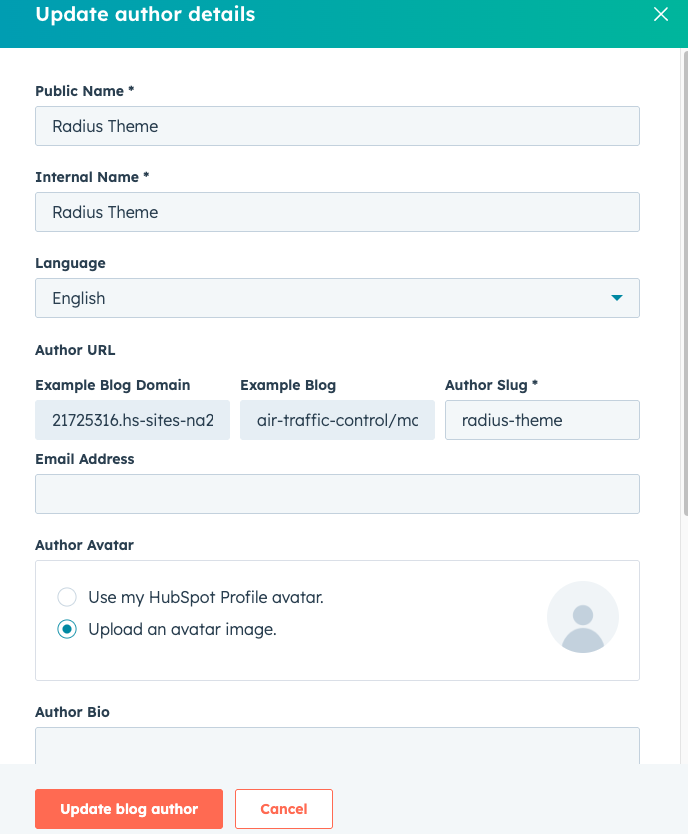
Assigning an Author to a Blog Post
When writing a blog post, users can select the author from the available author profiles.
To assign an author:
- Open the blog post editor Settings
- Select the author from the author dropdown
- Save or publish the post
The selected author will appear on the published article.
Author Pages in HubSpot
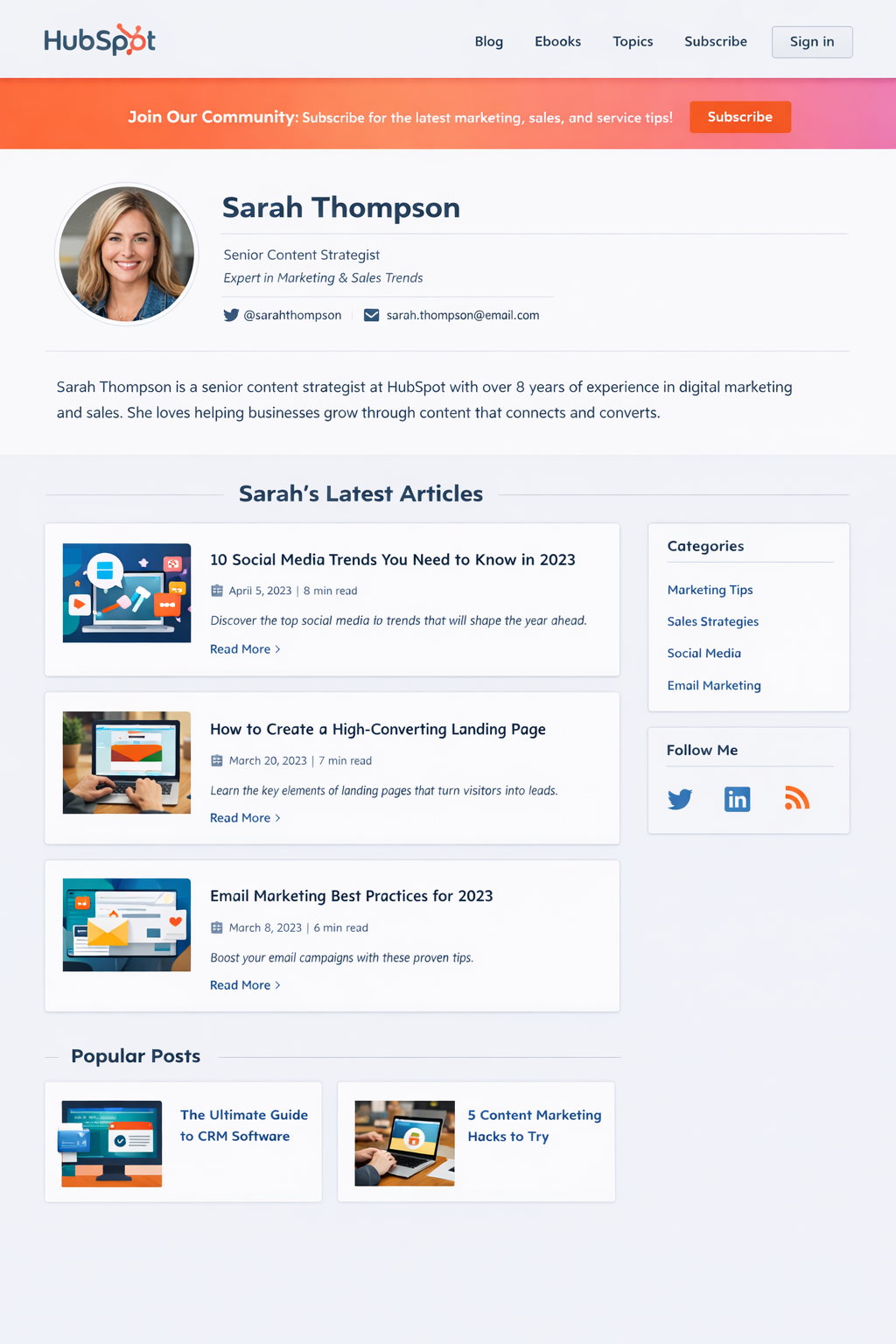
HubSpot automatically generates author archive pages.
These pages display all blog posts written by a specific author.
Example author page URL:
example.com/blog/author/john-doe
Visitors can browse all articles written by that author.
Key Takeaway
HubSpot Content Hub blog author features allow teams to assign writers to blog posts and automatically generate author pages. These pages help organize content by contributor while providing readers with additional context about the authors.
Have a Project in Mind?
Let’s talk about what you need and how we can make it happen.

Leave a reply