


.png)
.png)


Introduction
You can’t grow what you don’t measure. However, when you’re juggling dozens of detailed reports, managing thousands of contacts, and orchestrating multiple campaigns simultaneously, navigating through all that information can quickly feel overwhelming. It becomes all too easy to lose sight of what matters most, focusing instead on surface-level numbers or so-called "vanity metrics" that look impressive but ultimately have little to no impact on real business growth or revenue.
That’s where HubSpot Dashboards come in.
HubSpot’s dashboard tools help you visualize and track the metrics that truly matter — across marketing, sales, customer success, and website performance — in real-time, without spreadsheets.
In this post, we’ll walk you through:
- How HubSpot dashboards work
- Which metrics are most important for each team
- How to build dashboards that drive decisions
- Tips for reporting clarity and alignment
What Are HubSpot Dashboards?
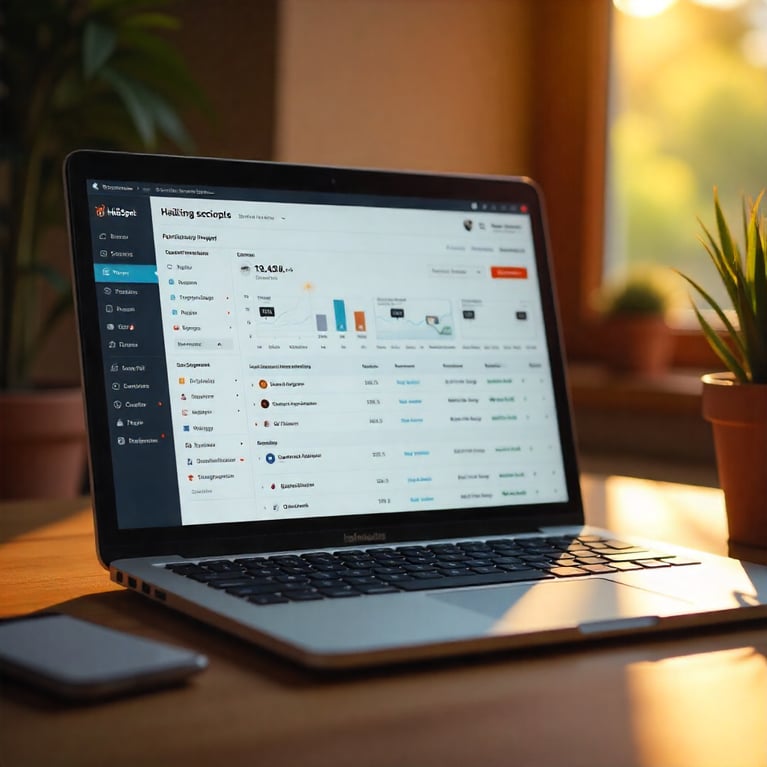
A dashboard in HubSpot is a customizable space where you can view multiple reports at a glance.
Dashboards are:
- Role-based — personalize for marketing, sales, execs, etc.
- Dynamic — data updates automatically
- Interactive — click into reports to explore details
- Sharable — email or schedule automatic reports
You can create private dashboards (for individuals) or shared dashboards (for teams or leadership).
How to Create a Dashboard in HubSpot
- Go to Reports > Dashboards
- Click Create Dashboard
- Choose from templates (Marketing, Sales, Website, etc.) or start from scratch
- Name your dashboard and set visibility (private/shared)
- Add reports using the Report Library or build Custom Reports
Most teams start with templates, then add custom reports over time
The Metrics That Matter (By Team)

Marketing Dashboard
Focus: Lead generation, campaign effectiveness, ROI
Key Metrics:
- New contacts by source
- Form submissions by campaign
- Landing page conversion rates
- Email open/click-through rates
- Blog views and top-performing posts
- Ad spend vs leads generated
- Lifecycle stage conversion (Visitor → Lead → MQL)
Add filters to segment by date, campaign, or region.

Sales Dashboard
Focus: Pipeline velocity, rep performance, revenue forecasting
Key Metrics:
- Deal stage totals and conversion rates
- Average deal size and close rate
- Time in each deal stage
- Activities per rep (calls, emails, tasks)
- Forecast vs actual revenue
- Sales cycle length
- Top performing reps
Add filters to segment by date, campaign, or region.

Website / CMS Dashboard
Focus: Content performance and lead capture
Key Metrics:
- Sessions by source
- Bounce rate and time on page
- CTA click-through rates
- Page views per landing page or blog
- Form conversion rates
- Exit page trends
Connect Google Analytics or use HubSpot’s built-in web analytics for deeper insights.
.png?width=512&height=512&name=Customer-Service%20Dashboard%20(Service%20Hub).png)
Customer Service Dashboard (Service Hub)
Focus: Retention, support efficiency, satisfaction
Key Metrics:
- Tickets by category and pipeline stage
- Time to first response / resolution
- Customer satisfaction (CSAT)
- NPS scores
- Number of tickets per rep
- Knowledge base usage
Great for tracking post-sale engagement and proactive support.
How to Use Dashboards Effectively
Organize by Role or Objective
- Executives need topline metrics (revenue, pipeline, ROI)
- Marketers need channel-level attribution and conversions
- Sales reps need activity-based and deal progress views
- Ops need automation health and lead quality metrics
Schedule Regular Reviews
- Weekly team check-ins
- Monthly marketing performance reviews
- Quarterly board/investor reporting
How to Use Dashboards Effectively

Dashboard Best Practices
- Keep it focused: 8–10 reports max per dashboard
- Use clear naming conventions
- Separate dashboards by team/function
- Share insights, not just numbers (add comments or summaries)
- Always tie metrics to outcomes — not just activity

Common Mistakes to Avoid
- Tracking too many KPIs (“data swamp”)
- Reporting without a goal (what’s this metric telling us?)
- Forgetting context (e.g., “traffic dropped” — but why?)
- Relying only on pre-built reports (customize for relevance)
Final Thoughts
HubSpot Dashboards give you real-time visibility into your entire funnel — from first visit to closed deal.
When set up correctly, dashboards:
- Clarify what’s working (and what’s not)
- Align teams around shared goals
- Enable data-driven decisions
- Make reporting faster and more impactful
Whether you’re in marketing, sales, service, or RevOps — the right dashboard is your secret weapon for consistent growth.

You might also like
How to Build a Lean, Scalable Sales Funnel with HubSpot
Streamlining Your Sales Funnel for Growth with HubSpot Sales funnels are not new — but the way modern businesses design, measure, and scale them has changed dramatically.
How to Set Up Lifecycle Stages in HubSpot and Why They Matter ?
Setting Up Lifecycle Stages in HubSpot: What They Are and Why They Matter Most businesses have leads at every stage of the customer journey, ranging from the first time someone visits your website, to marketing qualified leads (MQLs) who’ve shown...
.png)
A Step-by-Step Guide to Setting Up Lead Scoring in HubSpot
Introduction Not all leads are created equal.
Have a Project in Mind?
Let’s talk about what you need and how we can make it happen.
