
HubSpot Free vs Paid Plans: 2026 Complete Comparison Guide

HubSpot Free vs Paid Plans: 2026 Complete Comparison Guide

  • Home
  • Blog
  • HubSpot Free vs Paid Plans: 2026 Complete Comparison Guide

Introduction

HubSpot is one of the few CRM and marketing platforms that offers a generous free plan alongside a suite of powerful paid tools. But the question most teams face is:

“Can we get what we need from the free version — or should we upgrade?”

This guide breaks down exactly what you get with HubSpot Free vs HubSpot Paid Plans, and helps you decide when (and why) to move up the ladder.

Whether you're running a lean team or planning for scale, this post will help you make a smart, confident decision.

What’s Included in HubSpot’s Free Tools?

HubSpot’s free tools aren’t just trialware — they’re full-featured tools designed to get teams started fast.

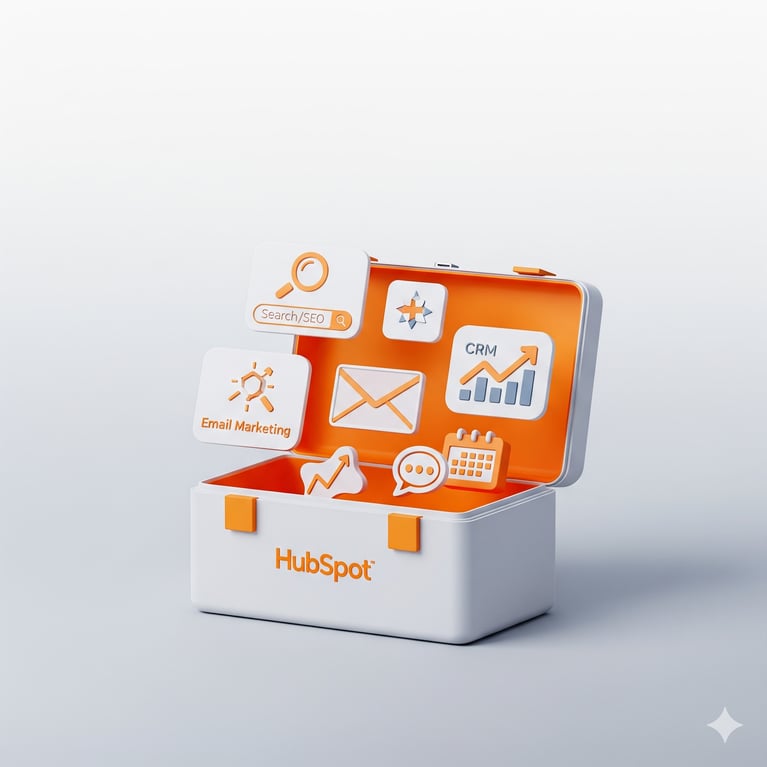
Free HubSpot Tools Include:

  • HubSpot CRM (unlimited users)
  • Contact management (up to 1 million contacts)
  • Deal pipeline & task tracking
  • Email marketing (2,000 emails/month)
  • Forms & pop-ups
  • Live chat & chatbot builder
  • Website activity tracking
  • Ad management (limited)
  • Reporting dashboard (basic)

These are not time-limited — you can use them indefinitely.

For many startups, agencies, and small service providers, the free tools are more than enough to begin generating leads and managing contacts.
What’s Included in HubSpot’s Free Tools

What Do You Get with HubSpot Paid Plans?

As your team grows and your workflows become more sophisticated, HubSpot’s paid plans unlock additional capabilities, such as:

Marketing And Sales Alignment

Marketing Hub (Starter, Pro, Enterprise)

  • Email automation and workflows
  • ABM tools and smart lists
  • A/B testing and personalization
  • Blog hosting and SEO tools
  • Multi-language content
Sale

Sales Hub

  • Email sequences and task queues
  • E-signature and quotes
  • Deal stage automation
  • Sales playbooks and call recording
  • Advanced pipeline customization

Website CMS Dashboard

Content Hub

  • Drag-and-drop website builder
  • Content Remix
  • Smart & Personalized content
  • Brand Voice
  • Custom themes
  • In depth reporting
Service Hub

Service Hub

  • Knowledge base and ticket pipelines
  • Customer feedback surveys (NPS, CES, CSAT)
  • SLAs and team management
  • Help desk automation

Paid tiers also include more advanced reporting, integrations, and permissions — important for larger teams.

Feature Comparison: Free vs Paid

Feature HubSpot Free Plan HubSpot Paid Plans
CRM Access ✅ Unlimited users ✅ Unlimited users
Marketing Emails ✅ (2,000/month) ✅ (increased + automation)
Automation Workflows ❌ Not available ✅ Included (Starter and up)
Email Sequences ❌ Not available ✅ Sales Hub Starter and up
Blog & SEO Tools ❌ Not included ✅ Marketing Hub Pro and up
Custom Reporting ❌ Basic only ✅ Advanced reports & dashboards
Team Management & Roles ❌ Not included ✅ Enterprise plans
Customer Support ❌ Community & docs only ✅ Email/Chat/Phone support

When Should You Stick With Free?

The free tools are great if:

  • You’re just getting started with inbound marketing
  • You only need basic email and form capabilities
  • Your team is under 5–10 people
  • You don’t need automation (yet)
  • You’re still testing your product-market fit

HubSpot’s free plan is better than many paid competitors — especially for contact management and deal tracking.

When Should You Upgrade to Paid?

You’ll want to upgrade when:

  • You're spending too much time manually sending follow-ups
  • Your lead volume is too high for manual nurturing
  • You want to segment your audience by persona or behavior
  • You need to personalize website or email content
  • You need reliable customer support

Also consider upgrading if:

  • You run paid ads and want multi-touch attribution
  • You need more advanced reporting for board/investor updates
  • You plan to use content (blogs, resources) to scale lead generation

Pricing Overview (2026)

Note: Pricing is subject to change — always check HubSpot.com for the latest. The pricing listed below is for monthly payments. You may get benefits for annual payments

HubSpot Product Starter Tier Professional Tier Enterprise Tier
Marketing Hub $20/month $890/month $3,600/month
Sales Hub $20/month $100/month $150/month
Content Hub $20/month $500/month $1,500/month
Service Hub $20/month $100/month $150/month


Real-Life Scenarios

Startup Example

A 3-person SaaS company uses:

  • Free CRM to manage contacts and deals
  • Free forms to collect leads
  • Free email for monthly newsletters (HubSpot Branding)

→ Result: Saves time, collects leads, stays lean
→ When MRR hits $20k+, they upgrade to Pro for lead scoring, workflows and own branding

Marketing Team Example

A 10-person agency:

  • Sends 3 emails/week
  • Hosts gated guides
  • Wants to automate nurturing by persona

→ Result: Moves to Marketing Hub Pro to segment leads and track ROI
Real Life Scenarios

So, What Should YOU Choose?

If You’re... Choose...
A solopreneur or startup HubSpot Free Tools
Running basic outreach Free + Sales Starter
Managing >100 leads/month Pro or CRM Suite
Building a content funnel Content Hub Pro + Marketing Starter/Pro
Serving multiple personas HubSpot Pro (min)
Scaling a 15+ person team Pro or Enterprise


The bottom line...

HubSpot’s free and starter plans are some of the most robust in the industry, and perfect for getting started.

But when you're ready to scale — to automate follow-ups, track ROI, personalize messaging, and support a growing team — HubSpot’s paid professional plans unlock serious power.

The key is not just choosing HubSpot but also choosing the right hub and right tier at the right time.


Still unsure which HubSpot plan is right for you?

We help B2B companies:

  • Map their needs to the right Hubs
  • Avoid overspending on unused features
  • Set up the tools that drive ROI

Frequently asked questions about HubSpot Plans and Subscriptions

Is HubSpot really free forever?

Yes. HubSpot's free tools are not a trial — they're permanently free with no time limit. You get unlimited users, up to 1 million contacts, basic CRM, forms, email marketing (2,000 sends/month), and chat tools. HubSpot may add or change features over time, but the core free CRM has remained genuinely free since 2014.

What's the catch with HubSpot's free plan?

There's no hidden cost or expiration, but the free plan does include HubSpot branding on emails and forms, lacks automation workflows, has limited reporting, and offers no direct customer support (only community and documentation). For many small teams, these limits are acceptable. For scaling teams, they become friction points.

Do I need to pay for HubSpot CRM?

No. HubSpot CRM is the foundation of the entire platform and is completely free for unlimited users. You only pay when you add advanced Hubs (Marketing, Sales, Service, Content) or upgrade to a paid tier of an existing Hub for automation, advanced reporting, or expanded limits.

Which HubSpot Hub should I start with?

Start with the free CRM, then add the Hub that solves your most expensive problem. If you're spending hours on manual follow-ups, start with Sales Hub. If your website isn't generating leads, start with Marketing Hub or Content Hub. If customer support is fragmented, start with Service Hub. Most organizations don't need all four at once.

Can I switch from HubSpot Free to Paid without losing data?

Yes. Upgrading is seamless — all your contacts, deals, properties, and historical data stay intact. You simply unlock additional features. The same is true when upgrading between paid tiers (Starter → Pro → Enterprise).

What's the difference between HubSpot Starter and Professional?

Starter (around $20/month per Hub) gives you basic automation, removes HubSpot branding, and unlocks email support. Professional unlocks the real power across Hubs: advanced workflows, custom reporting, A/B testing, lead scoring, and ABM tools. Most growing companies will plateau on Starter and will see significant ROI after upgrading to Pro.

Is HubSpot worth it for small businesses?

For small businesses with fewer than 10 employees and limited automation needs, HubSpot's free and started plans often deliver more value than many paid competitors. Paid/pro plans become worth it when you spend more time on manual marketing/sales/content tasks than the cost of automation would save.

Can I use HubSpot Free with another CRM or marketing tool?

Yes. HubSpot integrates with hundreds of tools through its App Marketplace and APIs. Many teams use HubSpot's free CRM alongside other tools like Mailchimp, Salesforce, or ActiveCampaign during transition periods. Eventually, most consolidate to HubSpot for the unified data benefit.

How much does HubSpot really cost for a growing business?

A typical growing B2B team (10-25 employees) spends up to $800-$1,500/month on the right HubSpot stack — usually Marketing Hub Pro, Sales Hub Starter, and Content Hub Starter combined. The actual cost depends on contact tier and which Hubs you need. The CRM Suite bundle often offers better value than buying Hubs individually.

Do I need a HubSpot partner agency to set things up?

Not strictly. HubSpot's onboarding is well-documented and many teams self-implement. However, working with a HubSpot Solutions Partner typically saves 4-8 weeks of setup time, prevents costly configuration mistakes, and ensures you're using features you've already paid for. Some Pro subscriptions (Marketing Hub Pro, Sales Hub Pro Service Hub Pro) need you to get an onboarding by HubSpot or by a Solutions Partner. For Content Hub, it is generally a good idea to use HubSpot's Website Migration Service or migrate your website to HubSpot Content Hub withe the help of a Solutions Partner

Leave a reply

You might also like

6 Ways to generate Leads using Hubspot CRM
November 14, 2025
Business Automation, HubSpot CRM, HubSpot marketplace, CRM, Hubspot AI Tools, automation, automated workflows

6 Ways to generate Leads using Hubspot CRM

Top Strategies for Generating Leads with HubSpot CRM A steady pipeline starts with the right systems in place. HubSpot CRM empowers your business with a comprehensive suite of tools designed to attract visitors, seamlessly convert them into...
Read More
HubSpot CRM vs Traditional CRMs: What’s the Difference?
January 8, 2026
Business Automation, HubSpot CRM, HubSpot CRM Integrations, Business Growth, CRM, CRM tools, RevOps

HubSpot CRM vs Traditional CRMs: What’s the Difference?

Introduction Choosing the right CRM (Customer Relationship Management) system is one of the most important technology decisions a business can make. It affects how you manage leads, communicate with clients, forecast revenue, and measure your...
Read More
Best HubSpot Integrations for SaaS Companies in 2026
January 12, 2026
HubSpot CRM, HubSpot CRM Integrations, Business, CRM, CRM tools

Best HubSpot Integrations for SaaS Companies in 2026

Introduction For growing SaaS companies, HubSpot offers a powerful foundation for marketing, sales, service, and CRM.

Read More

Power Up Your Project

Request a Quote and Let Us Save the Day!

Request a quote