


.png)
.png)



When making changes to a website, it is important to test those changes before they become visible to visitors. HubSpot Content Hub includes staging and preview features that allow teams to review updates safely before publishing them to the live website.
These tools help developers, marketers, and content editors test design changes, new pages, or structural updates without affecting the live site.
Understanding how HubSpot Content Hub staging and website preview features work helps teams avoid publishing mistakes and maintain a stable website experience.
What Is a Website Staging Environment?
A staging environment is a copy of the website where changes can be tested before going live.
This environment allows teams to:
- Test new page layouts
- Update templates or themes
- Review design changes
- Validate new functionality
The staging version of the website is not visible to the public.
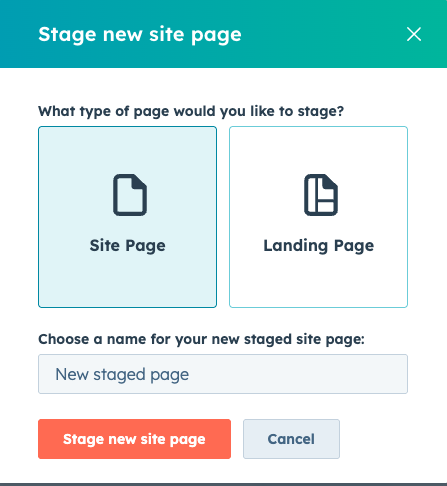
Why Staging Is Important
Staging helps prevent issues that could affect the live website.
Without staging, changes made directly to the live site could cause problems such as:
- Broken layouts
- Missing content
- Navigation errors
- Incorrect design updates
Testing changes first helps identify issues before visitors see them.
Creating a Staging Environment in HubSpot
HubSpot allows teams to create a staging environment for their website.
To create a staging site:
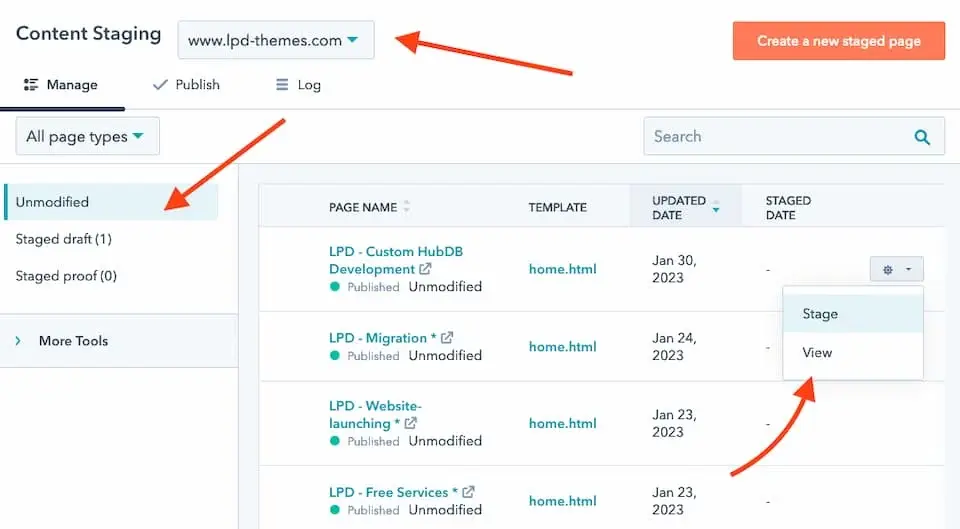
- Navigate to Content → Staging
- Choose the domain you want to stage
- Create a staging copy of the website
Once created, teams can safely make changes within the staging environment.
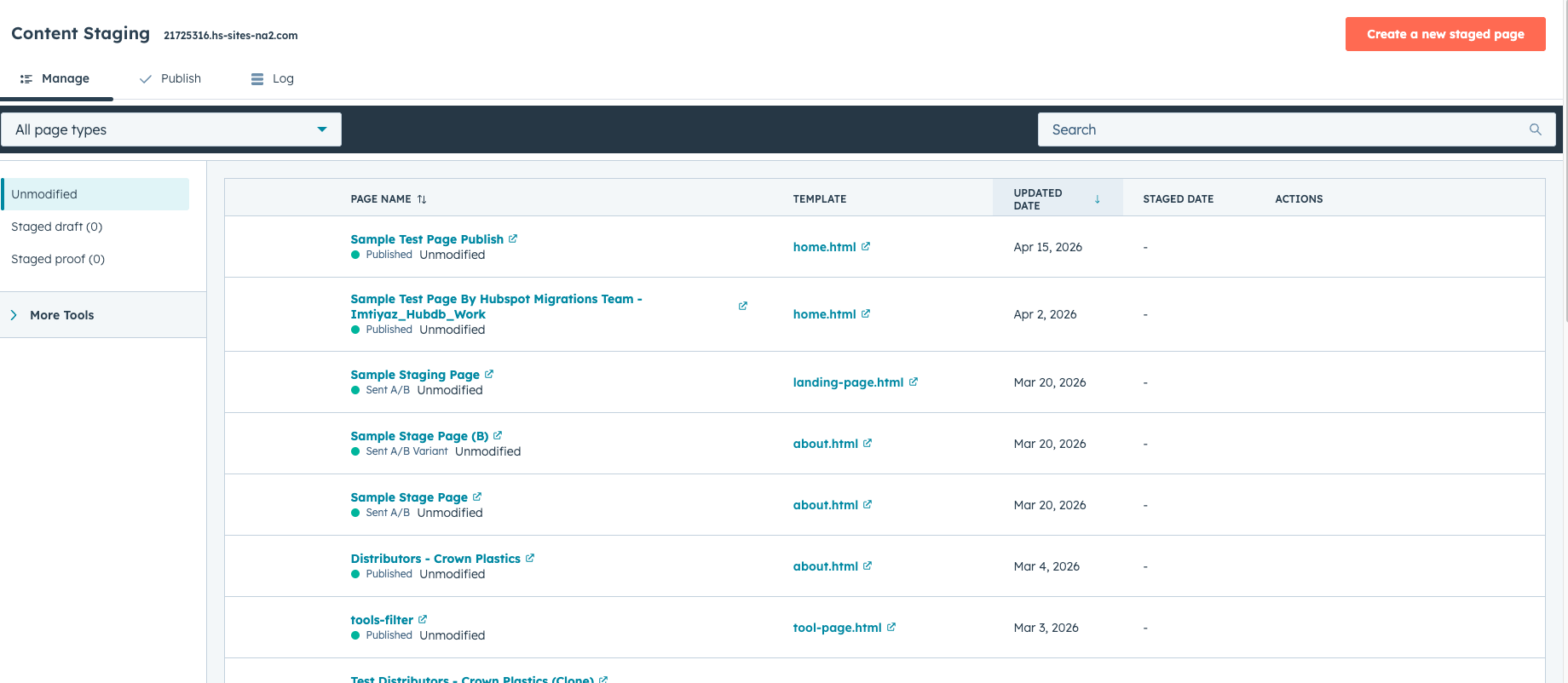
Testing Changes in Staging
Inside the staging environment, teams can test various updates such as:
- Template changes
- Navigation updates
- New page structures
- Design modifications
These changes can be reviewed before publishing them to the live website.
Publishing Changes from Staging
Once updates have been tested, teams can push the changes to the live website.
This process usually involves:
- Reviewing the staged changes
- Selecting which changes to publish
- Publishing updates to the live site
This controlled publishing process helps maintain website stability.
Key Takeaway
HubSpot Content Hub staging and preview tools allow teams to test website updates safely before publishing them live. By using staging environments and preview features, businesses can reduce errors and maintain a stable, high-quality website experience.
Have a Project in Mind?
Let’s talk about what you need and how we can make it happen.

Leave a reply