


HubSpot AEO Grader: The Complete Guide to Running It and Understanding Your Score
Introduction
If buyers in your category ask ChatGPT, Gemini, or Perplexity for recommendations — and in 2026, a large and growing share of them do — there's one question that matters: does your brand come up in the answer?
HubSpot's AEO Grader is a free tool that answers that question with actual data. It tests how the major AI answer engines currently represent your brand, scores you across five dimensions, and shows you exactly where you're visible, invisible, or — worse — misrepresented.
This guide covers what the AEO Grader measures, how to run it properly, how to interpret each of the five dimensions, and what to actually do with your results.

What Is the HubSpot AEO Grader?
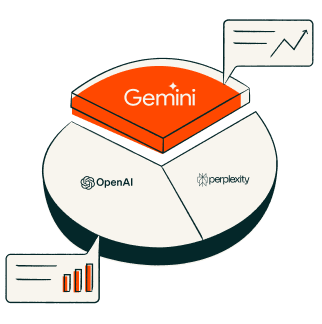
The AEO Grader is a free diagnostic tool from HubSpot, launched alongside their AEO product in April 2026. It runs your brand through the three major AI answer engines — ChatGPT, Gemini, and Perplexity — and evaluates how each one represents you when users ask questions relevant to your category.
Unlike traditional SEO tools that measure rankings and backlinks, the Grader measures something newer and arguably more important in 2026: whether AI engines know who you are, describe you accurately, and cite you when buyers ask relevant questions.
The result is a scored report across five dimensions, with a comparison against competitors in your space.
The Five Dimensions the Grader Measures
|
Dimension |
What It Measures |
Why It Matters |
|---|---|---|
|
Sentiment |
Whether AI engines describe your brand positively, neutrally, or negatively |
Negative or lukewarm AI descriptions actively repel buyers who never even visit your site |
|
Presence Quality |
How accurate and complete the AI's information about you is |
Wrong pricing, outdated features, or misattributed capabilities in AI answers cost deals invisibly |
|
Brand Recognition |
Whether AI engines recognize your brand as an entity at all |
If the AI doesn't know you exist, you can't be recommended — full stop |
|
Share of Voice |
How often you're mentioned vs competitors for category questions |
The AI answer typically names 2-3 brands; being fourth is being invisible |
|
Market Position |
How AI engines characterize your standing in your category |
Being described as 'a smaller alternative' vs 'a leading provider' shapes buyer perception before you get a chance to |
How to Run the AEO Grader (Step by Step)
02.
Enter your brand name exactly as it appears publicly — the name buyers and AI engines would use
03.
Enter your website URL
04.
Select your primary category — be accurate here; the Grader tests category-relevant questions, so a wrong category produces misleading results
05.
Let the analysis run — the Grader queries the three answer engines, which takes a few minutes
06.
Complete the short form to unlock your full report
07.
Save or export your results — this is your baseline, and you'll want to compare against it after making improvements
How to Read Your Results
If your Brand Recognition score is low
This is the most fundamental problem — the AI engines don't have a confident entity profile for your brand. Usually caused by inconsistent brand descriptions across your website, LinkedIn, directories, and third-party mentions, or simply insufficient presence across the sources AI engines draw from. This is fixable, but it's foundational work: schema markup, entity consistency, and third-party presence building.
If your Share of Voice score is low
The engines know you exist but recommend competitors instead. This typically reflects a content gap — competitors have more extractable, question-answering content and stronger third-party validation. The fix is targeted: identify the questions where competitors get cited, and build genuinely better answers.
If your Sentiment or Presence Quality scores are low
The engines are describing you inaccurately or unfavourably. This is often the most urgent to fix — wrong information in AI answers actively costs you deals. The fix involves correcting your canonical sources (site, directories, profiles), addressing negative third-party content where possible, and publishing authoritative content that gives engines better source material.
If your Market Position score doesn't match reality
Being characterized as smaller, newer, or more niche than you actually are usually means AI engines are working from stale or thin information. Fresh, specific, well-structured content about your scale, clients, and capabilities — placed where engines look — recalibrates this over time.
What the Grader Doesn't Do
Worth being clear about the tool's boundaries:
- It's a one-time snapshot, not continuous monitoring — for week-over-week tracking, HubSpot offers the full AEO product ($50/month standalone, or included in Marketing Hub Pro and above)
- It diagnoses; it doesn't fix — the report tells you where you're weak, not the specific implementation steps to improve
- It tests category-level questions, not every question that matters to your specific business — a full AEO strategy needs a deeper question inventory

Frequently Asked Questions
Is the HubSpot AEO Grader really free?
Yes. The Grader is a free diagnostic with no credit card required. You provide your details via a short form to access the full report. The paid HubSpot AEO product ($50/month) is a separate, continuous-monitoring tool.
Which AI engines does the AEO Grader test?
ChatGPT, Google Gemini, and Perplexity — the three answer engines with the largest share of AI-assisted buying research in 2026.
How long does the AEO Grader take to run?
A few minutes. The tool queries the answer engines in real time, analyzes the responses, and compiles your five-dimension report.
How often should I run the AEO Grader?
Monthly, if you're actively working on AEO improvements and not using the paid continuous-tracking product. Quarterly at minimum, since AI engine responses shift as models and their sources update.
What's a good AEO Grader score?
HubSpot doesn't publish official benchmarks, but the practical read is relative: your score against your named competitors matters more than the absolute number. If competitors consistently outscore you on Share of Voice, that's the gap costing you AI-referred pipeline.
What should I do after running the AEO Grader?
Identify your weakest dimension, then work through a structured fix plan — schema markup, entity consistency, answer-first content restructuring, and third-party presence, in that order for most brands. We've published a complete guide: How to Fix Your AEO Grader Results [link to Page 2], and a free 14-step AEO Action Playbook
Get Your Score — Then Get a Plan
Running the Grader takes five minutes and tells you where you stand. What you do next determines whether that score improves.