







As blogs grow, organizing content becomes increasingly important. Visitors should be able to easily find related articles, and search engines should understand how blog topics are structured. HubSpot Content Hub includes tagging and categorization features that help organize blog posts effectively.
Tags and categories allow businesses to group related articles together, making blog navigation easier for readers.
Understanding how HubSpot Content Hub blog tags and categories work helps teams maintain an organized blog structure and improve content discoverability.
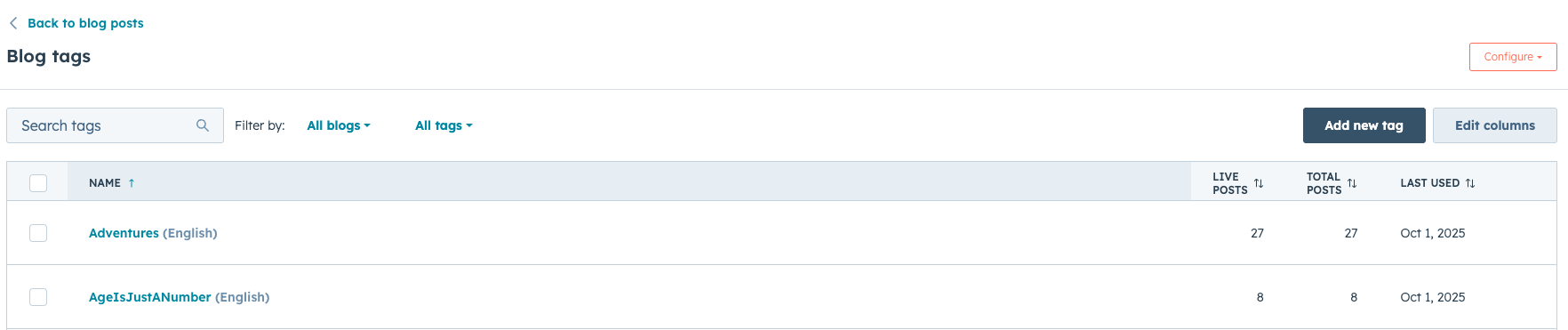
What Are Blog Tags?
Tags are labels assigned to blog posts that help group related content together.
For example, a HubSpot-related blog might include tags such as:
- HubSpot Content Hub
- Marketing automation
- CRM integrations
- Website development
A single blog post can have multiple tags.
What Are Blog Categories?
Categories are broader groupings that organize blog posts into major sections.
For example, a blog might include categories such as:
- HubSpot tutorials
- Marketing strategies
- CRM best practices
- Website development
Each blog post is usually assigned to one primary category.
Categories help define the main structure of the blog.
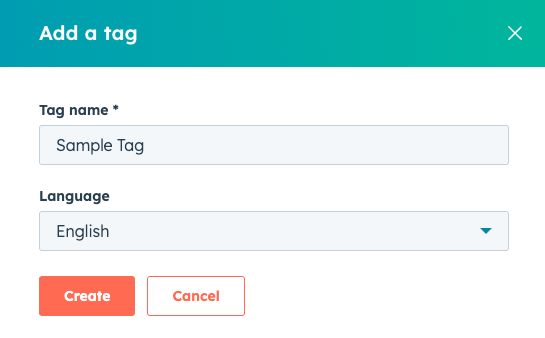
Adding Tags to a Blog Post
To add tags when creating a blog post in HubSpot Content Hub:
- Open the blog editor
- Navigate to the Settings section
- Enter relevant tags
- Save the changes
Once published, the tags become associated with the post.
Tag Pages in HubSpot
Each blog tag typically generates a tag archive page.
These pages display a list of blog posts that share the same tag.
For example:
example.com/blog/tag/hubspot-content-hub
Visitors can browse all posts associated with a particular tag.
Benefits of Using Tags
Tags provide several benefits for blog organization.
They help:
- Group related articles
- Improve internal linking
- Enhance blog navigation
- Help readers discover more content
Tags are especially useful when blogs cover multiple subtopics.
Key Takeaway
HubSpot Content Hub blog tags and categories help organize blog posts into structured groups, making it easier for readers to discover related content. By maintaining a clear tagging strategy, businesses can improve blog navigation and support better content organization.
Have a Project in Mind?
Let’s talk about what you need and how we can make it happen.

Leave a reply